
LimitedLives – Hardcore Lives & Respawn System
A limited lives system for Minecraft. Players start with configurable lives that decrease on death. Run out and face ban (servers) or world deletion (singleplayer). Features HUD display, admin commands, LAN/Essential support, and 4 languages.
介绍
LimitedLives
LimitedLives is a Minecraft Forge mod that adds a limited lives system to your world, bringing a hardcore-like experience with configurable extra chances. Each player starts with a set number of lives, and every death costs one. When all lives are gone, consequences follow.
Works in both singleplayer and multiplayer — including LAN worlds via mods like Essential.
Features
Limited Lives System
Every player starts with a configurable number of lives (default: 5). Each death decreases the count by one. When a player reaches zero lives, they face the configured consequence.
Singleplayer Behavior
When the host runs out of lives, the world can be automatically deleted (configurable). If a guest connected via LAN or Essential runs out of lives, only that guest is kicked — the host and other players are unaffected.
Dedicated Server Behavior
Players who run out of lives are banned from the server (configurable). If banning is disabled, they are kicked instead.
Lives HUD
A heart-based HUD displays remaining lives in the bottom-left corner of the screen. When lives exceed the default amount, it switches to a compact heart x number format. Position is fully configurable via the client config.
Multi-Language Support
The mod supports four languages out of the box, automatically matching each player’s Minecraft language setting:
- English
- Spanish
- French
- Italian
Commands
All commands require operator permissions (level 2).
| Command | Description |
|---|---|
/lives set <player> <amount> |
Set a player’s lives to an exact number |
/lives get <player> |
Check how many lives a player has |
/lives add <player> <amount> |
Add lives to a player |
/lives remove <player> <amount> |
Remove lives from a player |
/lives setall <amount> |
Set all online players’ lives to the same amount |
All command feedback messages are fully translated into the four supported languages.
Configuration
The mod uses two separate config files, one for server-side gameplay rules and one for client-side display preferences.
Server Config
Location:
- Singleplayer: Inside your world save folder at
.minecraft/saves/<world_name>/serverconfig/limitedlives-server.toml - Dedicated Server: In the server’s
world/serverconfig/limitedlives-server.toml
Note: Since this is a server-type config, it is generated per world. If you create a new world, a new config file with default values will be created. You can edit it before or after entering the world.
[limitedlives]
    # Default number of lives a player starts with. (1 - 1000)
    defaultLives = 5
    # If true, players are banned when they run out of lives (dedicated server).
    banOnDeath = true
    # If true, the world is deleted when the player runs out of lives (singleplayer).
    deleteWorld = true
Client Config
Location: .minecraft/config/limitedlives-client.toml
This file is shared across all worlds and controls how the HUD looks on your screen. Each player can customize it independently.
[limitedlives]
    # If true, the HUD will display the remaining lives.
    showHUD = true
    # Horizontal offset (from left) for the lives HUD. (0 - 1000)
    hudOffsetX = 10
    # Vertical offset (from bottom) for the lives HUD. (0 - 1000)
    hudOffsetY = 20
Data Storage
Player lives are stored in limitedlives_data.json inside the world save folder (singleplayer) or the server root directory (dedicated server). Lives persist across sessions and are saved automatically.
- In singleplayer, lives are tracked per player per world name.
- In dedicated servers, lives are tracked per player globally.
Compatibility
| Minecraft | 1.20.1 |
| Mod Loader | Forge 47.4.0+ |
| Side | Both (required on client and server) |
| LAN / Essential | Fully compatible — guest players are handled independently from the host |
LimitedLives is ideal for players who want a hardcore-like challenge with the flexibility of multiple lives, and for server administrators looking to add a survival stakes system to their community.
常见问题
LimitedLives – Hardcore Lives & Respawn System 支持哪些 Minecraft 版本?
LimitedLives – Hardcore Lives & Respawn System 支持 Minecraft Java 版 1.20.1,可用的加载器:Fabric / Forge / NeoForge。下载时注意选择和你游戏版本一致的文件。
LimitedLives – Hardcore Lives & Respawn System 怎么安装?
先用 PCL2 或 HMCL 启动器安装对应版本的 Fabric / Forge / NeoForge,再把下载的 .jar 文件放进游戏目录的 mods 文件夹,重新启动游戏即可。开启了版本隔离的,mods 文件夹在 versions/版本名 下面。
Zonoikk 的其他作品
查看全部 →
Teleport Requests (TPA System)
Simple /tpa and /tpaccept system for Minecraft servers – fast, configurable teleport requests between players.

SimpleAuth: Server Login System
Lightweight authentication and login system for Minecraft servers with secure player verification and configurable access control.
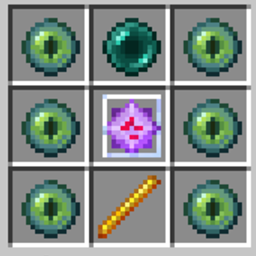
End Portal Frame Recipe!
A simple recipe for End portal frame

The Party System – RPG Parties
A 1.20.1 mod that lets players create and manage parties. Features invite system, real-time health HUD, PvP toggle, persistent data, and full networking support.
评论
登录后评论和评分