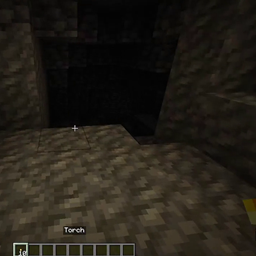
介绍
[Read from Source: https://github.com/ye-yu/fabric-dynamic-lights/blob/1.18.2/README.md]
1. Mini Dynamic Lights
A fast dynamic light mod by doing minimal computation through:
- selective dynamic light entity computation by type and count
- smaller range of dynamic light radius
As a result, the dynamic lighting can appear choppy in expense of performance. However, dynamic lighting settings (Section 4.) can be tweaked to fit into your system.
2. Acknowledgement
Thanks to this source for giving me the best reference for me to get started on this mod.
3. Features
I present to you five basic features to this mini dynamic lights mod.
3.1. Nearest Entities Dynamic Lights
By default, the mod will only render the nearest 4 entities that are eligible for dynamic lights, which is the lowest setting for this mod.
[Nearest Entities Rendering: https://imgur.com/G9ptG41.mp4]
If you are interested to increase the settings, head to the video settings of your option screen.
Glowing item entities will not produce dynamic lights until it reaches the ground to reduce dynamic lights calculations.
3.2. Animation
When you hold a glowing item, it will glow gradually like this.
[Animation: https://imgur.com/3jv4cbt.mp4]
It’s the little things that count. 🙂
3.3. Vision-based Lighting
The default player light is a bit in front of the player to create an illusion that the glowing item is being held in front of the player.
[Vision-based Lighting: https://imgur.com/ivyQ0Ga.mp4]
3.4. (Experimental) Entity Configurable
This mod only preconfigured dynamic lights to players and glow squids, but you can extend the configuration to your likings!
In your game directory, find the directory config and create a directory named dynamic-lights. In there, create new files in the format filename.yaml and the mod will iterate over each file to apply your new configuration.
This is a configuration template for entities
# a compulsory field
type: entity
# or
type: item

# minecraft id for the entity/item
id: minecraft:player

# light level when entity is not on fire or has enchanted items
# default is 0
default light level: 0

# light level when entity has enchanted items
# default is 5
enchantment light level: 5

# light level when entity is on fire
# default is 5
fire light level: 12
There will be more configurations in the future, but these are the current ones so far.
4. Settings
A lot of the settings here are experimental, you can usually leave it as it is. However, if you are interested in getting higher dynamic light resolution, you can refer to the following options in the Video Settings page:
4.1. Chunk Builder
Set this option to Full Blocking to ensure all lighting animation to be in-sync. This will usually fix all choppy-ness issues but will also reduce performances.
4.2. Smooth Lighting
Set this option to Minimum to reduce light smoothness and increase performance.
4.3. Dynamic Lights (FAST / FANCY)
Option FAST will produce slightly choppy lights with greater performance. Option FANCY will produce smoother lights with lesser performance.
4.4. Dynamic Entities
Set this option to determine how many entities to render the dynamic entities. The lower the number of dynamic light entities, the greater the performance.
Refer to (Section 3.2.) for reference.
4.5. DL. Performance
Set this option to SMOOTH to always compute for dynamic lights on every tick. Set this option to FASTEST to delay dynamic lights next tick computation.
5. Mods Compatibility
This mod is mostly compatible to any mods. Here are a few tested mods with Mini Dynamic Lights:
- Sodium: this mod is highly recommended to be added with Mini Dynamic Lights. However, the options page will be overwritten. My future plans include refactor the options page for dynamic lights.
常见问题
Mini Dynamic Lights 支持哪些 Minecraft 版本?
Mini Dynamic Lights 支持 Minecraft Java 版 1.18.2,可用的加载器:Fabric。下载时注意选择和你游戏版本一致的文件。
Mini Dynamic Lights 怎么安装?
先用 PCL2 或 HMCL 启动器安装对应版本的 Fabric,再把下载的 .jar 文件放进游戏目录的 mods 文件夹,重新启动游戏即可。开启了版本隔离的,mods 文件夹在 versions/版本名 下面。
评论
登录后评论和评分