
截图


介绍
Ghost Utilities are a small client-sided mod with useful overlays.
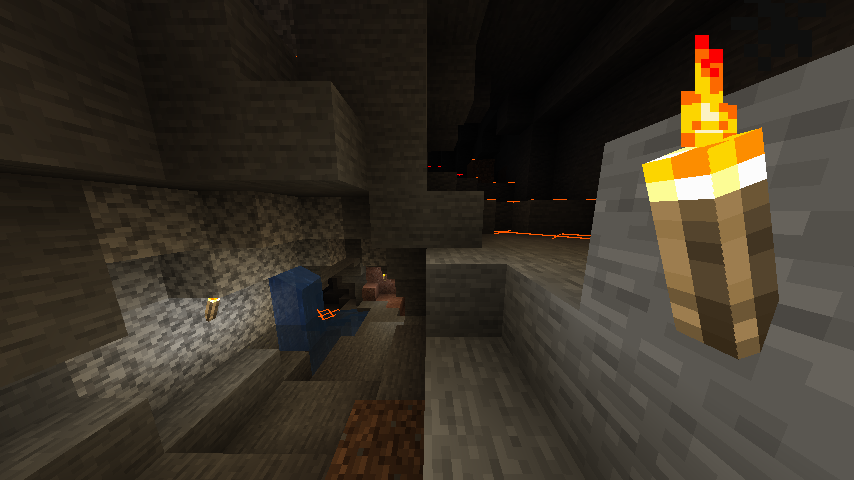
You probably have seen something like this. Yes, it’s another Light Overlay. Shows ‘X’ signs on surfaces that hostile mobs can be spawned.
- X is colored yellow if there’s enough sunlight to prevent mob spawning in daytime.
- X is colored orange if there’s not enough sunlight to prevent mob spawning.
- And, X is colored red if there’s no light present.
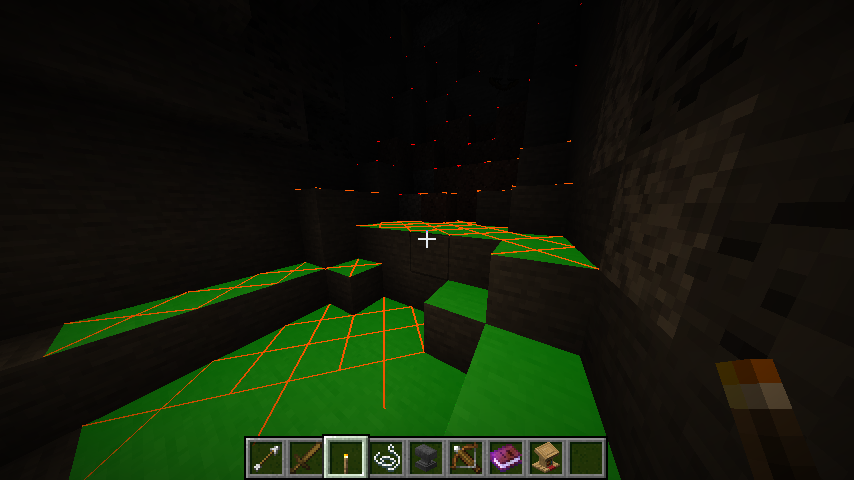
In addition to the overlay, Ghost Utilities add Light Source Preview. When you look some block while holding light source, green translucent area will be displayed. This overlay represents the area light source can prevent mob spawning when placed.
You can toggle this overlay with F7 key by default.
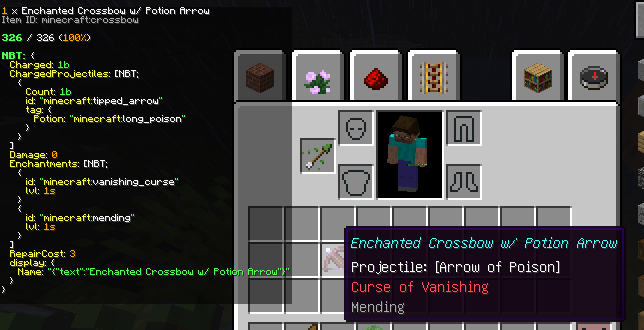
Ghost Utilities adds another overlay, called Item Info Overlay. Item Info Overlay displays information of the item picked up by cursor, or below cursor. It shows:
– Item name & count
– Internal Item/Block ID
– Durability
– Item/Block Tags (1.16+), Ore Dictionary (1.12)
– NBT data
The overlay is, by default, set to small size. Pressing Sneak key (LShift by default) enlarges the overlay.
If the text overflows under the screen, you can scroll up and down the overlay by picking up the item and moving it.
You can toggle this overlay with F9 key by default.
Config Options:
[Light Overlay]
– Enable/Disable
[Item Info Overlay]
– Enable/Disable
– Zoom level
– Zoom level while sneaking
常见问题
Ghost Utils 支持哪些 Minecraft 版本?
Ghost Utils 支持 Minecraft Java 版 1.10.2–1.19.2,共 8 个版本,可用的加载器:Forge。下载时注意选择和你游戏版本一致的文件。
Ghost Utils 怎么安装?
先用 PCL2 或 HMCL 启动器安装对应版本的 Forge,再把下载的 .jar 文件放进游戏目录的 mods 文件夹,重新启动游戏即可。开启了版本隔离的,mods 文件夹在 versions/版本名 下面。


评论
登录后评论和评分