
介绍
Anti-Smooth
Download from Modrinth: https://modrinth.com/mod/anti-smooth
Anti-Smooth makes the server send entity updates more frequently to make player interactions with them (especially knockback from attacks) feel more responsive almost to a point that matches the behavior of mobs in true singleplayer from old versions before release 1.3.
This does increase the bandwidth used so it is best to only use this mod for singleplayer worlds, however mobs that are far enough away get interpolated with the vanilla method instead.
Additionally, velocity gets applied client side so mobs can move while waiting for updates and knockback gets applied instantly.
For 26.3, Anti-Smooth comes with a partial fix for MC-311974 (not even going to try to do a full fix because this mod brings back the old interpolation handler instead for entities that are updated per-tick).
Anti-Smooth is available for 1.20.1+ on Fabric and 1.21.1+ on NeoForge.
If Anti-Smooth seems to not be available for newer versions, try using the mod jar for the most recent Minecraft version that it claims to support and if it doesn’t work then please report it as an issue.
Anti-Smooth was inspired by No Mob Latency which does basically the same thing, however I wanted to do my own take on it that supported more versions.
For another mod that fixes entity interpolation, see EntTick.
Config
The configuration can be found in the “antismooth.json” file in the config folder.
{
  // Controls whether interpolation is enabled or otherwise position packets are sent every tick.
  // Interpolation is when the game smoothly transitions entity positions over multiple ticks
  // and it is a vanilla feature.
  // Interpolation is set to "multiplayerOnly" by default for two reasons:
  // - The client cannot detect if a server has Anti-Smooth installed.
  // - Anti-Smooth increases bandwidth consumption because it sends additional
  //   entity position update packets which is not ideal for server performance.
  // Set to "disabled" if you want to disable interpolation on multiplayer servers anyways,
  // however this will result in choppy movements when playing on vanilla servers.
  // Set to "enabled" if you want interpolation in singleplayer worlds as well.
  // Default value: "multiplayerOnly"
  "interpolation": "multiplayerOnly",
  // The minimum distance from which entities will always have interpolation applied regardless
  // of the "interpolation" setting. Setting this to 0 or lower disables this behavior.
  // Having this mismatched from a server
  // Default value: 64.0
  "minInterpolationDist": 64.0,
  // Applies velocity to client side entities. Vanilla Minecraft does not do this
  // despite the fact that entity position update packets also include velocity updates.
  // Default value: true
  "applyVelocity": true,
  // When enabled, also apply velocity client side to entities that have interpolation enabled.
  // May cause jittering for interpolated entities in 26.3.
  // Default value: true
  "applyVelocityForInterpolated": true,
  // A set of entities that will always have interpolation and never have client side velocity.
  // This setting is useful in case any modded entities do not work nicely with Anti-Smooth.
  // Default value: []
  "unaffectedEntities": [
    "minecraft:pig",
    "minecraft:sheep",
    "minecraft:cow"
  ],
  // Alongside the "unaffectedEntities" property, there are also a set of entities that are
  // unaffected by default. This includes boats, minecarts and dropped items.
  // Set to true to disable this built-in list.
  // Default value: false
  "disableDefaultUnaffectedEntities": false
}
常见问题
Anti-Smooth 支持哪些 Minecraft 版本?
Anti-Smooth 支持 Minecraft Java 版 1.20–26.3,共 24 个版本,可用的加载器:Fabric / NeoForge。下载时注意选择和你游戏版本一致的文件。
Anti-Smooth 怎么安装?
先用 PCL2 或 HMCL 启动器安装对应版本的 Fabric / NeoForge,再把下载的 .jar 文件放进游戏目录的 mods 文件夹,重新启动游戏即可。开启了版本隔离的,mods 文件夹在 versions/版本名 下面。运行环境:客户端 / 服务端。
BlueStaggo 的其他作品
查看全部 →
Moderner Beta
为现代 Minecraft 带来新旧世界生成!

ClarityMod
Utility for modpack devs that improves upon the support and debugging experience
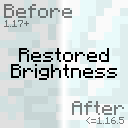
Restored Brightness
Fixed lightmap sampling from pre-1.17 and post-1.21.9.

Divergent Progression
Slower progression inspired by Minecraft Diverge
评论
登录后评论和评分