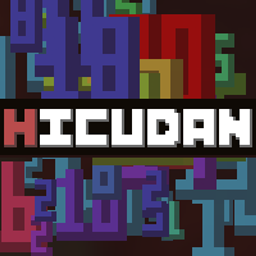
Highly Customizable Damage Numbers
Adds damage indicators with a wide variety of customization options and the ability to change the font of the numbers via image loading.
介绍
Highly Customizable Damage Numbers
HICUDAN is a mod that adds damage numbers on-hit, with a strong focus on customization. It lets you create and use your own custom fonts as in-game damage indicators by simply providing an image containing the ten digits, plus an optional eleventh character for critical hits. The mod is fully standalone and does not require any dependencies.
This mod was at first aimed to provide modpack developers with an easy to use framework through the in-game configuration and the extensive set of options available, however it ended up still user friendly enough to just straight up be used by anyone. It comes with four different fonts already available from first download.
Customization options
- Add your own custom font
- Define colors for different damage values
- Custom glyph for critical strikes (Optional)
- Adjust gap between numbers
- Gradient or Flicker color styling
- Shake and pulse
- Pop-in and Fade-out
- Scale and duration
- Damage based scaling


In-game settings
Modpack developers can disable the in-game mod settings menu if desired.

Quick guide
To add your own custom fonts you need an png file with a 10:1 aspect ratio (or 11:1 if the font includes a special glyph for critical strikes) with the font drawn in 1234567890 order, the style can be anything as long as each character is not bigger than 32x32px or smaller than 8x8px. The files that follow the format can be added into the resources folder, reloading the resources or restarting the game will create the neccesary files and allow the font to be selected in-game.
A more detailed guide can be accessed directly from the mod settings menu.
常见问题
Highly Customizable Damage Numbers 支持哪些 Minecraft 版本?
Highly Customizable Damage Numbers 支持 Minecraft Java 版 1.20–26.3,共 19 个版本,可用的加载器:Fabric / Forge / NeoForge。下载时注意选择和你游戏版本一致的文件。
Highly Customizable Damage Numbers 怎么安装?
先用 PCL2 或 HMCL 启动器安装对应版本的 Fabric / Forge / NeoForge,再把下载的 .jar 文件放进游戏目录的 mods 文件夹,重新启动游戏即可。开启了版本隔离的,mods 文件夹在 versions/版本名 下面。

评论
登录后评论和评分