
Graphics Presets
Switch seamlessly between Very Low and Ultra graphics presets with automated Shader, Voxy,Distant Horizons, and Physics Mod configurations.
截图
介绍
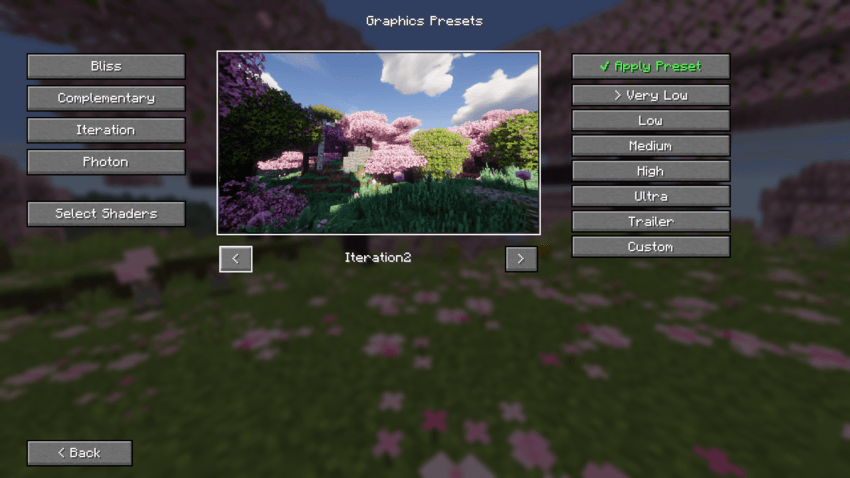
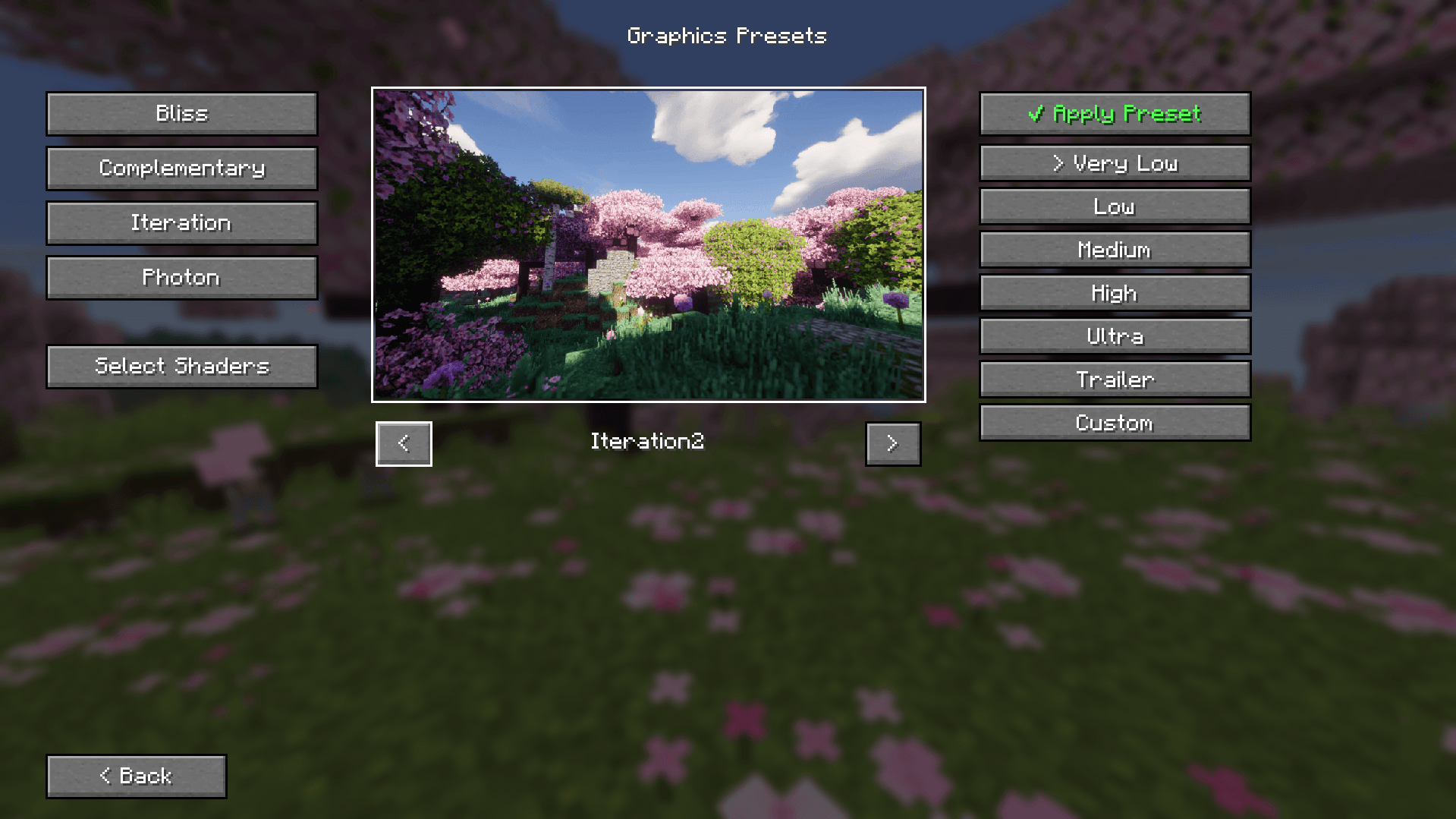
⚡ Graphics Presets
Graphics Presets is a dedicated performance and visual quality manager built for Voxy with shader, Perfect Realism and any custom Fabric modpack. It allows players to seamlessly switch between predefined visual and performance profiles with a single click right from the Main Menu, eliminating the need to manually tweak complex configuration files.
—
📦 Available Editions & Versions
This mod provides two dedicated editions depending on your modpack setup:
🔹 Voxy Edition (v3.0+): Tailored specifically for Voxy LOD & Iris Shaders. Features a 6-tier VRAM-based scaling system (Potato to Ultra) and automatic multi-file sync (voxy-config & voxyworldgenv2).
🔹 Classic / DH Edition (v2.x): Built for Distant Horizons (DH), Iris Shaders, and Physics Mod setup.
—
🌟 Key Features (Voxy Edition)
⚡ VRAM-Based Presets: Instantly switch between 6 optimized tiers mapped directly to your GPU memory:
• Potato (2GB VRAM): 64 Chunks Voxy LOD | 6 Vanilla RD
• Very Low (4GB VRAM): 128 Chunks Voxy LOD | 6 Vanilla RD
• Low (6GB VRAM): 256 Chunks Voxy LOD | 8 Vanilla RD
• Medium (8GB VRAM): 512 Chunks Voxy LOD | 8 Vanilla RD
• High (12GB VRAM): 768 Chunks Voxy LOD | 10 Vanilla RD
• Ultra (16GB+ VRAM): 1024 Chunks Voxy LOD | 12 Vanilla RD
🔄 Synchronized Engine Configuration: Dynamically tunes both voxy-config.json and voxyworldgenv2.json parameters (generation radius, queue size, parallel tasks) to ensure zero void gaps or stuttering during high-speed flight.
🖼️ Multi-Shader Preview System: Interactive UI preview with arrow navigation for BSL, Complementary, Derivative, Photon, Solas, and Vanilla visual styles.
⚡ Standalone & Modpack Ready: Works out-of-the-box for Perfect Realism, but fully compatible with any custom Fabric setup running Voxy and Iris Shaders.
—
💡 How to Use
1. Download the correct file edition (Voxy Edition or DH Classic Edition) for your modpack.
2. Click the ⚡ Graphics Presets button on the Main Menu or Options screen.
3. Choose your preferred shader preview and select the preset matching your hardware.
4. Click ✔ Apply Preset.
5. Restart Minecraft so background engine changes take full effect.
—
## 🛠️ Requirements & Compatibility
Please make sure you have the required mods installed for your chosen edition:
For Voxy Edition:
• Fabric API
• Voxy (LOD Mod)
• Voxy World Gen v2
• Iris Shaders
For DH Classic Edition:
• Fabric API
• Distant Horizons
• Physics Mod
• Iris Shaders
常见问题
Graphics Presets 支持哪些 Minecraft 版本?
Graphics Presets 支持 Minecraft Java 版 26.1–26.2,共 4 个版本,可用的加载器:Fabric。下载时注意选择和你游戏版本一致的文件。
Graphics Presets 怎么安装?
先用 PCL2 或 HMCL 启动器安装对应版本的 Fabric,再把下载的 .jar 文件放进游戏目录的 mods 文件夹,重新启动游戏即可。开启了版本隔离的,mods 文件夹在 versions/版本名 下面。
YusufEmin 的其他作品
查看全部 →
Voxy with Shaders(ultra optimization modpack)
Voxy with Shaders is a multi-version, ultra-optimized graphics modpack engineered to deliver breathtaking cinematic Minecraft experiences across different game versions. Enjoy massive voxel-based render distances combined with stunning shader
Tukel Realism (ModernArch 128x – Distant Horizons – Shader – Physics)
A high-end visual modpack designed to transform Minecraft using ModernArch 128x textures, Distant Horizons, realistic physics, and fine-tuned shaders. Features custom built-in graphics presets to ensure optimized performance across all hardware.
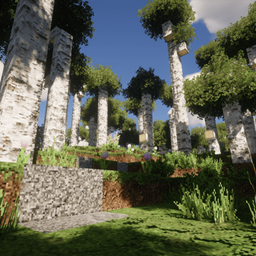
Perfect Realism (Patrix 32x-Distant Horizon-Shaders)
A next-generation, photorealistic Vanilla+ Minecraft experience featuring Patrix 32x, too many Shaders, and Distant Horizons—extensively optimized for smooth 60 FPS performance on mid-range and modern hardware.

Cinematic Horizons (Distant Horizon with Shader)
A lightweight, highly optimized Fabric modpack focused on cinematic visual horizons and immersive animations.
评论
登录后评论和评分