
InsaneAE
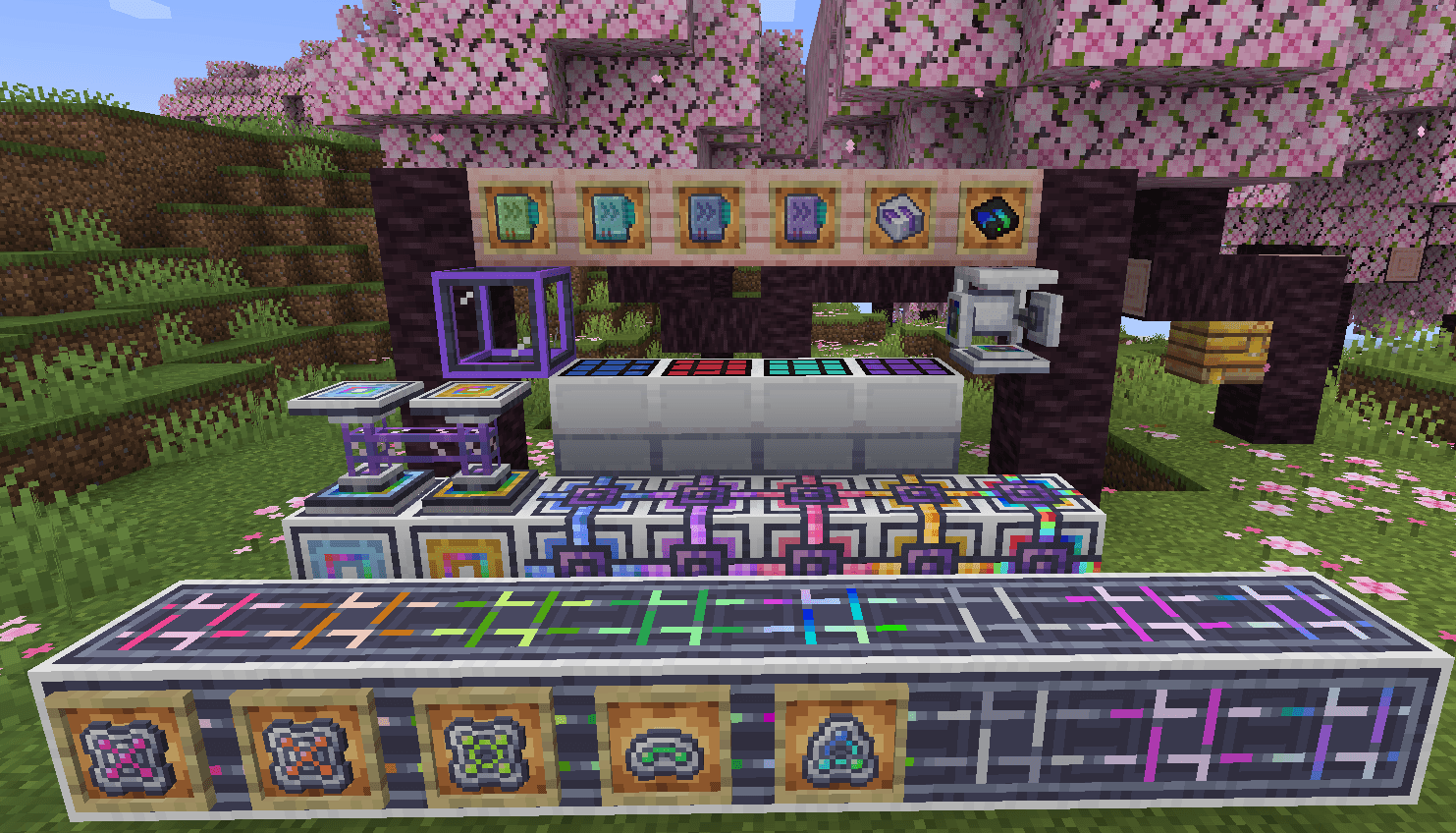
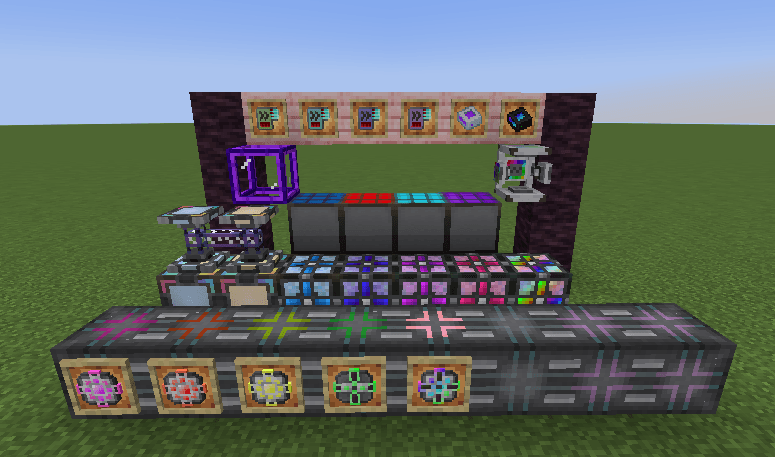
An Applied Energistics 2 add-on that picks up where MEGA Cells stops: storage, crafting and power tiers that run from 1G all the way to 8E.
截图
介绍
InsaneAE
More Storage, Better Gameplay…?
A Minecraft add-on that picks up where Applied Energistics 2 / MEGA Cells leave off.
MEGA Cells stops at 256M; InsaneAE adds storage, crafting power and energy from 1G upwards.
Supported versions
Each Minecraft version lives on its own branch. When reporting a bug, please say which one you are using.
| Branch | Minecraft | Loader |
|---|---|---|
main |
1.20.1 | Forge |
1.21.1 |
1.21.1 | NeoForge |
This branch is 1.20.1 (Forge).
Requirements
| Version | |
|---|---|
| Minecraft | 1.20.1 |
| Forge | 47.4.20 or later |
| Applied Energistics 2 | 15.4.10 or later (required) |
| MEGA Cells | 2.4.6 or later (required) |
| Applied Mekanistics | 1.4 or later (optional, for chemical cells) |
| AE2 Crafting Optimizer | 1.5.12 or later, 1.5.18+ recommended (optional, for BigInteger accounting and exact planning) |
| Astral Mekanism & Energistics | 1.8 or later (optional, to batch auto-eject into an ME interface) |
Because InsaneAE reaches into AE2 internals with Mixins (BasicCellInventory,
CraftingCPUCluster, tooltip rendering and more), the AE2 version range is pinned to
[15.4.10,16) — the range that has actually been tested.
AE2 Crafting Optimizer is not required. When it is installed and its BigInteger backend is
enabled, the Quantum CPU’s pending-output ledger and its exact calculation plans are wired to
ACO’s public API. Without ACO — or when it is disabled in the config — InsaneAE falls back to its
own equivalent BigInteger ledger. Only the single batch actually being inserted into AE2 is
converted into a safe long window; times * outputCount is never clamped to a long mid-calculation.
When ACO’s calculation-profile API is available and enableInsaneAeBigCraftingProfile is on,
InsaneAE delegates AE2’s exact BigInteger calculation boundary to ACO. InsaneAE’s own calculation
batching then stays out of that calculation, while the normal Quantum CPU execution batches are
still used. ACO’s API is an optional dependency, so an older version, a missing install or a
disabled setting all fall back to the built-in path as before.
What it adds
- Storage cells — 1G to 8E cells for items, fluids and chemicals (chemicals need Applied
Mekanistics). Portable and creative cells exist at the same tiers. - Crafting storage — 1G to 8E. A Mixin works around AE2 displaying byte counts as 32-bit.
When several 4E-or-larger units share a CPU, the total is recomputed in BigInteger before being
rounded to a long. The AE2-compatible long getter saturates atLong.MAX_VALUE, but other mods
can read the exact figure fromIBigCraftingCapacity#insaneae$exactStorageCapacity(). - Co-processing units — 16x to 2G. Lifts AE2’s 16-thread ceiling, so a single block can drive
a large number of parallel crafts. - Quantum CPU — a dedicated CPU for processing bulk crafts in one go, with its own GUI.
- BigInteger crafting CPU — crafting storage with a theoretical-maximum capacity that slots
into a standard AE2 crafting CPU structure. It is not a Quantum CPU variant: no dedicated GUI,
no ticker, no parallelism. With ACO installed it uses the public API’s ceiling as its exact
capacity; without ACO it falls back to the long ceiling. It has no dedicated texture and no
survival recipe. - Energy cells — 13 tiers above Superdense (Hyperdense through Cosmic; the top tier holds
roughly 7.03 × 10^18 AE). - Solar panels — 4 tiers.
- Improved charger — charges high-tier energy cells and portable cells in a realistic amount
of time. - Acceleration cards — Turbo (×8), Overclock (×64), Hypersonic (×512) and Warp (×4096).
They multiply the machine’s own speed value rather than counting card copies.
Special thanks
- kaitsu — for a great many ideas, test runs and tuning suggestions.
- syarukasu — author of AE2 Crafting Optimizer, who built and
verified the APIs this integration relies on.
Building
./gradlew buildThe jar lands in build/libs/ as insaneae-1.20.1-<version>.jar.
| Command | What it does |
|---|---|
./gradlew runClient / runServer |
Launch a development environment |
./gradlew runData |
Regenerate src/generated/resources |
./gradlew runGameTestServer |
Run the checks that ride along on AE2’s test plots |
Development notes
- Fixes normally land on this branch (
main) and aregit cherry-picked onto1.21.1. The Mixin
and calculation classes are identical on both branches, so they usually apply cleanly. - Forge stays obfuscated at runtime, so the Mixin refmap (
insaneae.refmap.json) is required. The
1.21.1 branch runs on NeoForge with official Mojang mappings and does not need one.
License
LGPL-3.0. The full text of GPL-3.0, which LGPL-3.0 refers to, is in LICENSE.GPL.
常见问题
InsaneAE 支持哪些 Minecraft 版本?
InsaneAE 支持 Minecraft Java 版 1.20.1–1.21.1,共 2 个版本,可用的加载器:Forge / NeoForge。下载时注意选择和你游戏版本一致的文件。
InsaneAE 怎么安装?
先用 PCL2 或 HMCL 启动器安装对应版本的 Forge / NeoForge,再把下载的 .jar 文件放进游戏目录的 mods 文件夹,重新启动游戏即可。开启了版本隔离的,mods 文件夹在 versions/版本名 下面。
taikun 的其他作品
查看全部 →
Mystical Everything
Mystical Everything is an addon for Mystical Agriculture that allows you to grow "everything."

Better TNT
Reduces TNT lag.

[DEPRECATED]Just Dire Fixes
Backport fixes from neoforge JDT to forge one.
评论
登录后评论和评分