
Create IceCream FPS
Boost FPS for massive Create factories and train networks: skips hidden machines, slows far animations, caches models. Best with shaders.
介绍
中文介绍正在准备中,下面暂时显示原文。
Smooth Create factories and trains, especially with shader packs.
Create IceCream is a client-side performance mod for Create 6 on NeoForge 1.21.1. It only changes how things are drawn, never how they work. Servers don’t need it, and it works on any server.
What it does
- Doesn’t draw what you can’t see. Machines behind walls and trains in tunnels or behind hills are skipped. A background thread checks visibility, and shadows are kept.
- Lower animation rate far away. Distant machines and trains update their animation less often, while trains still move smoothly. With shaders this also applies inside the shadow map.
- Model cache. Curved tracks, parked trains and trains on straight track are built once and then reused.
- Faster Create renderer built on Sodium, including much cheaper Iris shader data.
- Multithreaded. Create models are built on other CPU cores.
- Distant details. Items on belts and text on boards are skipped when they’re only a few pixels.
- Fewer micro-stutters. Duplicated or inaudible steam-engine sounds aren’t started.
- Statistics panel. Press F7 to see what’s working.
Good to know
- The biggest gains come with shader packs (Iris). Without shaders, Flywheel already renders Create on the GPU, so there is less to improve.
- Sodium is recommended. Most features need it.
- Compatible with Entity Culling, Iris and Sodium.
Credits
- The fast renderer is based on CreateBetterFps by MoePus (MIT License). It has been improved and extended here with thanks.
- The occlusion culling approach was inspired by Entity Culling by tr7zw. The implementation in Create IceCream is independent.
- Thanks to the Create and Flywheel teams for their open-source code.
I am not interested in actively maintaining or updating the mod for new versions of Minecraft. I will do so when possible, but you can always ask me for the source code of my mod.
Before ↓
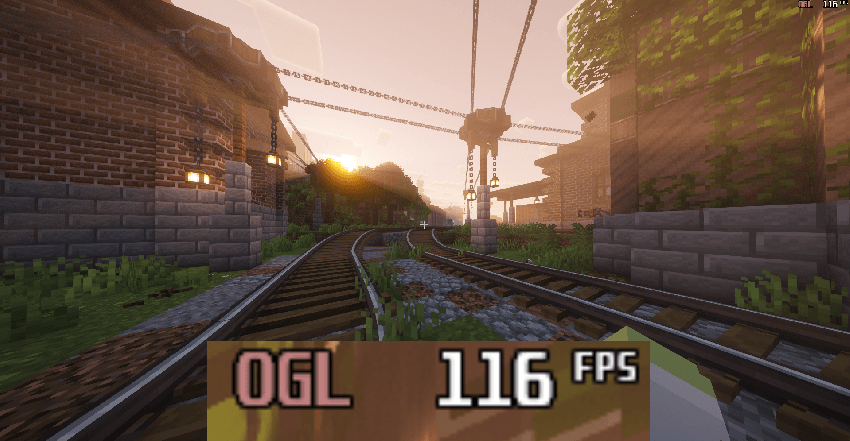
After ↓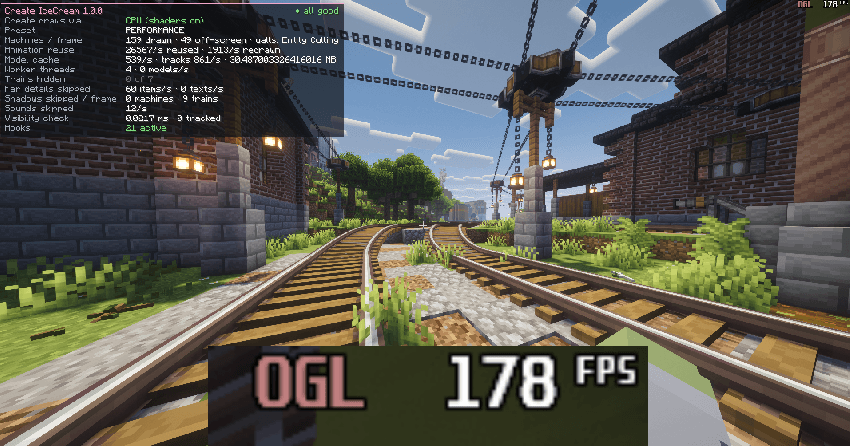
常见问题
Create IceCream FPS 支持哪些 Minecraft 版本?
Create IceCream FPS 支持 Minecraft Java 版 1.21.1,可用的加载器:NeoForge。下载时注意选择和你游戏版本一致的文件。
Create IceCream FPS 怎么安装?
先用 PCL2 或 HMCL 启动器安装对应版本的 NeoForge,再把下载的 .jar 文件放进游戏目录的 mods 文件夹,重新启动游戏即可。开启了版本隔离的,mods 文件夹在 versions/版本名 下面。
评论
登录后评论和评分