Immersive RP: Proximity Chat
Roleplay-centric proximity chat mod with nickname functionality.
截图

介绍

A roleplay-centric mod that adds a distance-based text-chat function & self assigned nicknames (with color!).
Overview
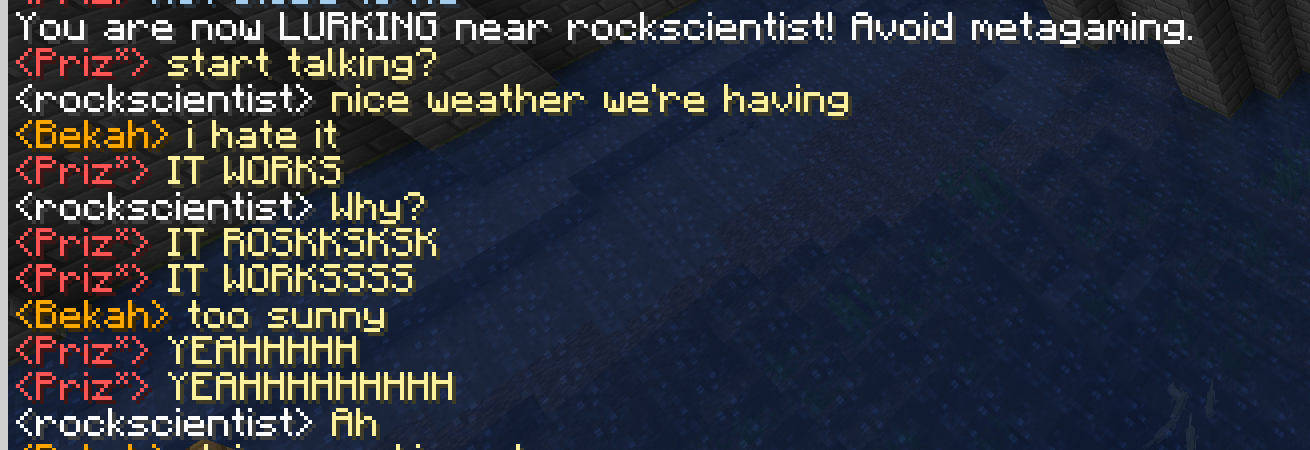
Made with the roleplay experience in mind, this mod adds quality of life features for text-based chatting to fully immerse yourself into the story. Not only can you SCREAM and whisper at different block ranges, but when you’re getting some down-time and enjoying base minecraft activities, you can choose to lurk on other people’s RPs from across the map! (They’ll know.. don’t metagame 🫵)
Nickname Commands/nick name <newname>/nick color <color>
Color List:
white o, gray o, dark gray o, black o
red o, dark red o, gold o, yellow o
green o, dark green o, aqua o, dark aqua o
blue o, dark blue o, light purple o, dark purple o/nick reset
Nicknames only display in-chat, they do not replace the username above your head.
Proximity Chat Commands/whisper <text>
Range: 10 blocks
[Whisper] <Username> Text looks like this./shout <text>
Range: 40 blocks
[SHOUT] <Username> Text looks like this./local
Toggles local chat
Range: 20 blocks
<Username> Text looks like this./global
Toggles global chat
All players can listen!
<Username> Text looks like this.
/lurk <playername>
Allows you to lurk on a target player’s conversations
Target player will be notified of snooping
An asterisk (*) appears next to lurking players’ names
Intended as an OOC feature for when mining and logging gets lonely 🙂
<Username*> Text looks like this./lurk
End lurking/lurkers
Displays who is lurking/lurk notifications all/inrange/yourself/none
ALL notifies you when any player on the map begins lurking
INRANGE notifies you when any player within 40 blocks is being lurked on
YOURSELF notifies you only when you are being lurked on
NONE shows no notifications
NOTE
I really needed this for my Minecraft roleplay and couldn’t find one available for Forge at the time, so I cobbled this together.
I have basic coding knowledge but not enough to hold myself up on two legs, so I made this with the assistance of an LLM. I just needed this for my roleplay — please be gentle with me 🙏 I have now hired a furry in tech to improve and update this mod 🙂
Buy me a Ko-fi if you enjoyed the mod! (The furry will be compensated)
常见问题
Immersive RP: Proximity Chat 支持哪些 Minecraft 版本?
Immersive RP: Proximity Chat 支持 Minecraft Java 版 1.20.1–1.21.11,共 2 个版本,可用的加载器:Forge。下载时注意选择和你游戏版本一致的文件。
Immersive RP: Proximity Chat 怎么安装?
先用 PCL2 或 HMCL 启动器安装对应版本的 Forge,再把下载的 .jar 文件放进游戏目录的 mods 文件夹,重新启动游戏即可。开启了版本隔离的,mods 文件夹在 versions/版本名 下面。
评论
登录后评论和评分