Datapack Installer
A mod which allows you to select datapacks, compressed or as a folder, inside a folder during world creation without having to copy them.
截图
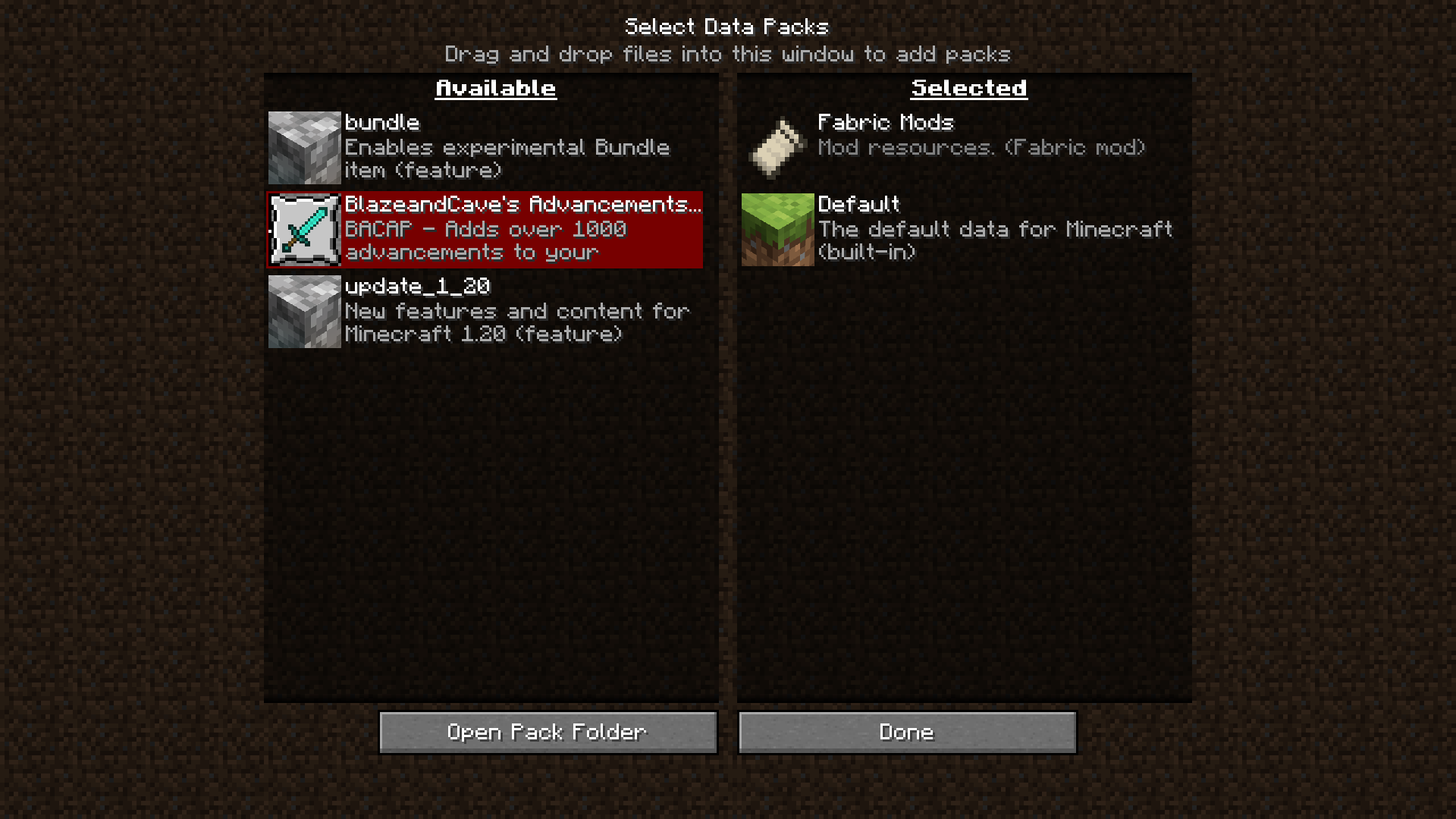
介绍
Datapack Installer
A Minecraft (Fabric) mod. When installed on the client, data packs put into the
data pack folder will be available for selection during world creation as well
as while paused in Singleplayer. When installed on the server, data packs put
into the data pack folder will be copied to the active world when the server
starts.
Advantages
On the client, this mod works with the ingame resource and data pack selector.
While creating a world, or while paused in Singleplayer, you can choose which
data packs to enable or disable with an interactive screen.
On the server, all that happens is that the data packs are copied from the
mod’s data pack folder to the world data pack folder whenever the server
starts. If you are switching worlds or deleting them to regenerate often, all
you will need to do is switch or delete the world, and the data packs will
carry on if you leave the mod’s folder intact.
Disadvantages
This mod cannot keep data packs that require feature flags enabled or disabled.
For example, if you did not create a world with the built-in bundle data pack
enabled, and you enable the data pack with the mod, the data pack will only be
temporarily enabled until you quit the world.
Usage
Client
- Insert your desired data pack(s) into
datapacksin the game’s data folder - If you have started the game with this mod installed, it should already be present.
- Begin world creation
- In the game, click Singleplayer, then click Create New World.
- Alternatively, if you already have a world, open and pause the game.
- Manage data packs
- Click the Data Packs button. On later versions, you may need to check the ‘More’ tab.
- The data packs should be available on the selector!
Server
- Insert your desired data pack(s) into
datapacksin the server data folder. - This is probably the root, where eula.txt and server.properties are located.
- Start the server
- The data packs will be copied to the active world.
常见问题
Datapack Installer 支持哪些 Minecraft 版本?
Datapack Installer 支持 Minecraft Java 版 1.16–1.21.3,共 27 个版本,可用的加载器:Fabric。下载时注意选择和你游戏版本一致的文件。
Datapack Installer 怎么安装?
先用 PCL2 或 HMCL 启动器安装对应版本的 Fabric,再把下载的 .jar 文件放进游戏目录的 mods 文件夹,重新启动游戏即可。开启了版本隔离的,mods 文件夹在 versions/版本名 下面。运行环境:仅客户端。

评论
登录后评论和评分