介绍
This mod allows you to enter the blocks in the game.
You can get inside the blocks and use them while inside.
For now it only includes the Crafting Table and Smithing Table.
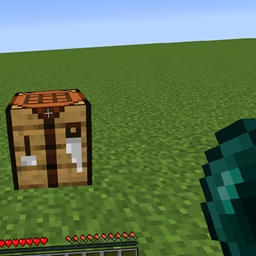
You should take an ender pearl and right click on the crafting table or smithing table.
Crafting Table:
You can imagine the black dots as a 3×3 crafting table. You can put items in these points by right-clicking.
You can refer to the wall with the torch to find the right direction. (The return button is on the same wall.)
To exit the block, you must right-click on the house icon on the main wall.
Smithing Table:
When you enter the block, a real blacksmith will be waiting for you.
You can right click on the blacksmith and upgrade your items.
To exit the block, you must right-click on the house icon on the right side wall.
For now, you can only craft these items.
- Diamond Pickaxe
- Diamond Sword
- Diamond Axe
- Diamond Shovel
- Diamond Helmet
- Golden Pickaxe
- Golden Sword
- Golden Axe
- Golden Shovel
- Golden Helmet
- Iron Pickaxe
- Iron Sword
- Iron Axe
- Iron Shovel
- Iron Helmet
- Stone Pickaxe
- Stone Sword
- Stone Axe
- Stone Shovel
- Wooden Pickaxe
- Wooden Sword
- Wooden Axe
- Wooden Shovel
常见问题
“What’s Inside?” Mod 支持哪些 Minecraft 版本?
“What’s Inside?” Mod 支持 Minecraft Java 版 1.16.5–1.18.2,共 3 个版本,可用的加载器:Forge。下载时注意选择和你游戏版本一致的文件。
“What’s Inside?” Mod 怎么安装?
先用 PCL2 或 HMCL 启动器安装对应版本的 Forge,再把下载的 .jar 文件放进游戏目录的 mods 文件夹,重新启动游戏即可。开启了版本隔离的,mods 文件夹在 versions/版本名 下面。




评论
登录后评论和评分