Double Hotbar
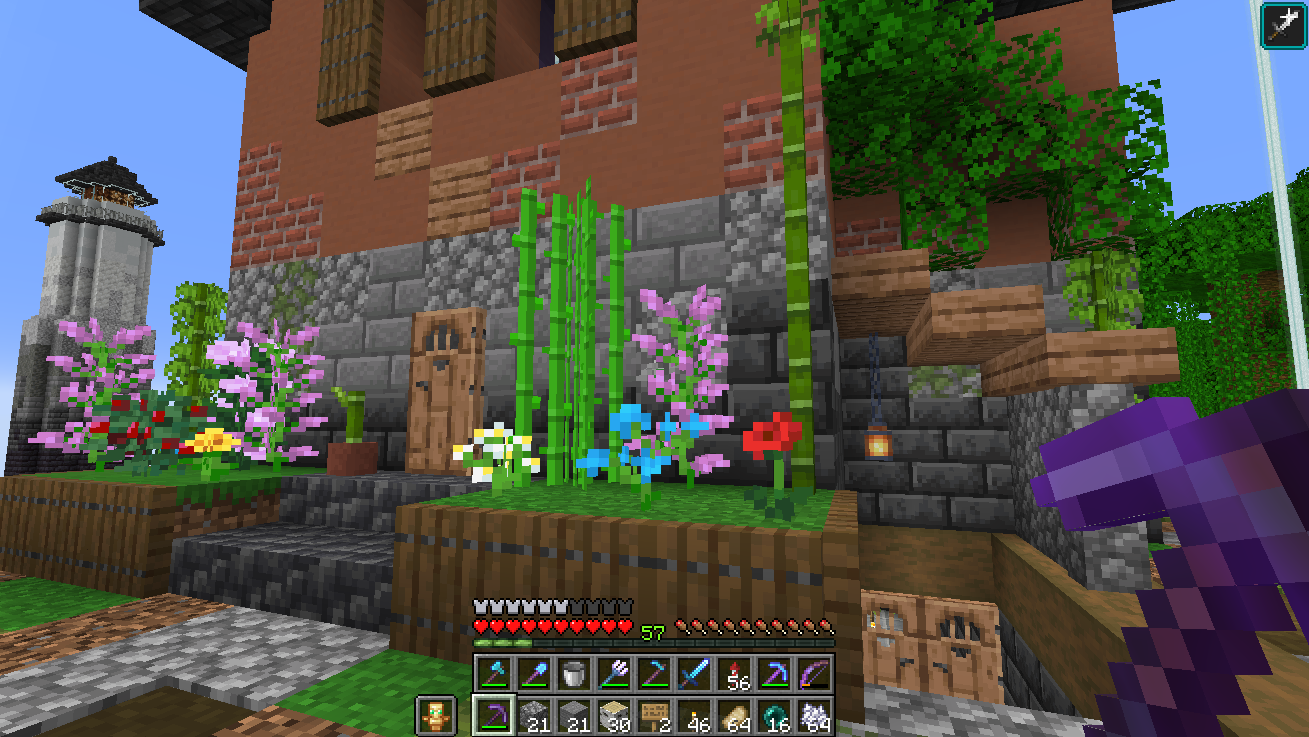
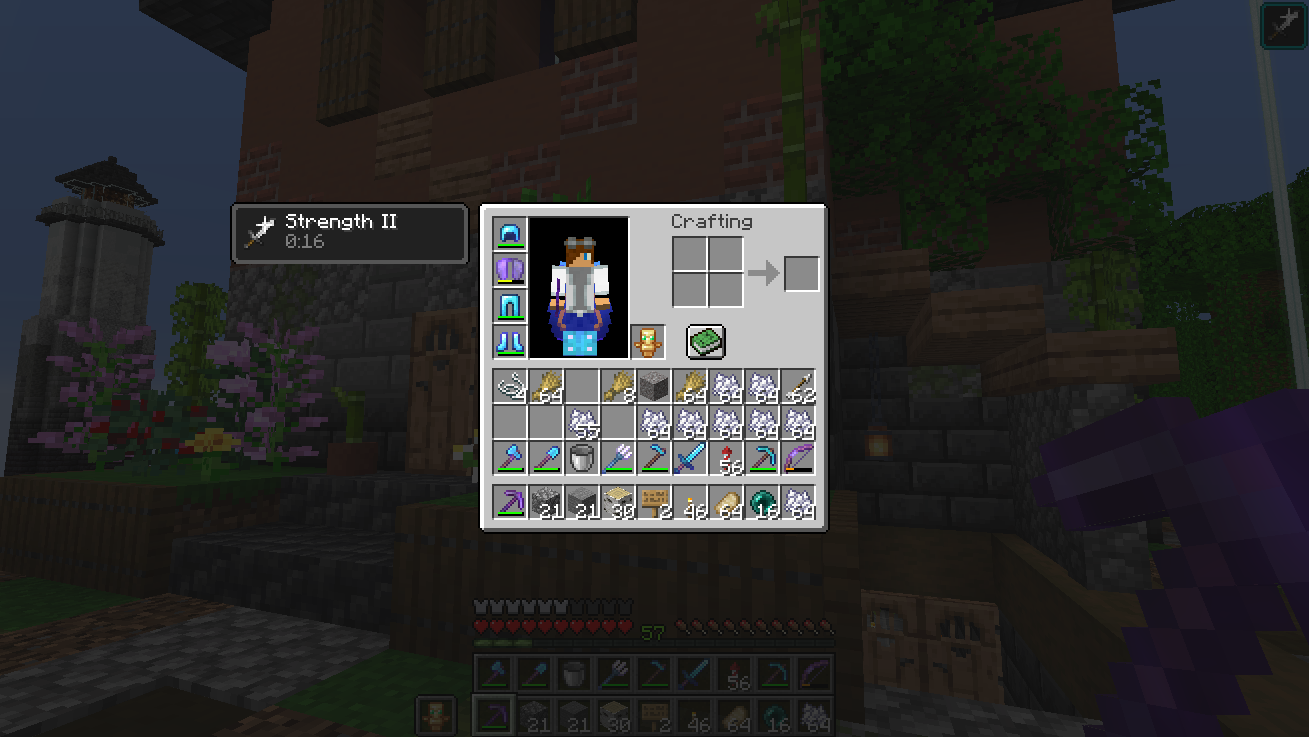
Adds a second hotbar that displays a row of the inventory on the HUD. This provides a dual hotbar setup where you can easily swap/hotswap/cycle which of the two hotbars is active. Improves inventory management.
截图


介绍
Double Hotbar
Minecraft mod that expands the HUD and allows hotbar swapping.
- Fully client side! Works on vanilla servers
- Fabric version supports Minecraft 1.17.1 – 1.21.11 and 26.2-26.3 (Requires the Fabric API and Cloth Config API to work)
- Forge version supports Minecraft 1.18.2 – 1.20.1 (No APIs required)
_If there is interest in a Neoforge port please create a github issue specifying which versions_
Features
- Adds another hotbar that displays and allows you to use an additional row of the inventory.
- Switch which hotbar is active by pressing R. (Hotkey can be changed in game settings)
- Second hotbar can be hidden or changed to a different row in the inventory using the mod config
- 1.18.2+ ONLY: A single stack can be swapped by double tapping the slot number or by holding the swap key (Default: R)
- Highly customizable options to maximize compatibility
Screenshots
_Note: Fabric-v1.3.0+ requires fabric loader 0.14.9 or greater. If you have an old 1.18.2 instance you may have issues launching due to an outdated fabric loader_
_Some older, unmaintained versions available on curseforge_
常见问题
Double Hotbar 支持哪些 Minecraft 版本?
Double Hotbar 支持 Minecraft Java 版 1.17.1–26.3,共 26 个版本,可用的加载器:Fabric / Forge。下载时注意选择和你游戏版本一致的文件。
Double Hotbar 怎么安装?
先用 PCL2 或 HMCL 启动器安装对应版本的 Fabric / Forge,再把下载的 .jar 文件放进游戏目录的 mods 文件夹,重新启动游戏即可。开启了版本隔离的,mods 文件夹在 versions/版本名 下面。运行环境:仅客户端。
sidezbros 的其他作品
查看全部 → Double Hotbar
Adds a second hotbar that displays a row of the inventory on the HUD. This provides a dual hotbar setup where you can easily swap/hotswap/cycle which of the two hotbars is active. Improves inventory management.

Double Hotbar
Displays a second row of the inventory on the HUD and allows easy swapping to the hotbar.
评论
登录后评论和评分