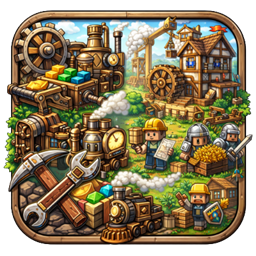
Create: Colony
A specialized integration mod bridging the mechanical power of Create with the colony management of MineColonies. Features custom block placement handlers and automated requirement syncing.
介绍
Create: Colonies (NeoForge 1.21)




Create Colonies is a compatibility bridge mod that connects the industrial engineering of Create with the thriving civilizations of MineColonies.
This project is a modern port designed for Minecraft 1.21.1 on NeoForge.
🛠 Features
📋 Smart Resource Management
Tired of manually checking what blocks your Builder needs?
- Clipboard Integration: Right-click while shifted a Minecolonies Hut Builder block with a Create Clipboard.
- Automatic Checklists: The mod automatically reads the building’s required resources and writes them onto the Clipboard as a checklist.
- Visual Tracking: Easily track gathered materials and hand them off to your builder without switching back and forth between GUIs.
(More integration features are planned for future updates!)
📜 Credits & Inspiration
This mod stands on the shoulders of giants. It is heavily inspired by and based on the work of previous developers who pioneered Create/Minecolonies compatibility:
- Create Colonies by MotionlessTrain: The direct predecessor to this codebase.
- Create Colonial by Tribulla: The original inspiration for bridging these two mods.
This project aims to keep their vision alive on modern Minecraft versions (1.21+ NeoForge).
⚖️ License
This project is licensed under the GNU Lesser General Public License v2.1 (LGPL-2.1).
You may copy, distribute, and modify the software as long as you track changes/dates in source files. Any modifications to or software including (via compiler) LGPL-licensed code must also be made available under the LGPL-2.1 terms.
常见问题
Create: Colony 支持哪些 Minecraft 版本?
Create: Colony 支持 Minecraft Java 版 1.21.1,可用的加载器:NeoForge。下载时注意选择和你游戏版本一致的文件。
Create: Colony 怎么安装?
先用 PCL2 或 HMCL 启动器安装对应版本的 NeoForge,再把下载的 .jar 文件放进游戏目录的 mods 文件夹,重新启动游戏即可。开启了版本隔离的,mods 文件夹在 versions/版本名 下面。
评论
登录后评论和评分