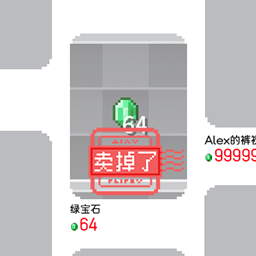
Tag Editor
This mod adds an item Tag Editor, allowing players to quickly search and edit tags directly in-game.
介绍
Mod Introduction
This mod adds an item Tag Editor, allowing players to quickly search and edit tags directly in-game.
The mod also adds tag compatibility for TACZ, allowing you to use this mod to add tags to specific TACZ guns, bullets, or attachments.
When used together with the PetiteInventory mod, it allows PetiteInventory to be compatible with tacz.
How to Use

When the player is in cheat-enabled mode or has permission level 2 or higher, a text box will appear right below the Creative Mode inventory (this can be disabled in the config file). Players can enter a tag ID in the text box, and the mod will automatically highlight items that contain this tag.
Clicking the Edit button enters editing mode. In editing mode, players can left-click items to add or remove the specified tag. After editing, click the Save button to apply the changes.
Mod data is stored in the config/tag_editor directory, and players may copy and use it directly based on the tags.
Notes
- Since crafting recipes and loot tables are cached during datapack loading, these two parts require restarting the world or using the
/reloadcommand to take effect. - Due to the uniqueness of TACZ items and the author’s limitations, its tag compatibility is limited. Therefore, it is normal if some mod tags fail to apply correctly.
Q&A
Q: Will there be updates for other versions?
A: Yes, but my available time is limited, so progress may be slow.
Q: Future update plans?
A: Future updates will mainly focus on improving interaction and attempting to add editing support for block and entity tags.
常见问题
Tag Editor 支持哪些 Minecraft 版本?
Tag Editor 支持 Minecraft Java 版 1.20.1,可用的加载器:Forge。下载时注意选择和你游戏版本一致的文件。
Tag Editor 怎么安装?
先用 PCL2 或 HMCL 启动器安装对应版本的 Forge,再把下载的 .jar 文件放进游戏目录的 mods 文件夹,重新启动游戏即可。开启了版本隔离的,mods 文件夹在 versions/版本名 下面。



评论
登录后评论和评分