
Xbox 360 Edition – Revive Your Nostalgia
Xbox 360 Edition modpacks on CurseForge are community-created projects designed to recreate the exact feel, aesthetic, and mechanics of the original Minecraft: Xbox 360 Edition (Legacy Console) inside Minecraft Java Edition.
介绍
 Xbox 360 — The Legacy Console Experience
Step back in time and relive the golden era of Minecraft: Xbox 360 Edition!
Minecraft Xbox 360 was created to bring the unmistakable atmosphere, nostalgia, and simplicity of the iconic 4J Studios console version to PC—without sacrificing the smoothness and performance of modern Minecraft.
✨ Key Features
-
🟩 Classic Interface: A 100% faithful Xbox 360 crafting menu, nostalgic HUD, title screen, and UI sounds (powered by Legacy4J).
-
🎮 Native Controller Support: Plug in your gamepad and play just like you did on the couch back in the early 2010s.

-
🌄 Retro World Generation: Explore landscapes reminiscent of classic biomes and older color palettes.
-
⚡ Top-Tier Performance: Fully optimized with Sodium for high FPS and buttery-smooth gameplay, even on lower-end PCs.
-
🎨 Seamless Shader Support: Pre-equipped with Iris so you can add shaders easily without breaking the classic feel.
-
🚫 Clean & Polish: No annoying experimental pop-ups or warnings—just a clean, native console feel from the moment you hit play.
 🕹️ How to Play
-
Download and launch the modpack through the CurseForge app.
-
(Optional) Plug in your controller for the ultimate Xbox experience!
-
Create a new world and enjoy the pure nostalgia.
Created by a passionate developer for everyone who misses the music, crafting, and simplicity of the Xbox 360 Edition.
常见问题
Xbox 360 Edition – Revive Your Nostalgia 支持哪些 Minecraft 版本?
Xbox 360 Edition – Revive Your Nostalgia 基于 Minecraft Java 版 1.20.1,使用 Fabric 加载器。
Xbox 360 Edition – Revive Your Nostalgia 怎么安装?
点本页「前往下载」拿到整合包文件(Modrinth 的是 .mrpack,CurseForge 的是 .zip),在 PCL2 或 HMCL 启动器里选择「导入整合包」,启动器会自动装好 Minecraft、加载器和全部模组。建议在启动器里给游戏分配 4–6 GB 内存。
Xbox 360 Edition – Revive Your Nostalgia 开服需要多大内存?
推荐服务器内存 12 GB。在线人数多、或者建了大量机器和区块加载器时,可以再加 2–4 GB。
怎么和朋友一起玩 Xbox 360 Edition – Revive Your Nostalgia?
点本页的「一键开服」,选好配置后会自动安装 Xbox 360 Edition – Revive Your Nostalgia 的服务端,几分钟就能开好。把服务器地址发给朋友,大家用同一个版本的整合包连进去就行。
Ferrixo_Mine 的其他作品
查看全部 →
One Block- Nightmare Edition
Just a Revamp of One Block HORROR of Kamussy

LURK000.jar
Watch your back, keep your lights bright, and whatever you do... don't look into the void
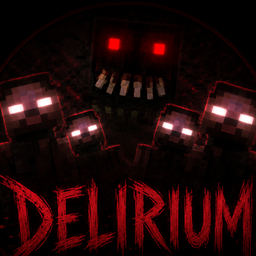
DELIRIUM – Modpack Horror Optimized
A terrifying overhaul that turns your cozy world into a living nightmare. Featuring realistic darkness, haunting entities, and a desperate struggle for survival. Will you conquer the dark, or become another whisper in the fog?"

Don’t Look Back – Horror Survival Project 1
A brutal hardcore survival experience featuring realistic mechanics, terrifying monsters, and an unforgiving world where every choice matters.
评论
登录后评论和评分