
截图
介绍
MineThrough allows for players to play together using only each others usernames, no server hosting or port forwarding is necessary!
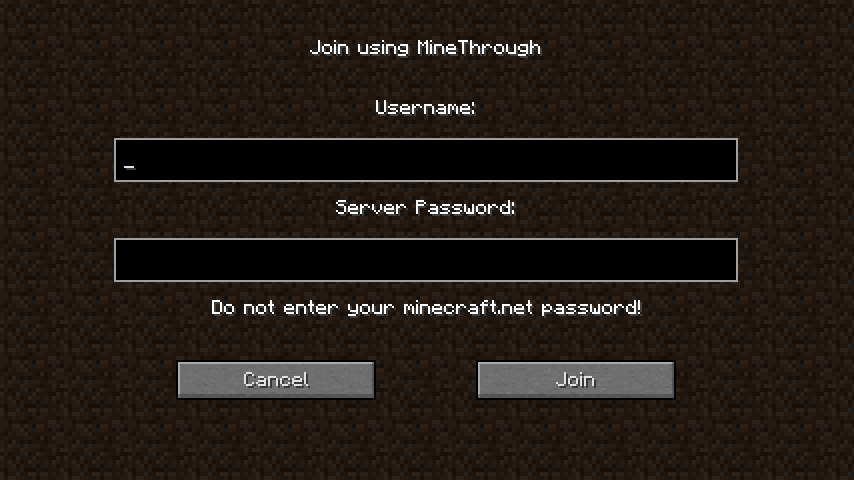
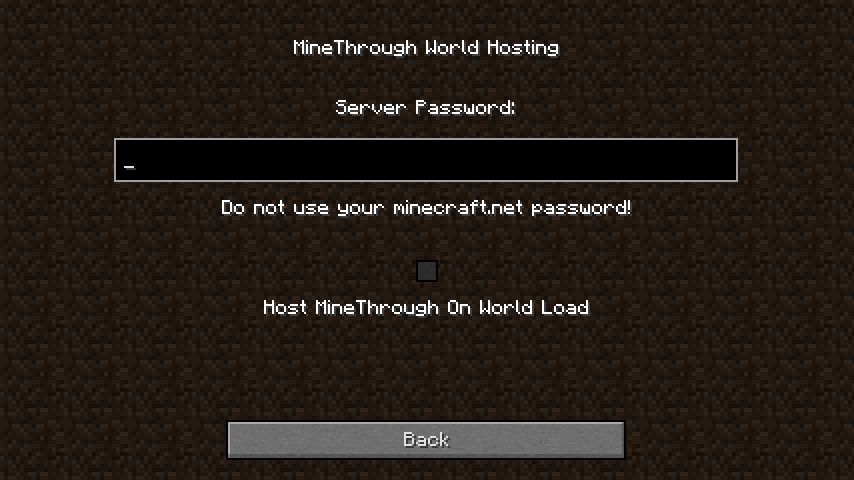
To use both players must have the mod installed. The hosting player goes to the single player menu and uses the MineThrough option in the top right to set a password and hit the check box to host on world load. Alternatively the /minethrough open <password> command may be used to set the server up for hosting. Any players wishing to connect then simply goes to the multiplayer menu, chooses MineThrough in the top right, enters their friend’s username and chosen server password and hits join.
This mod uses TCP NAT Punch-through to make connections and in rare cases can be unpredictable on whether a connection will work. In most cases it will work without problem. However if you are having issues try connecting a couple of times to ensure that a connection was attempted. If after a couple of tries the connection is still not working, try restarting the game and changing who is hosting. If this still does not fix your problem, message me and I will attempt to catalog what systems tend to have an issue with MineThrough and will attempt to fix them in future updates. When messaging me please include the following information:
- The username of the player you are trying to connect to
- The make and model of your wireless router
- The make and model of your modem
- Your internet service provider (ISP)
- The operating system you are using
Feel free to include in any modpacks, just let me know so I can check out your pack!
常见问题
MineThrough 支持哪些 Minecraft 版本?
MineThrough 支持 Minecraft Java 版 1.12.2,可用的加载器:Forge。下载时注意选择和你游戏版本一致的文件。
MineThrough 怎么安装?
先用 PCL2 或 HMCL 启动器安装对应版本的 Forge,再把下载的 .jar 文件放进游戏目录的 mods 文件夹,重新启动游戏即可。开启了版本隔离的,mods 文件夹在 versions/版本名 下面。
评论
登录后评论和评分