截图



介绍
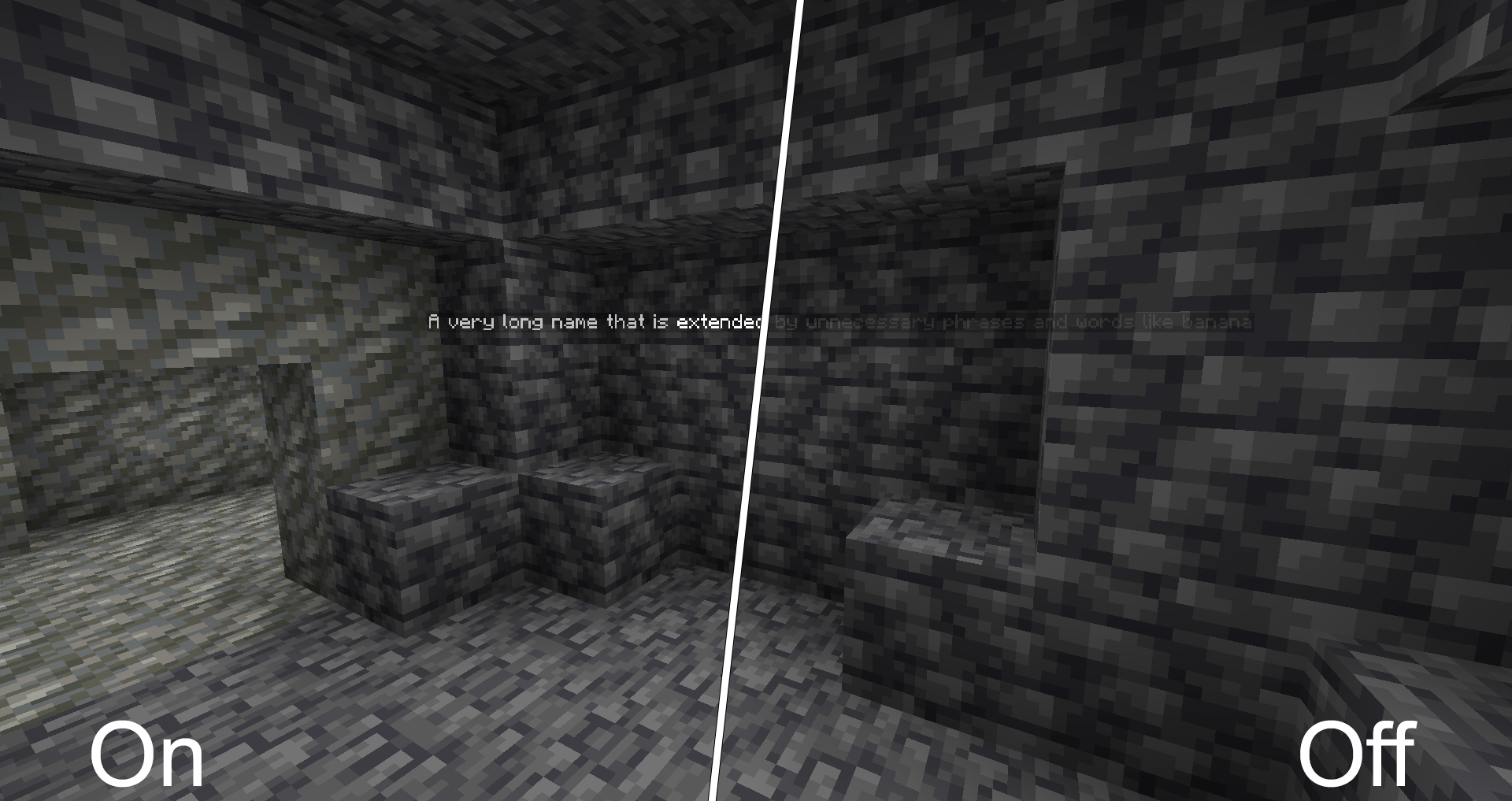
This mod improves the visibility of all vanilla names rendered.
The improved rendering can be turned off or on at any time using a configurable key (Standard: “+“).

Configuration
Several configuration options are provided through YACL. You can edit the config using Mod Menu.
Foreground Color
Controls the text color and opacity of names. It defaults to fully opaque white.

Background Color
Controls the background color of name tags. It defaults to semi transparent black.

Fullbright Names
Name tags are no longer affected by the current light level. This only affects names that are not rendered behind other blocks. Names behind other blocks are always fullbright. It defaults to on.

Distant Name Scaling
Sets the scaling of distant names from “0.0` to `1.0`. At `0.0` names are not scaled at all. At `1.0` all names appear the same size, regardless of distance. *It defaults to `0.2“.*

Render Names At Any Distance
By default Minecraft stops rendering names farther away than 64 blocks. This limit can be disabled, but is only recommended with decent name scaling enabled. It is disabled by default.
Disable Team Colors
Team Colors will by default overwrite the “RGB“ components of your custom foreground colors. You may enable this option to force the use of your configured text color. It is not enabled by default.
Shader Support
Correct functionality in combination with shaders is not guaranteed. Some shaderpacks may support all functionality, while other shaderpacks will only work partly, i. e. not renderering names through walls.
常见问题
Better Name Visibility 支持哪些 Minecraft 版本?
Better Name Visibility 支持 Minecraft Java 版 1.18.2–26.2,共 29 个版本,可用的加载器:Fabric。下载时注意选择和你游戏版本一致的文件。
Better Name Visibility 怎么安装?
先用 PCL2 或 HMCL 启动器安装对应版本的 Fabric,再把下载的 .jar 文件放进游戏目录的 mods 文件夹,重新启动游戏即可。开启了版本隔离的,mods 文件夹在 versions/版本名 下面。运行环境:仅客户端。

评论
登录后评论和评分