Remove Chat Bracket
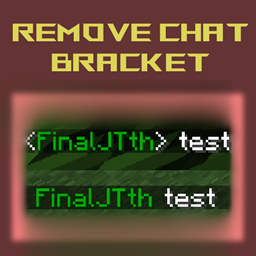
Remove bracket from the chat and leave only one spacebar between player name and the message.
介绍
This mod still only does one thing and that it is remove the bracket from the chat message !
It deals with mixin transformation on client side only so you don’t need it on the server. Please also report if you encounter any problems.
Config for changing the format is in the configs folder and the file name is removechatbracket-chat-format.json
  "chat.type.text"                For normal chat.
  "chat.type.text.narrate"        For narrting chat.
  "chat.type.team.text"           For team receiving text.
  "chat.type.team.sent"           For team sending text.
  "chat.type.announce"            For /say command.
  "chat.type.emote":              For emotes.
%s is where the player name and the message will go to so make sure to always contain two of them in the format (or three of them in team message format) somewhere in the text.
“/removechatbracket” or “/removechatbracket reload” to reload the config in-game.
This mod will work with FTB Ranks since that mod only change player display name.
常见问题
Remove Chat Bracket 支持哪些 Minecraft 版本?
Remove Chat Bracket 支持 Minecraft Java 版 1.20.1–1.20.2,共 2 个版本,可用的加载器:Forge。下载时注意选择和你游戏版本一致的文件。
Remove Chat Bracket 怎么安装?
先用 PCL2 或 HMCL 启动器安装对应版本的 Forge,再把下载的 .jar 文件放进游戏目录的 mods 文件夹,重新启动游戏即可。开启了版本隔离的,mods 文件夹在 versions/版本名 下面。
Zenesta 的其他作品
查看全部 →
Remove PurplePrison Ads
从服务器列表中移除 L Ender's Cataclysm 模组添加的 PurplePrison 广告。
More Waterlogged
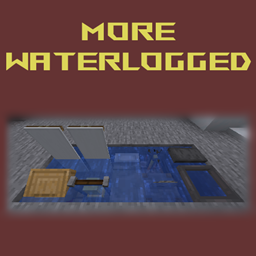
This mod changes some block states so that they can be waterlogged.
Item Tag Converter
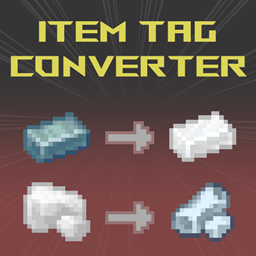
This mod let you convert specified items to another item with tag that you've set automatically or on keybinding. Useful for dealing with duplicated ore types or intermediate items. A fork of Auto Ore Dict Converter from MattDahEpic
Dragon’s Adorable Realm Reborn
This mod is an official modpack for Dragon's Adorable Realm discord server !
评论
登录后评论和评分