
Land’s Utilities
Universal block/cable facades, remote controls for out-of-range chests/machines, fluid XP utilities, and more!
截图
介绍
Land’s Utilities
A hodgepodge of useful utilities – remote inventory accessors, fluid XP anvils, and more to come! GuideME (when installed) documentation available in-game.
Discord: https://discord.gg/aXQExaHfgR
Items
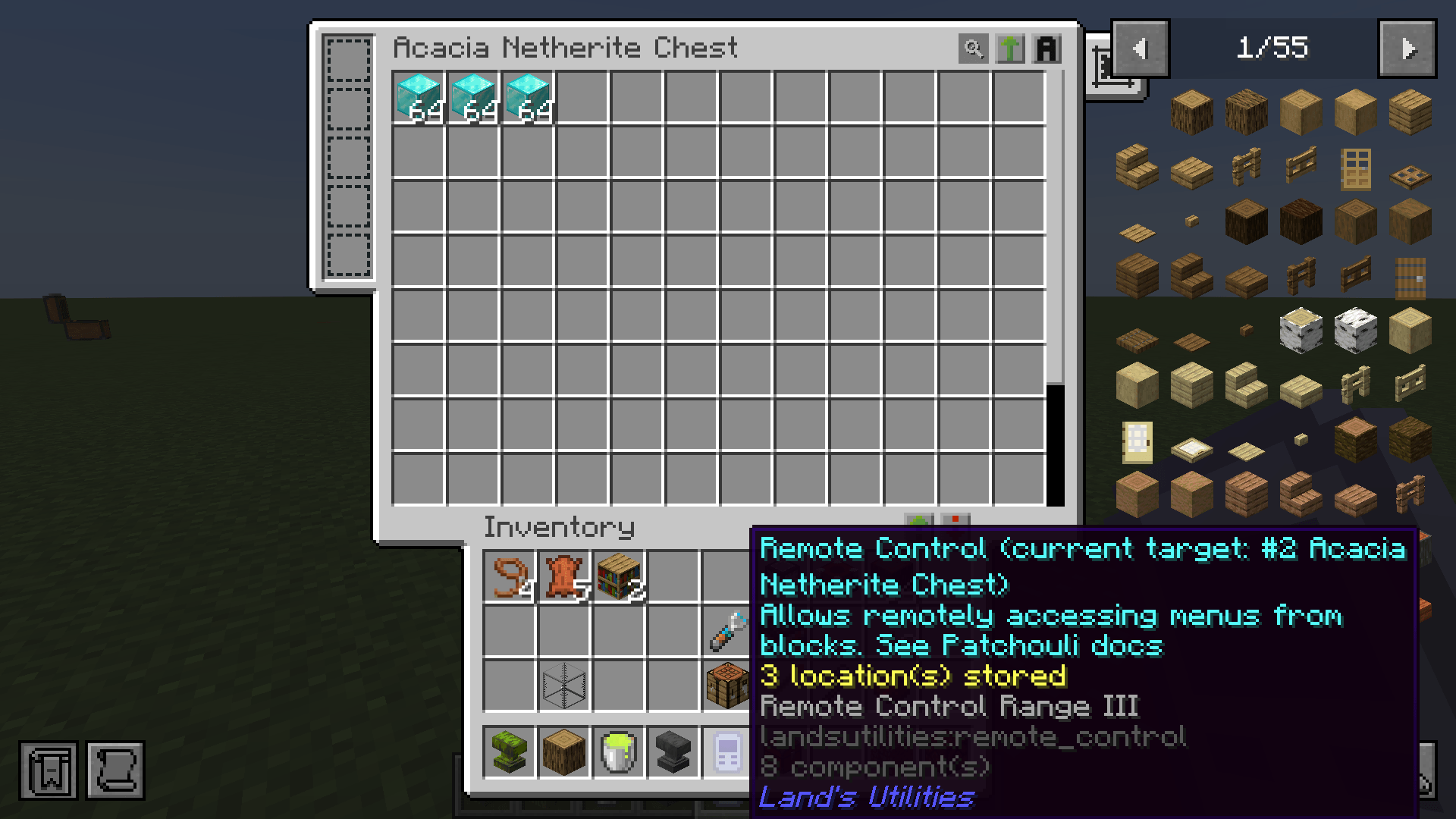
- Remote Control – this lets you access block menus even when you can’t reach the block directly. Shift-right-click on a block to add it to the remote control, shift-scroll to cycle between blocks, and right-click to access the block menu remotely. You can also enchant the remote control in an enchanting table or anvil to increase the maximum number of blocks stored as well as the range (up to anywhere in the same dimension at max level). You can also edit and delete blocks stored with
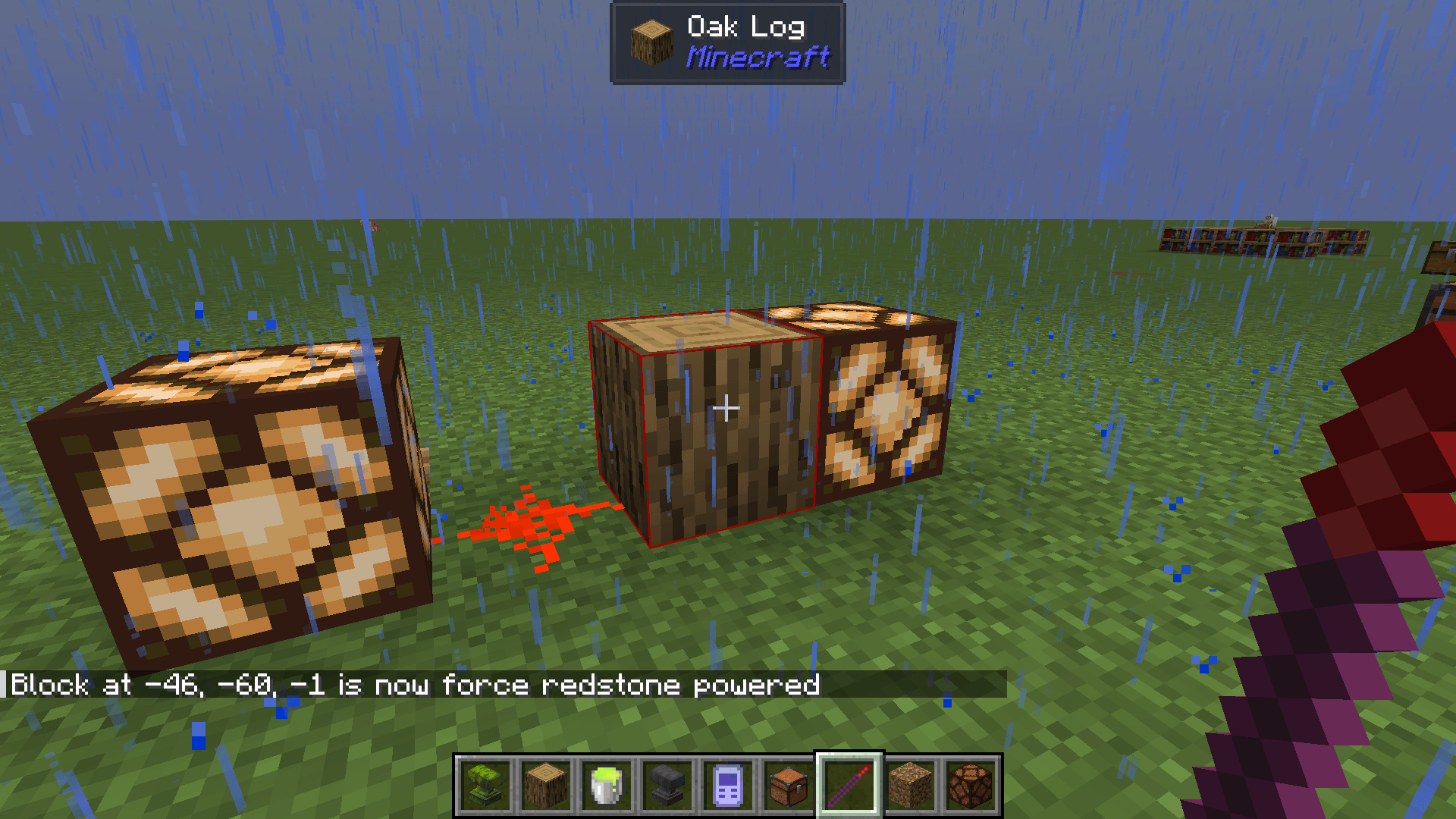
/landsutilities rename_link <name>or/landsutilities delete_linkrespectively. - Redstone Wand – shift-right-click on a block to make it act akin to a redstone block/lever/button depending on the wand’s current mode (which can be changed by shift-scrolling). Useful for secret bases.
- Facade Wand – disguise blocks as other ones, useful for hiding cables and such
Machines
- Auto Anvil – this functions like a vanilla anvil except that it is automatable and takes liquid experience (from any mod) from an adjacent tank (by default, above the anvil) instead of from the player. Do NOT pipe liquid XP into the anvil directly; instead pipe it into the adjacent tank.
- [26.1 only] XP Collector – collects XP and stores it in the connected tank as fluid XP
- [26.1 only] XP Interface – like a fluid XP tank, but players can also retrieve/store levels from the menu
- [26.1 only] Interfacer – simulates left/right clicks at a target location in range
常见问题
Land’s Utilities 支持哪些 Minecraft 版本?
Land’s Utilities 支持 Minecraft Java 版 1.21–26.1.2,共 5 个版本,可用的加载器:NeoForge。下载时注意选择和你游戏版本一致的文件。
Land’s Utilities 怎么安装?
先用 PCL2 或 HMCL 启动器安装对应版本的 NeoForge,再把下载的 .jar 文件放进游戏目录的 mods 文件夹,重新启动游戏即可。开启了版本隔离的,mods 文件夹在 versions/版本名 下面。
lordlandmaster 的其他作品
查看全部 →
Cargo Boats
Spiritual successor to Little Logistics: Automated motorboats for cheap long distance item/fluid water transport

Cargo Boats
Automated motorboats for cheap long distance logistics

Land’s Utilities
Universal block/cable facades, remote controls for out-of-range chests/machines, fluid XP utilities, and more!

Division Sigil
Re-creation of the Extra Utilities division sigil rituals and unstable ingots to Minecraft 1.21+ with some new twists
评论
登录后评论和评分