
CAD Editor
CAD Editor (Component And Data Editor) is a rewrite and actively maintained continuation based on IBE Editor (original author: Skye, MIT-licensed).
截图


介绍
Original project address:
- https://github.com/skyecodes/IBE-Editor
- https://modrinth.com/mod/ibe-editor
What is CAD Editor?
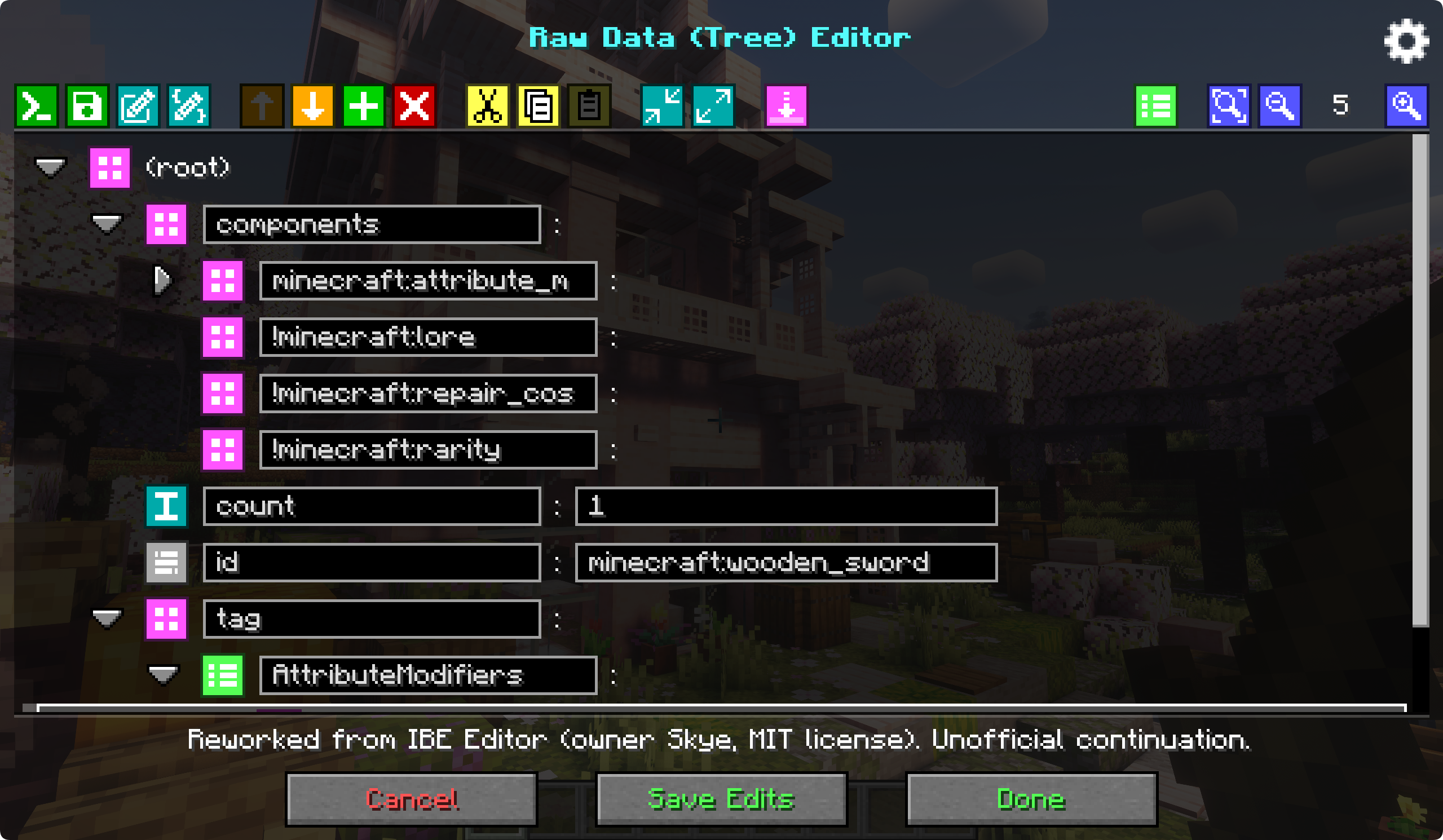
A simple, in-game visual editor that lets you edit items, blocks, and entities right inside your current world.
It supports Minecraft’s data components system (1.20.5+), covering common gameplay fields like Custom Model Data, attributes, enchantments, name/lore, container & loot tables, effects, sign text, and more.
CAD Editor (Component And Data Editor) is a refactored and actively maintained continuation based on IBE Editor (original by Skye, MIT license). I am not affiliated with Skye and this is not an official version; all original credits and notices are preserved.
什么是CAD Editor
一款简洁直观的游戏内可视化编辑器,让你在当前世界里直接编辑物品、方块或实体。
支持 Minecraft 组件系统(1.20.5+),涵盖常见要素:自定义模型数据、属性、附魔、名字/描述、容器与战利品表、效果、告示牌文本等。
CAD Editor(Component And Data Editor)是在 IBE Editor(原作者 Skye,MIT 许可)基础上重构并持续维护的版本。 我与 Skye 无隶属关系,亦非官方版本,但完整保留了原版权声明与署名。
常见问题
CAD Editor 支持哪些 Minecraft 版本?
CAD Editor 支持 Minecraft Java 版 1.21.1–26.3,共 9 个版本,可用的加载器:Fabric / Forge / NeoForge。下载时注意选择和你游戏版本一致的文件。
CAD Editor 怎么安装?
先用 PCL2 或 HMCL 启动器安装对应版本的 Fabric / Forge / NeoForge,再把下载的 .jar 文件放进游戏目录的 mods 文件夹,重新启动游戏即可。开启了版本隔离的,mods 文件夹在 versions/版本名 下面。运行环境:仅客户端。
评论
登录后评论和评分