
截图


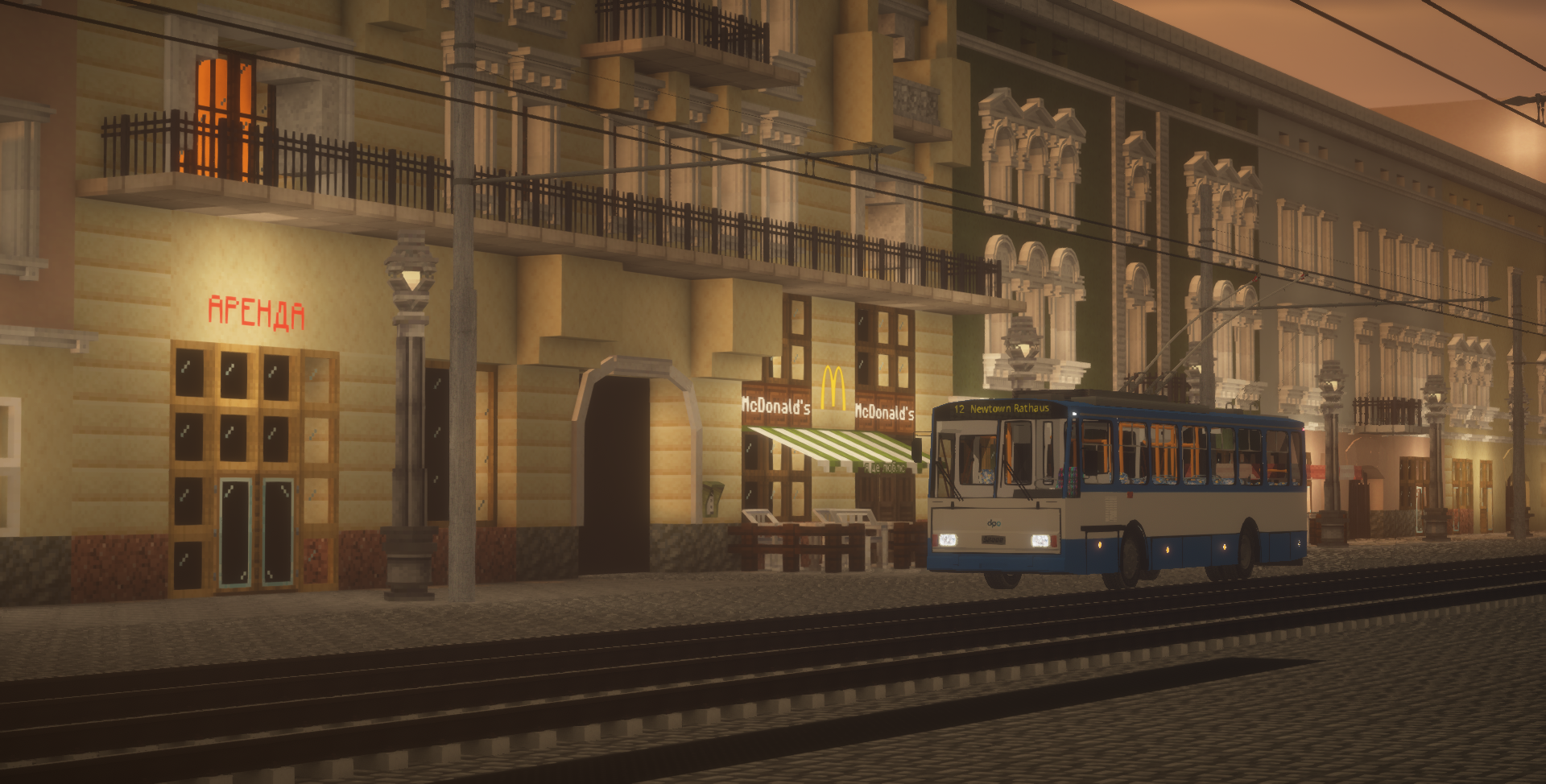

介绍
Buses for MTR4
MTR4 only. MTR3 is unsupported.
This resourcepack adds detailed bus models from Europe.
The resourcepack features buses from companies such as:
- VDL
- SAZ
- Neoplan
- Solaris
- Mercedes
- and more will be added in future…
Technical moments
- Scripts: Mercedes-Benz eCitaro is the first bus for MTR4 to be scripted. Like, ever. THE first. The script was made by HarryTheCat and edited by BKM-321. As of right now, script includes working turn signals, normal, reversing, brake and parking lights, animated doors and turning and spinning wheels. I plan to add scripts to every bus in this version and to other buses that will be added from the private version of mBus Redux (for example, Scania OmniCity I teased, the second scripted bus I didn’t release yet) in the full 2.0 version. Until then, have fun with eCitaro.
- Lags: Your game might lag when loading bus model. As far as I know, MAGIC addon and new JCM updates fix that, but I recommend you to have 12 GB of RAM allocated or more.
- Split: Since 2.0-beta version, mBus Redux is split into two editions, Buses and Trolleybuses. As you could expect, they contain buses and trolleybuses respectively. eCitaro is included in Buses edition, by the way. By default, Buses edition will be downloaded. Download Trolleybuses version at version page.
Pack also features Trolleybus Wires as rail model.
All authors are credited in credits.txt file inside of the pack.
This is a public version of mBus Redux pack. Any use of private version without permission from me is unauthorized and will be prosecuted.
This pack is not associated with, and is not an official product of VDL, SAZ, Neoplan, Solaris, Mercedes or any other bus manufacturer.
常见问题
[MTR4/JCM] mBus Redux 支持哪些 Minecraft 版本?
[MTR4/JCM] mBus Redux 支持 Minecraft Java 版 1.17.1–1.20.1,共 5 个版本。下载时注意选择和你游戏版本一致的文件。
[MTR4/JCM] mBus Redux 怎么安装?
把下载的 .zip 文件(不用解压)放进游戏目录的 resourcepacks 文件夹,进游戏后在「选项 → 资源包」里把它移到右边启用。
nbt1248 的其他作品
查看全部 →
[MTR/NTE] International MetroPack
Metro trains from various countries and cities for MTR/NTE/ANTE

[MTR/NTE] International TransportPack
Soviet/CIS Ground transportation Model's for MTR/NTE mods

Aphrodite’s Nemo’s Transit Expansion FIX
An addition of the MTR mod. Fixed ANTE For many user's who are having trouble with Java scripting and the MTR/NTE Mods!
Aphrodite’s Nemo’s Transit Expansion FIX
An addition of the MTR mod. Fixed ANTE For many user's who are having trouble with Java scripting and the MTR/NTE Mods!
评论
登录后评论和评分