
Take It Out — Minecraft Mod (Shulker Picking + Easy Place)
Minecraft mod that lets you pick blocks from shulker boxes using mouse wheel, Easy Place, or right-click — perfect for Litematica schematics and printers.
截图


介绍
⚡ TakeItOut — Fast Shulker Block Picking + Easy Place
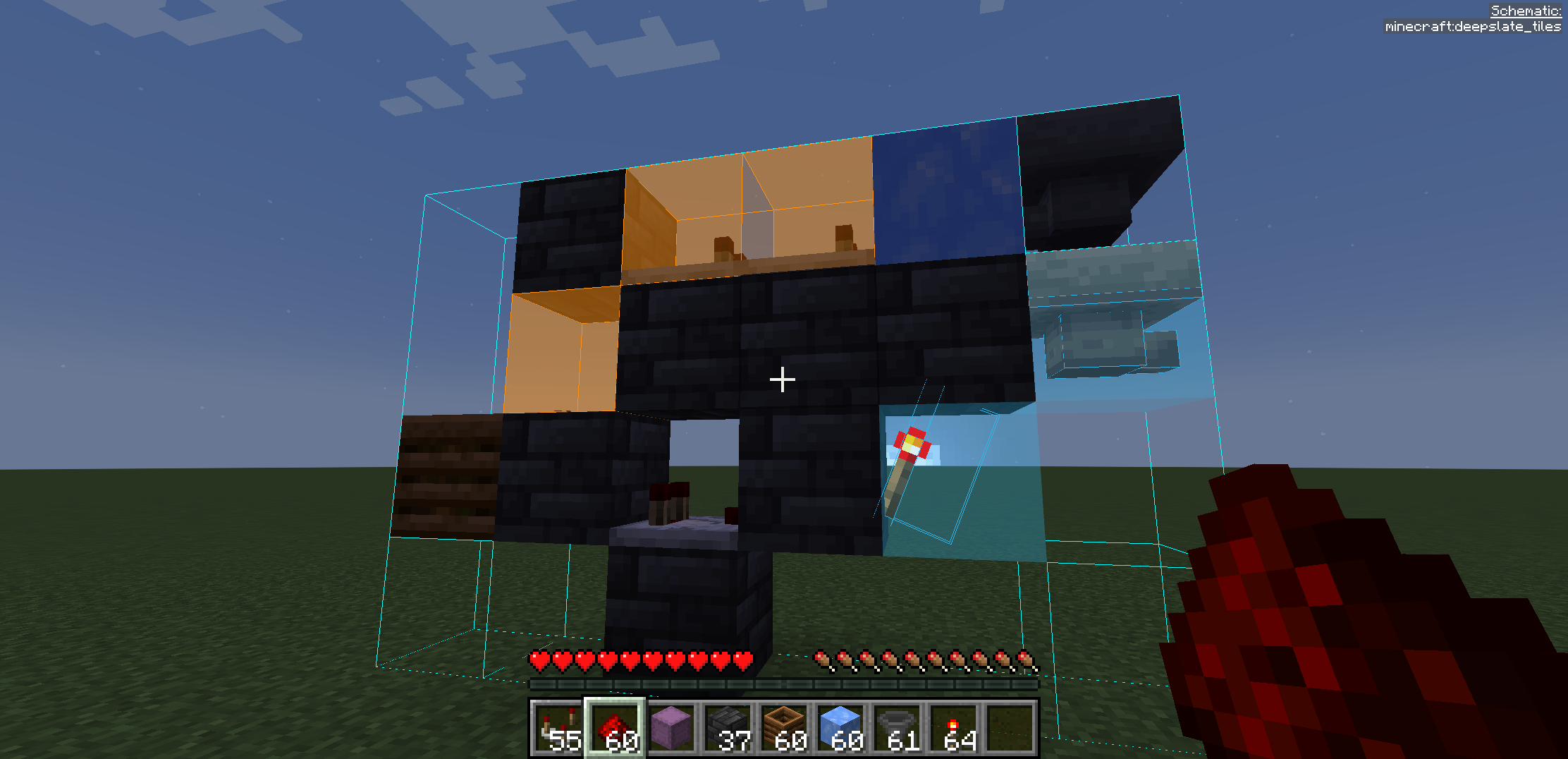
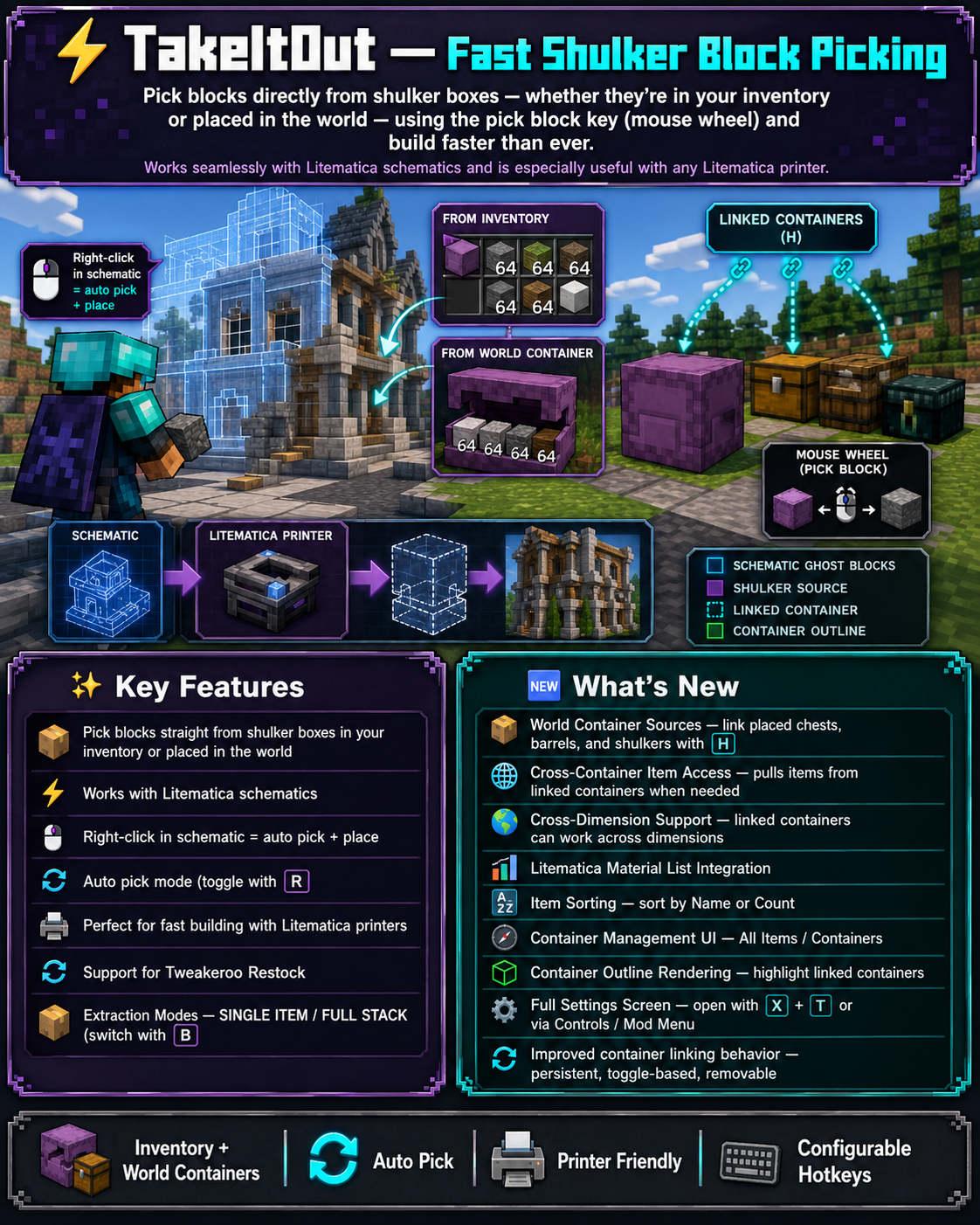
Pick blocks directly from shulker boxes — whether they’re in your inventory or placed in the world — using:
- the pick block key (mouse wheel)
- Litematica Easy Place (right-click in schematics)
- or regular right-click in schematics with Auto Take Out enabled
Build faster than ever — whether you use Easy Place or place blocks manually.
Works seamlessly with Litematica schematics and is especially useful with any Litematica printer.
🎥 Video Guide
✨ Key Features
- 📦 Pick blocks directly from:
- shulker boxes in your inventory
- linked containers placed in the world
- 🧱 Litematica Easy Place support Right-click schematic blocks to auto-pick and place them exactly as defined by the schematic
- 🖱️ Manual placement support (Auto Take Out) Right-click in schematics to automatically take the required item while placing blocks normally
- ⚡ Works with Litematica schematics
- 🖨️ Compatible with:
- original Litematica printer
- litematica-printer (BiliXWhite fork)
- 🔄 Support for Tweakeroo Restock
- 🖱️ Pick block support using the mouse wheel
- 🔄 Auto pick mode (toggle with R)
- 📦 Extraction Modes:
- SINGLE ITEM
- FULL STACK (switch with B)
- 📁 Container Groups Save, switch and share named container setups with other players on the server
- 🌐 Server-side Shared Groups Publish container groups to the server and let other players import them instantly
- 📦 Box Selection Tool Select a cuboid area to automatically link all containers inside it
📦 Linked World Containers
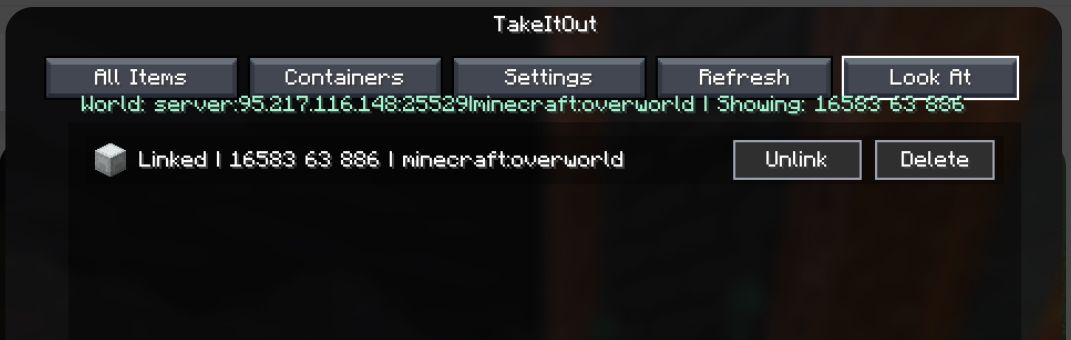
Link placed containers using the configurable Link Looked-at Container hotkey (H by default).
Supported:
- shulker boxes
- chests
- barrels
Features:
- 🌐 Cross-container item access
- 🌍 Cross-dimension support
- 📊 Litematica material list integration
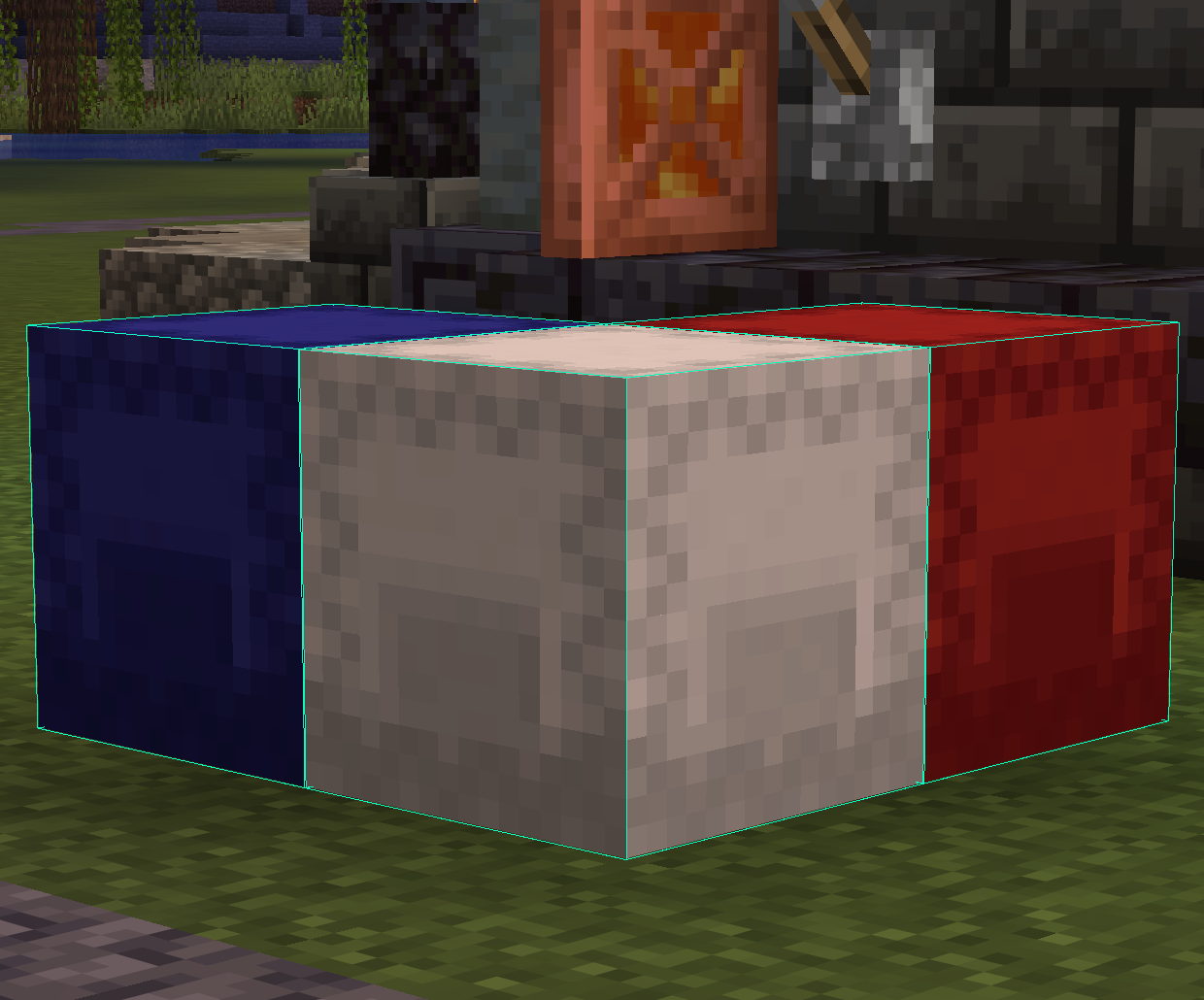
- 🟢 Linked container outline rendering
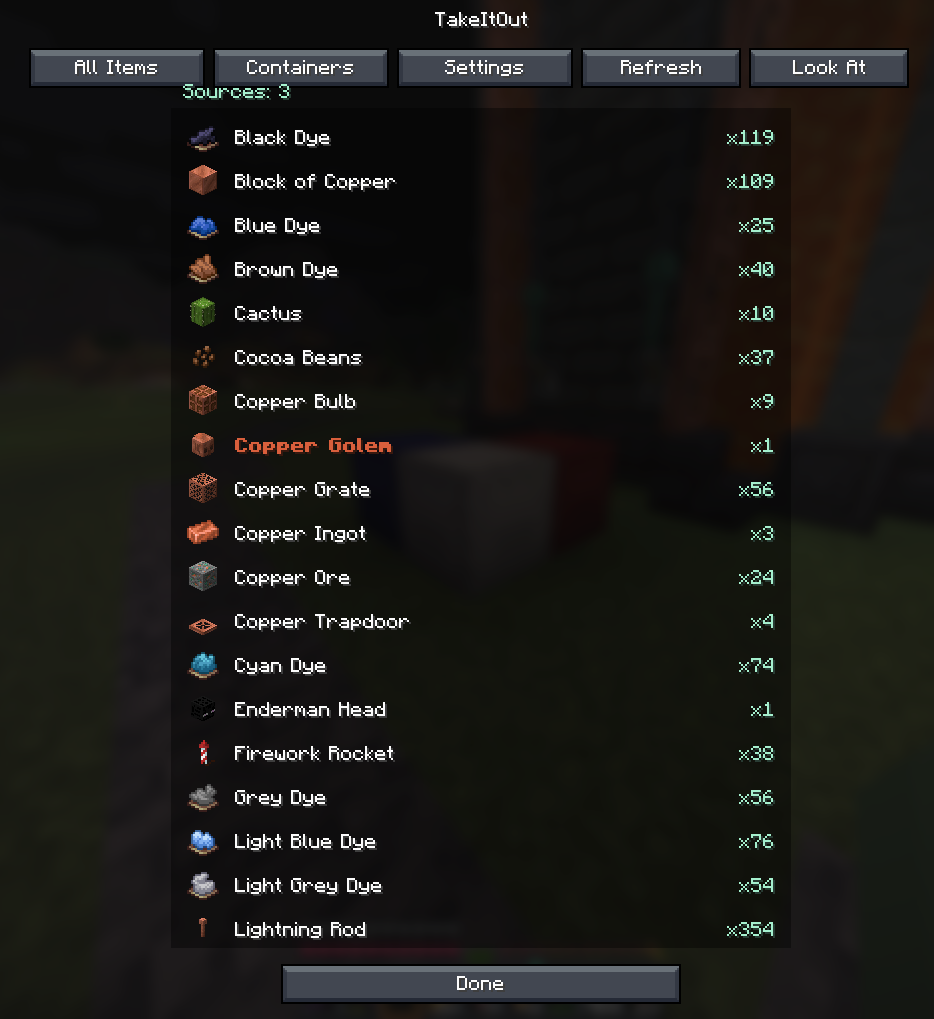
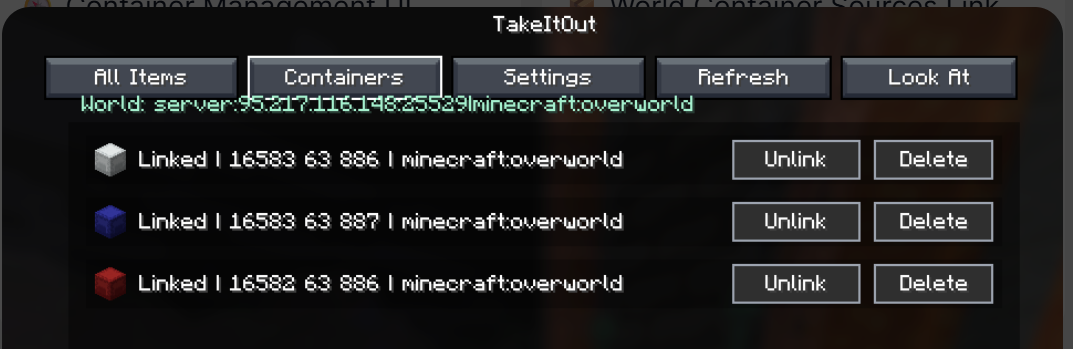
- 🧭 Container management UI
You can also create:
- 📁 Container Groups — save, switch and share named container setups
- 🌐 Shared Server Groups — publish groups for all players on the server
- 🗑️ Dump Containers — automatically store displaced inventory items during swaps
- 📦 Box Selection — bulk-link containers inside a selected area
🧭 UI & Item Management
All Items Tab
- View all available items
- 🔍 Search/filter items
- 🖱️ Left-click → request full stack
- 🖱️ Right-click → request single item
Containers Tab
Manage:
- linked containers
- dump containers
- container groups
Includes:
- linked container counters
- Delete All actions
- improved item pulling UX
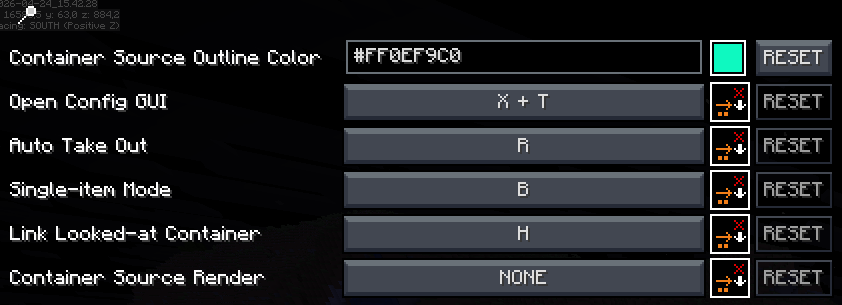
⌨️ Keybindings
| Action | Default |
|—|—|
| Toggle Auto Pick | R |
| Switch Extraction Mode | B |
| Link Looked-at Container | H |
| Mark Dump Container | G |
🆕 Recent Updates
- Added server-side shared container groups with import/remove support
- Added Box Selection mode for bulk container linking
- Improved Easy Place reliability after reconnects
- Correct block placement in water
- Better redstone wire matching
- Fixed inventory overflow and item merge issues
- Tools no longer get moved into world containers accidentally
- Chat notifications for scan limits and server restrictions
- Server config option to disable item requests from All Items tab
⚠️ Compatibility Notice
Item Swapper
TakeItOut may conflict with Item Swapper because both modify item picking behavior.
Possible issues:
- incorrect item selection
- unexpected hotbar swaps
👉 If problems occur, try disabling Item Swapper or adjusting its settings.
🌐 Multiplayer Support
Install the mod on the server to use it on public servers
or use the companion plugin for:
- Paper
- Purpur
- Spigot
- Bukkit
⚠️ Client Compatibility
Older client versions are not compatible with current server versions.
This changed after introducing Single Item Mode.
👉 Please update the client to the latest version.
⚙️ Settings
Open the full settings screen with:
- X + T
- Controls menu
- Mod Menu
🔗 Links



☕ Support
Made by Max Bel — support the project:
https://ko-fi.com/maxbel


常见问题
Take It Out — Minecraft Mod (Shulker Picking + Easy Place) 支持哪些 Minecraft 版本?
Take It Out — Minecraft Mod (Shulker Picking + Easy Place) 支持 Minecraft Java 版 1.20.1–26.3,共 19 个版本,可用的加载器:Bukkit / Fabric / Forge / NeoForge / Paper / Purpur / Spigot。下载时注意选择和你游戏版本一致的文件。
Take It Out — Minecraft Mod (Shulker Picking + Easy Place) 怎么安装?
先用 PCL2 或 HMCL 启动器安装对应版本的 Bukkit / Fabric / Forge / NeoForge / Paper / Purpur / Spigot,再把下载的 .jar 文件放进游戏目录的 mods 文件夹,重新启动游戏即可。开启了版本隔离的,mods 文件夹在 versions/版本名 下面。运行环境:客户端和服务端都要装。
rofumer 的其他作品
查看全部 →
Just Enough Book
Just Enough Book (JEB) – Minecraft Recipe Book Mod
Just Enough Book
Just Enough Book (JEB) – Minecraft Recipe Book Mod

Quick Link (Wireless Logistics)
A lightweight mod that adds Quick Link blocks for early-game wireless item, energy, Mekanism chemical and fluid transfer with color channels and side configuration.

Dimensional Inventories Extension: Warp
An extension for Dimensional Inventories that adds warp commands to teleport players between dimension pools.
评论
登录后评论和评分