Keybind Search (NeoForge)
A simple way to search and filter Minecraft keybinds by name, key, or mod.
截图



介绍
Keybind Search
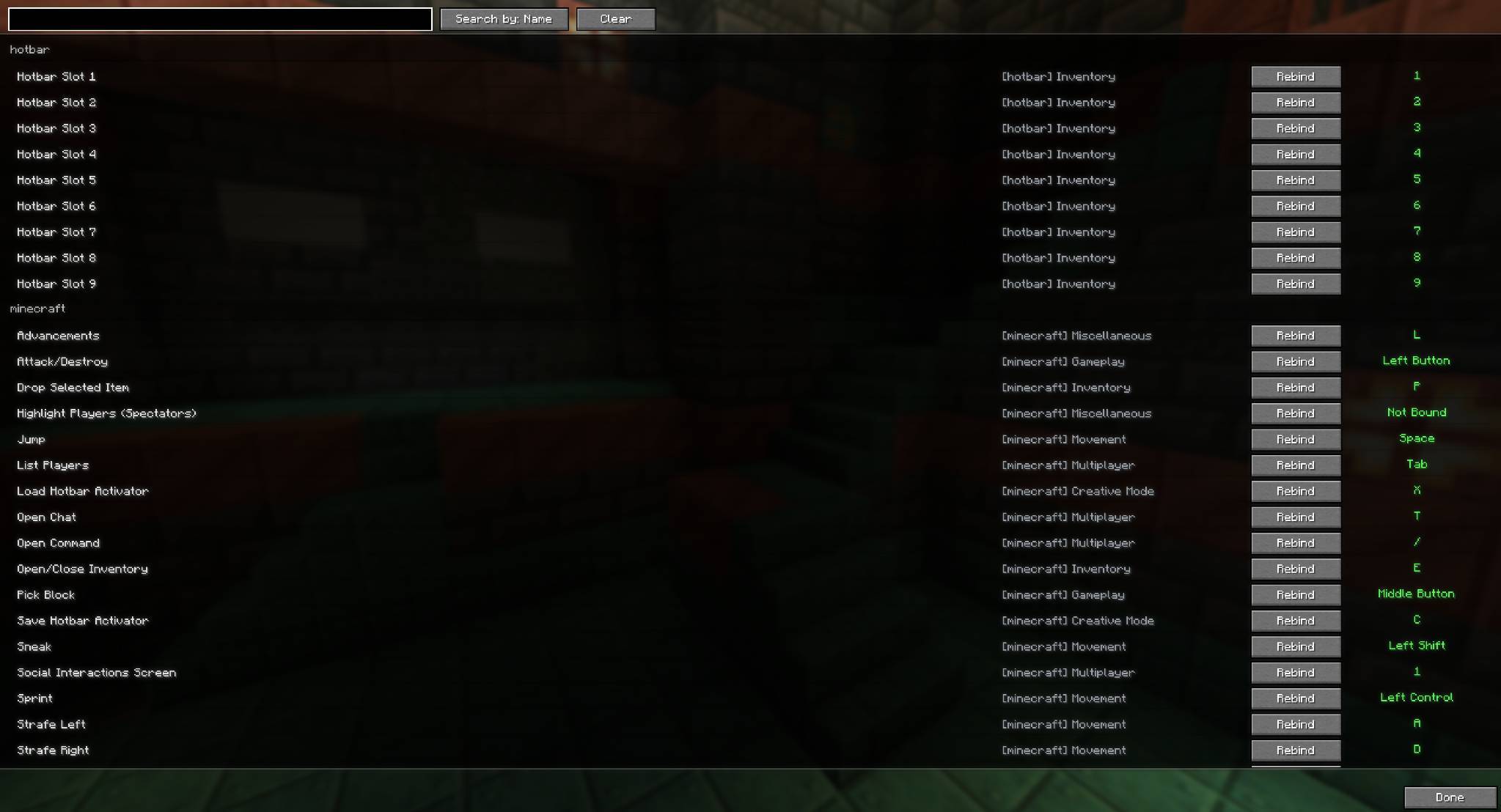
Keybind Search is a lightweight client-side mod that makes managing your controls easier. Instead of scrolling endlessly through dozens of keybinds, you get a searchable list with a simple button right on the Controls screen.
Features
- Search by keybind name
- Search by the key itself
- Search by mod name
- Mods grouped under clear headers
- Each entry has a Rebind button for quick changes
Why use it?
When you’re running a big modpack, finding the right key can be frustrating. Keybind Search solves this by letting you filter, organize, and rebind everything at a glance without conflicts.
✔ Works alongside EMI, REI, and JEI
✔ Simple, lightweight, and designed for NeoForge 1.21.1
License
Creative Commons Attribution-NonCommercial 3.0 (CC BY-NC 3.0 Unported) means:
- Anyone can use, share, and remix this mod
- Must give proper credit
- Cannot use it commercially (no selling or monetizing)
常见问题
Keybind Search (NeoForge) 支持哪些 Minecraft 版本?
Keybind Search (NeoForge) 支持 Minecraft Java 版 1.21.1,可用的加载器:NeoForge。下载时注意选择和你游戏版本一致的文件。
Keybind Search (NeoForge) 怎么安装?
先用 PCL2 或 HMCL 启动器安装对应版本的 NeoForge,再把下载的 .jar 文件放进游戏目录的 mods 文件夹,重新启动游戏即可。开启了版本隔离的,mods 文件夹在 versions/版本名 下面。

评论
登录后评论和评分