Petite Inventory
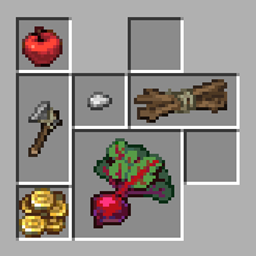
Provides a Resident Evil 4 / Diablo–style inventory layout, where a single item can occupy multiple slots, and adjusts the corresponding replacement and transfer operations.
介绍
Real Inventory / Petite Inventory
PetiteInventory provides container layouts inspired by games such as Resident Evil 4, Diablo, and Delta Force. A single item can occupy multiple slots, with matching replacement, stacking, and transfer rules. The mod also provides footprint rotation, item background colors, and a visual editor.
Main Features
The editor mode is recommended, but the layout can also be configured directly through the rule files.
On first launch, the default rule files are generated at:
- Item footprints:
config/PetiteInventory/border_items.json - Item colors:
config/PetiteInventory/border_colors.json
The rule format is intentionally simple and supports item IDs, item tags, and exact NBT matches. Rules can be reloaded with /reload.
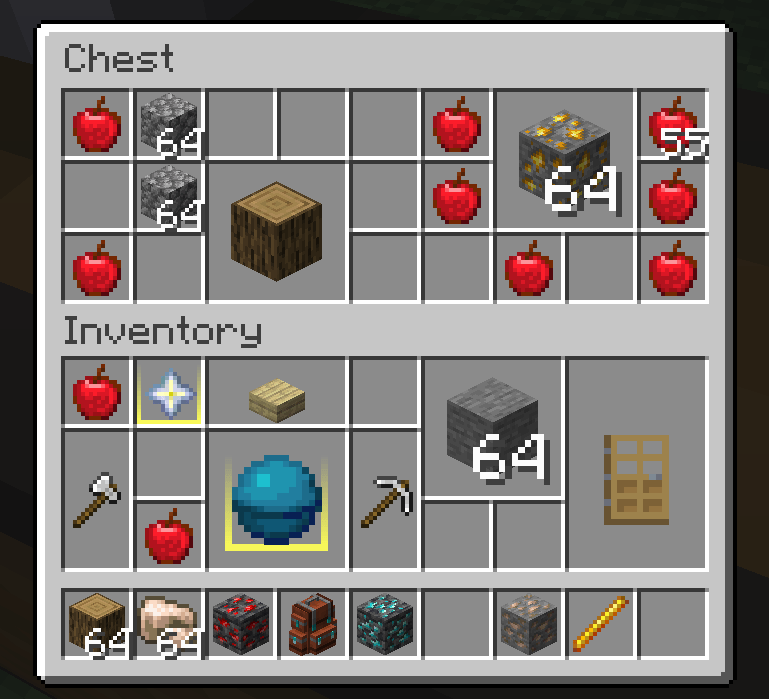
When the layout is enabled, items occupy their configured rectangular footprints. The player inventory is controlled separately for balance. To enable the layout for another container, point at one of its slots and press the copy key (default: U) to copy the screen identifier, then add that identifier to the configuration.
Containers using the layout receive the following operation improvements:
- Moving one item over another allows replacement when the target area has no conflicting item.
- When using a Shift quick transfer, the mod searches for an empty area that can hold the item if stacking is not possible.
- The hotbar is excluded by default so it keeps its conventional vanilla behavior.
- After picking up a non-square item, use the mouse wheel or press
Rto flip the current item instance. This does not change the configured rule.
Edit Mode
Use /petiteinventory edit to toggle edit mode. When the cursor reaches a resizable edge or corner, a highlight border appears and the item can be resized like a Windows window. Changes take effect immediately.
Right-click an item to open the preset color palette and change its background color. The palette currently contains preset colors only. You can also edit border_colors.json directly to assign colors by item ID, tag, or a TACZ GunId.
Hold Ctrl to select multiple items and drag to select an area. Ctrl+Shift extends the selection. With multiple items selected, right-click applies a color to all targets; holding right-click for 0.5 seconds enters batch footprint editing, where the selected rectangle becomes the footprint for every selected item.
In edit mode, each container screen displays a layout toggle at the top. It controls whether that screen uses the Petite layout and takes effect immediately. The player inventory and hotbar remain independently configurable.
Two commands control the default screen behavior:
/petiteinventory blacklist: force blacklist mode, enabling the layout for every container until individual screens are disabled./petiteinventory whitelist: force whitelist mode, disabling the layout for every container until individual screens are enabled.
Compatibility Notes
- Sophisticated Backpacks is specifically adapted, including item footprints, highlights, and footprint-aware quick transfer. TACZ firearms support size and background-color matching through their NBT
GunId. - Item Borders can be used alongside PetiteInventory, and JEI recipe and search behavior is left unchanged.
- Because of the mod’s design, sorting, slot-expansion, and other inventory-structure mods may cause compatibility issues.
- Automatic sorting conflicts with PetiteInventory’s manual-organization design, so perfect compatibility cannot be guaranteed.
- Click-dragging items is disabled in containers that use the Petite layout. It may return if the interaction problems are solved later.
- If an important container from another mod stops working, report its screen identifier and reproduction steps.
Roadmap
- Port to more Minecraft versions and loaders.
- Support more inventory expansion mechanisms.
- Add dedicated adapters for more third-party container screens.
- Explore irregular, Tetris-like item footprints.
常见问题
Petite Inventory 支持哪些 Minecraft 版本?
Petite Inventory 支持 Minecraft Java 版 1.20.1–26.1,共 3 个版本,可用的加载器:Forge / NeoForge。下载时注意选择和你游戏版本一致的文件。
Petite Inventory 怎么安装?
先用 PCL2 或 HMCL 启动器安装对应版本的 Forge / NeoForge,再把下载的 .jar 文件放进游戏目录的 mods 文件夹,重新启动游戏即可。开启了版本隔离的,mods 文件夹在 versions/版本名 下面。
MerrySnow 的其他作品
查看全部 →
TaCZ addon
一个为 TaCZ 提供更完善配件管理功能的扩展模组。

One Enough Lib
用于简化OE系列开发的前置库

One Enough Item
使用OEI,你可以轻松将重复物品替换为单一指定代表物品。

Moves Like Mafuyu
一款轻量级动作向模组,旨在优化探索和建造时的移动体验。
评论
登录后评论和评分