
截图
介绍
Tired of writing KubeJS scripts by hand? Then this mod is for you!
How to use
- To open the main GUI, type
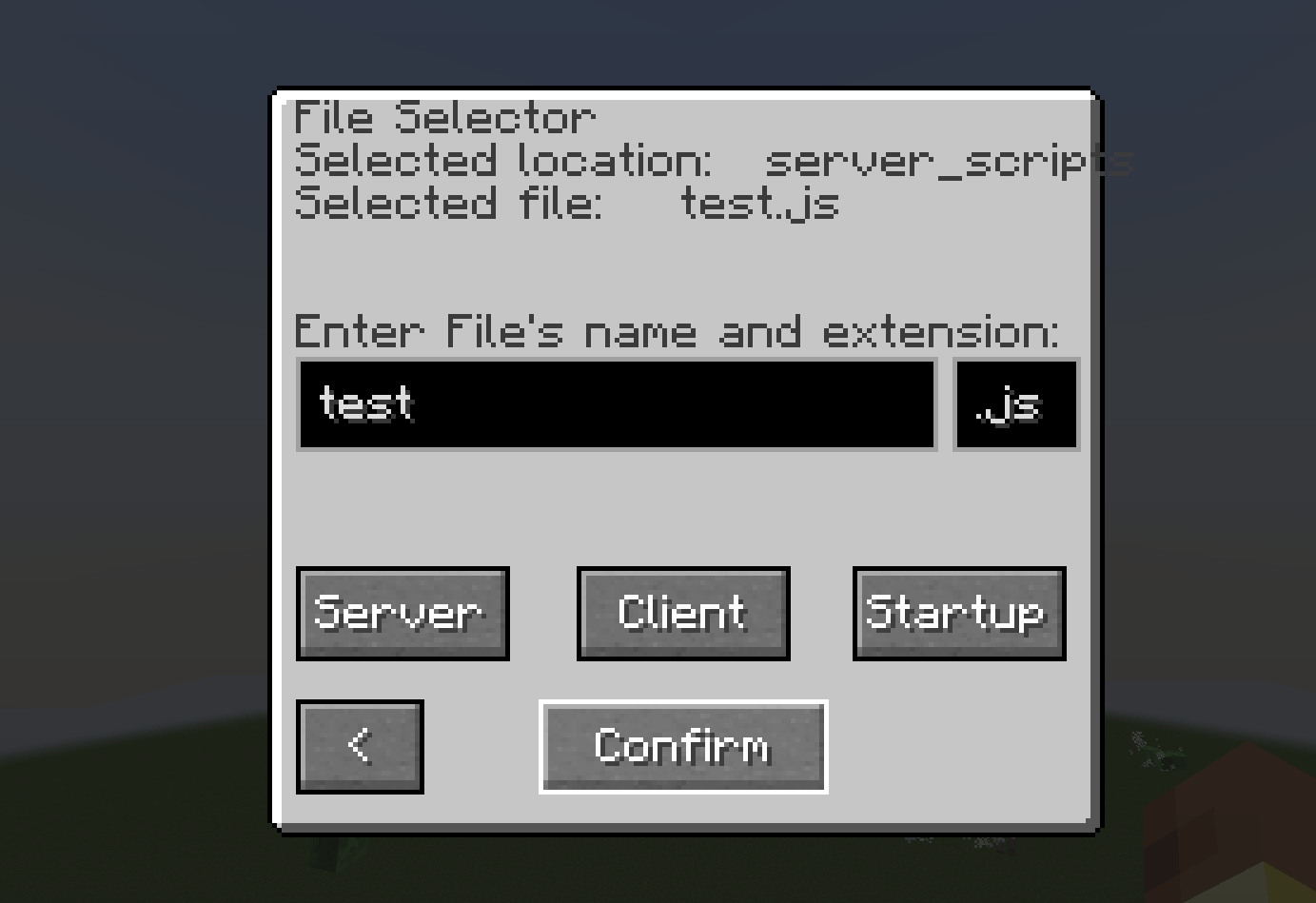
/visualrecipeeditor maingui or /vre maingui- To select a recipe click the file icon, type in the file’s name and extension, select directory (server/client/startup, server most of the time) and click “confirm”
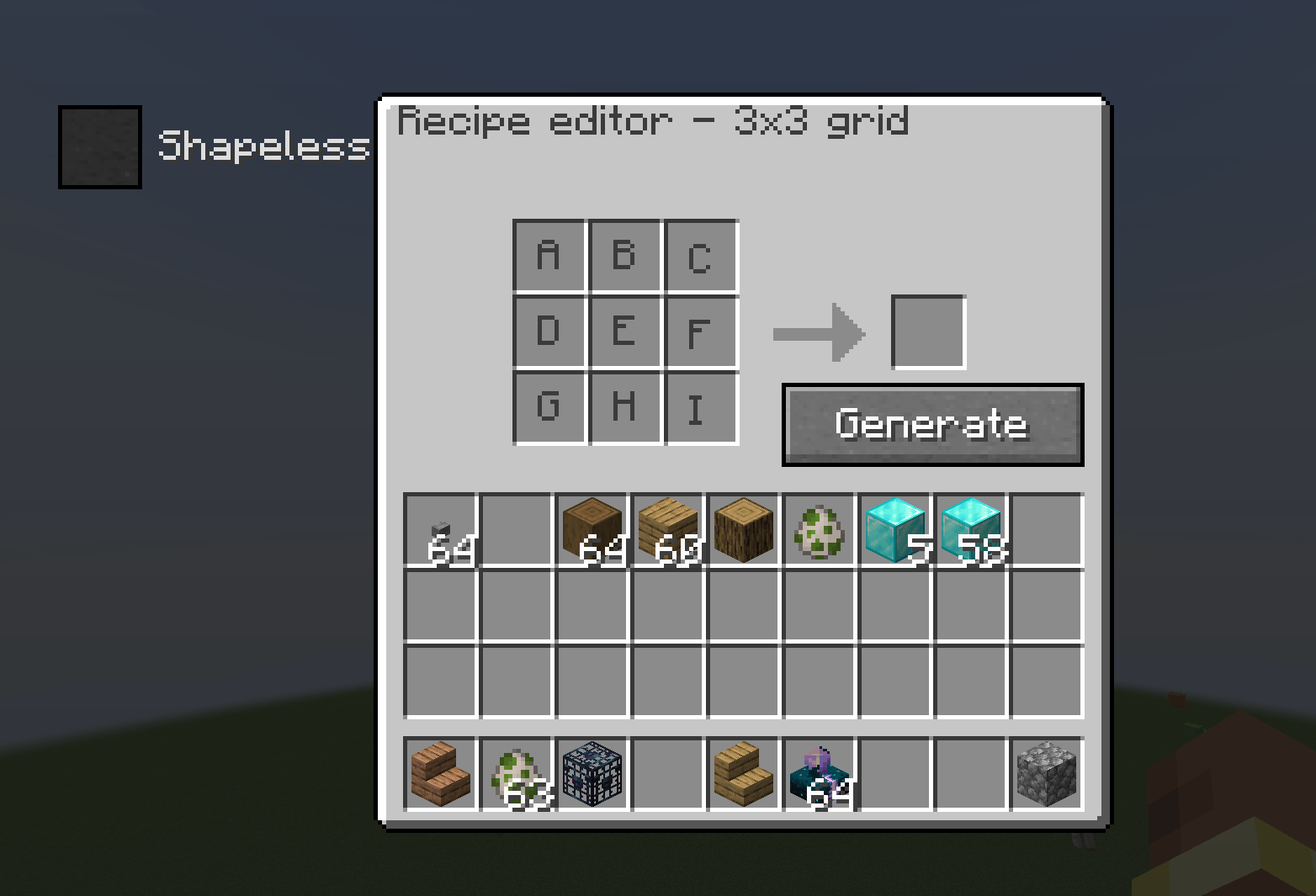
- To add a recipe, click “add” button and select the recipe type (only 3×3 and 2×2 crafting grid for now).
- Fill the grid and the output slot with your ingredients and click “generate”
- That’s it, your file is in chosen directory and ready to be loaded with KubeJS
Current Features
- 3×3 and 2×2 crafting table recipe generator
- Tag support
- File Selector
- Multiple recipes in one file
- Create: mechanical crafter (1.2.0 +)
- Recipe removing by ID (1.3.0 +)
Planned Features
- More modded recipes support
- More recipe removing methods
- Tooltips
- Other vannila recipes support
Found a bug? Report it here: https://discord.gg/VwUw5fTCTA
Inspired by https://www.curseforge.com/minecraft/mc-mods/recipe-generator
Note: this mod is not meant to replace the recipe generator, it’s a free time project for me to see how far can I go with generating files with a GUI
Last updated 11.4.2026
常见问题
Visual Recipe Editor 支持哪些 Minecraft 版本?
Visual Recipe Editor 支持 Minecraft Java 版 1.20.1–1.21.1,共 2 个版本,可用的加载器:Forge / NeoForge。下载时注意选择和你游戏版本一致的文件。
Visual Recipe Editor 怎么安装?
先用 PCL2 或 HMCL 启动器安装对应版本的 Forge / NeoForge,再把下载的 .jar 文件放进游戏目录的 mods 文件夹,重新启动游戏即可。开启了版本隔离的,mods 文件夹在 versions/版本名 下面。
KrupicovaKase 的其他作品
查看全部 →
Visual Recipe Editor
Recipe editor for KubeJS

Diary of an 8-Bit Warrior
Experience Aetheria like a Terrarian! Complete quests, kill bosses, and level up your skills! Maybe you'll even meet Runt and his friends…
Diary of an 8-Bit Warrior
Experience Aetheria like a Terrarian! Complete quests, kill bosses, and level up your skills! Maybe you'll even meet Runt and his friends…

Better Dimension Control
A simple mod for disabling access to End and Nether dimensions
评论
登录后评论和评分