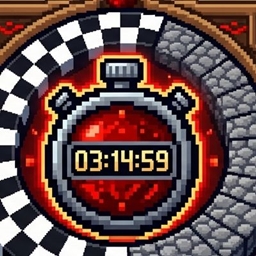
Race Timer
A Minecraft datapack for managing multiplayer races with player registration, race controls, automatic timing, and a finish detection system.
介绍
Race Timer is a Minecraft datapack designed to make organizing multiplayer races simple and competitive.
Players can be added to or removed from the race using commands, while the race system manages the active racers and controls the race timer. The datapack is designed for racing maps and can be used for vehicle races, including Create-based racing setups.
The system includes race management commands, player registration, race starting, player lists, timing functionality, and a configurable finish detection area.
The finish detection system uses a 20-block detection zone, making it easier for racers to trigger the finish even when they do not cross the exact center of the finish line.
Race Timer is designed to provide a lightweight, command-based racing system without requiring a separate racing mod.
3. Features
- Multiplayer race management
- Add players to a race
- Remove players from a race
- Display the current race participants
- Start races using a command
- Automatic race timing
- Finish-line detection
- 20-block detection zone
- Designed for multiple racers
- Suitable for vehicle and foot races
- Works well with custom race tracks
- Command-based administration
- Lightweight datapack system
- No additional racing mod required
- Suitable for competitive multiplayer races
- Can be used with Create-based racing setups
4. Supported Minecraft Version
Minecraft Java Edition 1.21.1
The datapack is designed for Minecraft Java Edition and should be installed as a world datapack.
5. Required Mods
No additional mod is required for the core Race Timer datapack.
The datapack is designed to work with vanilla Minecraft mechanics.
If used together with Create-based race vehicles, the appropriate Create-related mods can be installed separately, but they are not required for the basic race-management system.
6. How It Works
Race Timer uses Minecraft’s datapack functions, commands, scoreboards, and player detection to manage races.
Step 1 — Add racers
Players are registered using:
/function race:add
Step 2 — Remove racers
A player can be removed from the race using:
/function race:remove
Step 3 — Check the racers
The current registered racers can be displayed using:
/function race:list
Step 4 — Start the race
Once the racers are ready, the race can be started using:
/function race:start
The datapack then activates the race system and begins tracking the race.
Finish Detection
The finish area uses a 20-block detection range. When an active racer enters the configured finish area, the datapack can detect the player and process the finish.
This makes the system particularly useful for larger racing gates where players may not follow exactly the same line through the finish.
7. Commands
Add a player
/function race:add
Adds the relevant player to the race participant system.
Remove a player
/function race:remove
Removes the relevant player from the race participant system.
List racers
/function race:list
Displays the players currently registered for the race.
Start race
/function race:start
Starts the race and activates the race timer.
Command Summary
| Command | Function |
|---|---|
/function race:add |
Add a racer |
/function race:remove |
Remove a racer |
/function race:list |
List registered racers |
/function race:start |
Start the race |
8. Installation Instructions
- Download the Race Timer datapack.
- Open your Minecraft world folder.
- Open the
datapacksfolder. - Place the Race Timer ZIP file inside the
datapacksfolder. - Start or reload the world.
- Run:
/reload
- Check that the datapack is active.
- Add your racers using:
/function race:add
- Check the registered racers using:
/function race:list
- Start the race using:
/function race:start
For the best experience, prepare a dedicated starting area and finish area before starting the race.
9. Compatibility
Race Timer is intended for:
- Minecraft Java Edition
- Multiplayer worlds
- Dedicated servers
- LAN worlds
- Custom racing maps
- Vehicle racing
- Create-based racing setups
- Vanilla Minecraft environments
The datapack does not require a separate racing mod for its core functionality.
Compatibility with other datapacks or mods may depend on whether they modify the same scoreboard objectives, functions, commands, or race-area mechanics.
10. Credits
Created by: Anonymous
Project: Race Timer
Minecraft and its related trademarks belong to Mojang Studios/Microsoft. This datapack is an independent community project and is not affiliated with or endorsed by Mojang Studios or Microsoft.
11. AI Content Disclosure
AI-assisted development disclosure:
Parts of this datapack’s development, debugging, documentation, or code generation may have been assisted by artificial intelligence.
AI assistance does not change the project’s functionality or ownership of original project content.
datapack should be clearly labeled as AI-generated / AI-enhanced.
常见问题
Race Timer 支持哪些 Minecraft 版本?
Race Timer 支持 Minecraft Java 版 1.21.1。下载时注意选择和你游戏版本一致的文件。
Race Timer 怎么安装?
新建世界时在「数据包」里把下载的 .zip 拖进去;已有的存档,把文件放进存档目录下的 datapacks 文件夹,进游戏输入 /reload 即可生效。服务器同样放在世界目录的 datapacks 里。
评论
登录后评论和评分