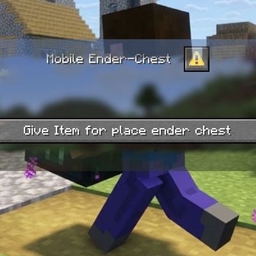
Mobile Ender Chest – Quick Action Menue
作者:Xenton
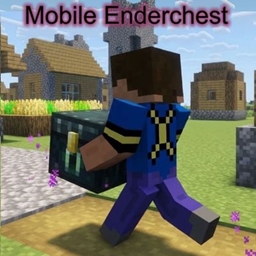
This is the Quick Action Menu for my Data Pack: Mobile Ender Chest. It is optional and in Survival not required
介绍
中文介绍正在准备中,下面暂时显示原文。
Mobile Ender Chest – Quick Action Menu
this is an optional Data Pack for my main Data Pack Mobile Ender Chest <Link> ID: 1749606
——————————————————————————————————————–
Little Manual (Main and Optional):
Installation from Github:
– After download, unpack the zip file
– In the Mobile_Enderchest-Beta_0.x, are two folders. Copy the folder Mobile_Enderchest_by_Xenton in your datapacks folder from your world.
– When you will have the quick action, than copy also the folder Mobile_Enderchest_Quick_Action_by_Xenton in your datapacks folder from your world.
After installation:
– No inizialization needed, data pack have an auto inizialization
– World is to load new, not with /restart, reason: Some JSONs load only when the world is fresh loaded
Run:
– Press your Quick Action button.
– – 2 Options:
– – Option 1: More than 1 Quick Action Data Pack:
– – – Go in Mobile_Enderchest_Quick_Action, and than “Give Item to place Ender Chest”
– – Option 2: Only 1 Quick Action Data Pack:
– – – Press “Give Item to place Ender Chest”
常见问题
Mobile Ender Chest – Quick Action Menue 支持哪些 Minecraft 版本?
Mobile Ender Chest – Quick Action Menue 支持 Minecraft Java 版 26.3。下载时注意选择和你游戏版本一致的文件。
Mobile Ender Chest – Quick Action Menue 怎么安装?
新建世界时在「数据包」里把下载的 .zip 拖进去;已有的存档,把文件放进存档目录下的 datapacks 文件夹,进游戏输入 /reload 即可生效。服务器同样放在世界目录的 datapacks 里。
评论
登录后评论和评分