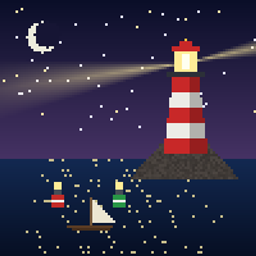
Lighthouses & Seafaring
Working lighthouses with rotating beams that light up at night and in the rain, buoys that bob and blink, a Nautical Chart with every lighthouse and a Sea Compass that always brings you back to port. Java + Bedrock.
介绍
Lighthouses & Seafaring
Bring your coastline to life.
- Lighthouse Lamp: put it on top of a tower. At night and in the rain it lights up with two rotating beams you can see from far away, and sounds a foghorn in the rain.
- Click the lamp to make it your home port.
- Buoys (red, green, yellow): use them on water, even deep water. They bob on the waves and blink in their color at night.
- Sea Compass: hold it to see the lighthouse name, the distance and an arrow showing where to turn.
- Nautical Chart: your position, your course, your home port and every lighthouse with distance and direction. Pick one to set a course, go back home or stop navigating.
- 7 achievements, including Homeward Bound (sail back home from 500 blocks away) and Storm Watch.
- English, Portuguese and Spanish.
Recipes
- Lighthouse Lamp: 3 gold ingots on top; glass, sea lantern, glass in the middle; 3 copper ingots at the bottom.
- Buoy (x2, each color): barrel + red, green or yellow dye + glowstone dust + iron nugget.
- Nautical Chart: 3 paper + ink sac + blue dye.
- Sea Compass: a compass with 4 copper ingots around it (in a cross).
Install
Java 26.3: put the data pack in your world’s datapacks folder and enable the resource pack (additional file). Rename the lamp on an anvil to name your lighthouse; the Sea Compass needle itself points to it. /function lnav:give gives you 2 lamps, 4 buoys of each color, the chart and the compass.
A Bedrock 26.50 version is also available (separate project).
常见问题
Lighthouses & Seafaring 支持哪些 Minecraft 版本?
Lighthouses & Seafaring 支持 Minecraft Java 版 26.3。下载时注意选择和你游戏版本一致的文件。
Lighthouses & Seafaring 怎么安装?
新建世界时在「数据包」里把下载的 .zip 拖进去;已有的存档,把文件放进存档目录下的 datapacks 文件夹,进游戏输入 /reload 即可生效。服务器同样放在世界目录的 datapacks 里。
pedroturant05 的其他作品
查看全部 →
Root Access
The admin hacks the game — Creator powers, corrupted shooting stars & world corruption
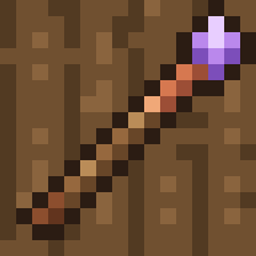
Wayfarer’s Kit
Vanilla-friendly tools: an Effortless-style building wand, a ruler, graves that keep your items, waystone posts and a recall scroll. Works on Realms.
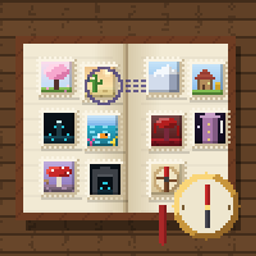
Expedition Journal
Stamp every biome, structure and milestone you explore in a hand-drawn passport. 89 original stamps, coordinates of each find, travel stats, page rewards and 5 explorer ranks. Survival-friendly, works on Realms.

Sky Arcade
A pocket arcade that builds mini-games in the sky above you: parkour, maze, targets, whack-a-mole, crumbling floor, memory lights and a dropper. Earn tickets, trade for prizes, beat records and learn parkour in 6 lessons.
评论
登录后评论和评分