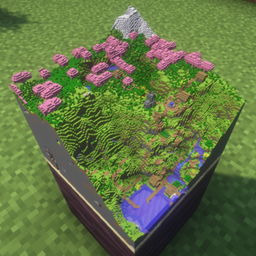
截图
介绍
Important / Known Incompatibilities
- Using optimization mods like More Culling or Fast Item Frames may cause maps not to render properly or prevent you from opening the Maps3D settings screen.
- Using shaders may cause maps not to display correctly.
A world beyond the canvas.
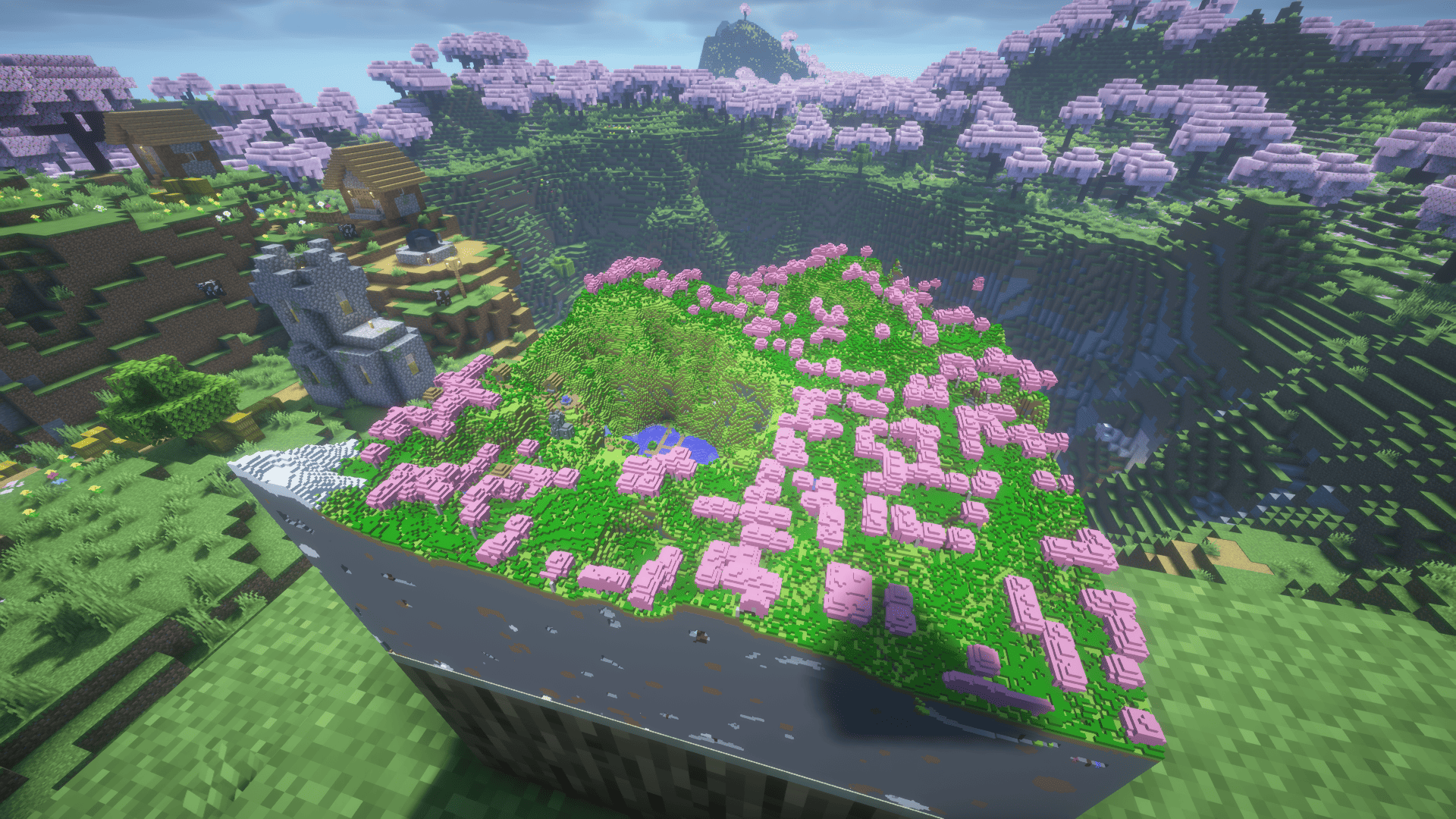
Maps3D elevates vanilla item frames by rendering your maps as detailed, volumetric 3D dioramas. Dense canopies stretch outward, rugged mountain peaks take shape, oceans gain realistic elevation drops, and deep underground caverns come into plain view—turning decorative map walls into immersive terrain slices.
Bringing Flat Pictures to Tiny Life.
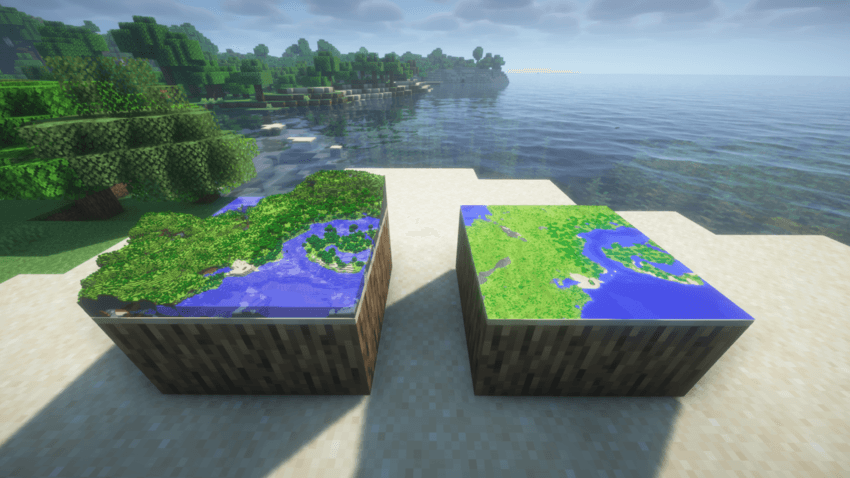 Ordinary maps gain vertical dimension the moment they enter a frame. Instead of a simple texture, each map becomes an interactive miniature piece of your Minecraft world.
Same map, whole new view.
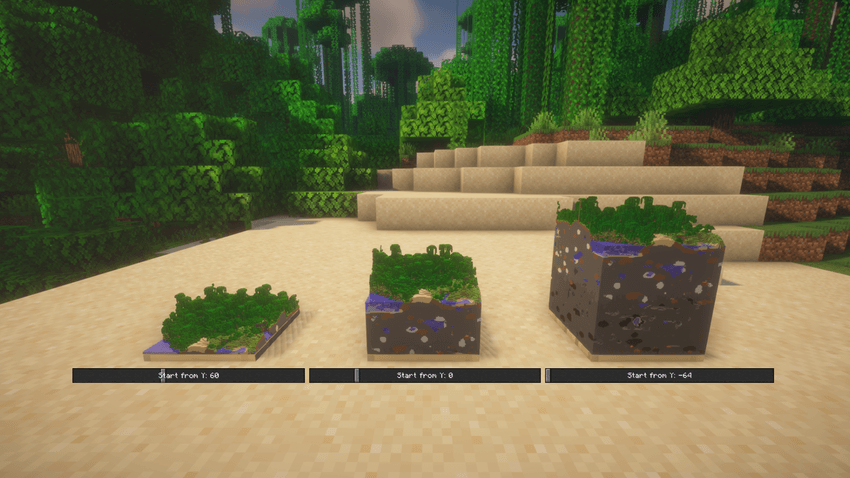
Open any framed map’s control panel by Sneak + Right-clicking it or pressing the dedicated hotkey (bound to M by default). Effortlessly switch between standard 2D and full 3D rendering, or adjust the base Y-level to slice through specific layers of the world.
Every item frame remembers its own choices, so the same map can be displayed in different ways.
Look great. Run smooth. Your call.
Easily adjust between sharp visual clarity and performance-friendly presets. Whether you want crisp details up close or high frame rates around large map galleries, you have full control. You can also pause 3D rendering globally at any time without losing any individual frame configurations.
Existing World Support
This mod introduces no custom blocks, items, or tile entities. It acts purely on the client/server rendering of standard maps, making it completely safe to add or remove from existing save files without breaking your worlds.
Multiplayer
Installing on both the server and client is recommended so everyone can experience the 3D displays together. However, as long as the mod is running on the server, vanilla clients without the mod can still connect and play seamlessly—maps will simply appear as standard 2D displays for those players.
Credits
Forked from 3D Maps by larsphp, which was released under the MIT License.
常见问题
Maps3D 支持哪些 Minecraft 版本?
Maps3D 支持 Minecraft Java 版 1.18.2–26.3,共 10 个版本,可用的加载器:Fabric / Forge / NeoForge。下载时注意选择和你游戏版本一致的文件。
Maps3D 怎么安装?
先用 PCL2 或 HMCL 启动器安装对应版本的 Fabric / Forge / NeoForge,再把下载的 .jar 文件放进游戏目录的 mods 文件夹,重新启动游戏即可。开启了版本隔离的,mods 文件夹在 versions/版本名 下面。

评论
登录后评论和评分