
截图
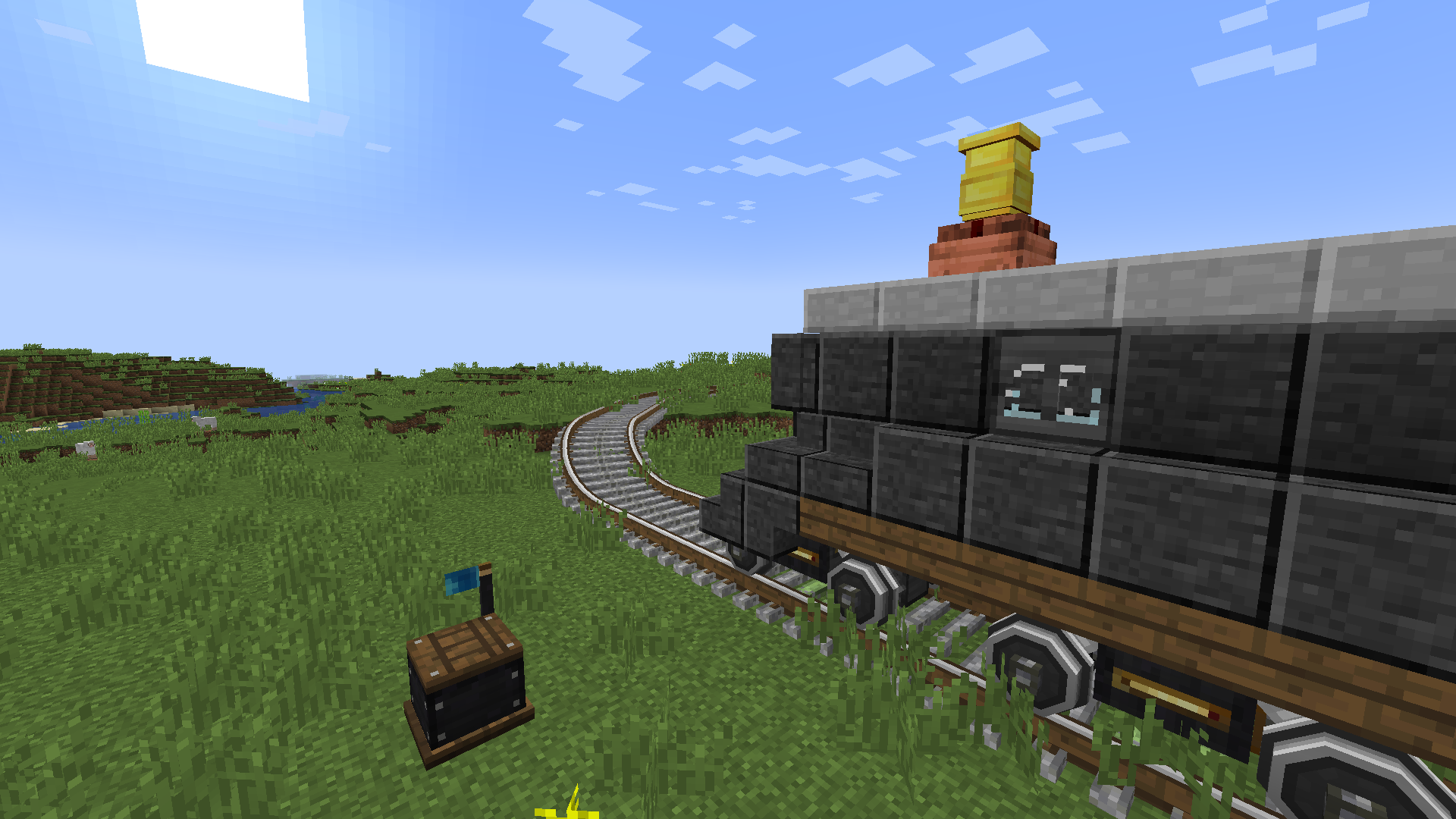

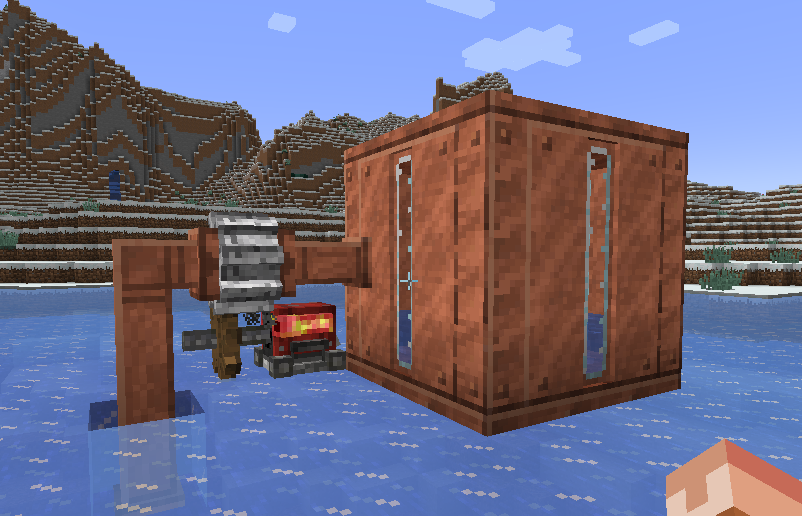


介绍
介绍由机器翻译自 Modrinth 原页面,仅供参考。
_“天空才是极限……”_

 Create: World of Color

……是一个资源包,旨在模拟机械动力在 Minecraft 的Programmer Art风格下会是什么样子!


建议

将此包下方的Programmer Art Continuation Project放在常规Programmer Art之上(如下图所示),以获得最佳体验。
(此包中的许多调色板或纹理直接参考了 PACP 以保持一致性!)

鸣谢
- gracedatgirl – 就是我!Create: World of Color 是我的一个热情项目,已经做了……好吧,太久了!我一直很喜欢 Programmer Art 风格,而我认为机械动力是我所知道的最好的 Minecraft 模组之一,所以……它最终出现感觉挺自然的!
- flabberghastio – 在 v0.9 更新中为我做了一些铜调色板!如果不是他们,这次更新可能至少要比实际多花一周时间……
- PACP 团队 – 如前所述,他们的纹理是 Create: World of Color 中许多内容的通用基础!向他们致以巨大的敬意!!!他们的作品令人难以置信!!
常见问题
Create: World of Color 支持哪些 Minecraft 版本?
Create: World of Color 支持 Minecraft Java 版 1.20–1.21.1,共 9 个版本。下载时注意选择和你游戏版本一致的文件。
Create: World of Color 怎么安装?
把下载的 .zip 文件(不用解压)放进游戏目录的 resourcepacks 文件夹,进游戏后在「选项 → 资源包」里把它移到右边启用。
gracedatgirl 的其他作品
查看全部 →
Comprogrammer (Programmer Art Mod Compat Compliation)
by flabberghastio, gracedatgirl
让 180 多个模组的材质与 Programmer Art 风格相匹配!(具体来说是 PACP) (包括 Caverns & Chasms、农夫乐事、Alex's Caves、Jaden's Nether Expansion、Environmental、锦致装饰、Born in Chaos、Spelunkery、Oreganized、End's Phantasm 等)
8,259
17 天前
Modrinth · CurseForge

Emissive Andesite Border
by gracedatgirl
因机械动力而为安山岩添加发光边框的资源包
2,596
1 年前
Modrinth

Create: World of Color – Feed The Machine
by gracedatgirl
Create: World of Color 的机械动力附加模组 :P
1,181
3 个月前
Modrinth
Create: World of Color – Feed The Machine
by gracedatgirl
Create Addons for Create: World of Color :P
1,055
3 个月前
Modrinth
评论
登录后评论和评分