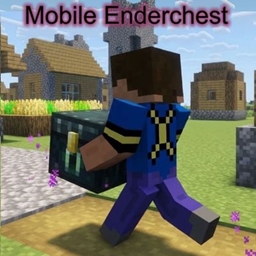
Mobile Ender Chest
作者:Xenton
Name is Program, place every time an ender chest in your front and remove it automaticly. It isf or Survival in Single Player and Mulitplayer
介绍
中文介绍正在准备中,下面暂时显示原文。
Minecraft Java Datapack for Minecraft 26.3+
Main: Mobile_Enderchest_by_Xenton
Optional: Mobile_Enderchest_Quick_Action_by_Xenton >Link< ID:1752205
——————————————————————————
Little Manual (Main and Optional):
Installation from here:
– After download, copy the zip file Mobile_Enderchest_V26_1_x.zip in your datapacks folder from your world.
– The optional Datapack for the Quick Action menu, can you Download from my Github, then follow the installation from Github.
Installation from Github:
– After download, unpack the zip file
– In the Mobile_Enderchest-Beta_0.X, are two folders. Copy the folder Mobile_Enderchest_by_Xenton in your datapacks folder from your world.
– When you will have the quick action, than copy also the folder Mobile_Enderchest_Quick_Action_by_Xenton in your datapacks folder from your world.
After installation:
– No inizialization needed, data pack have an auto inizialization
– World is to load new, not with /restart, reason: Some JSONs load only when the world is fresh loaded
Give item for set ender chest:
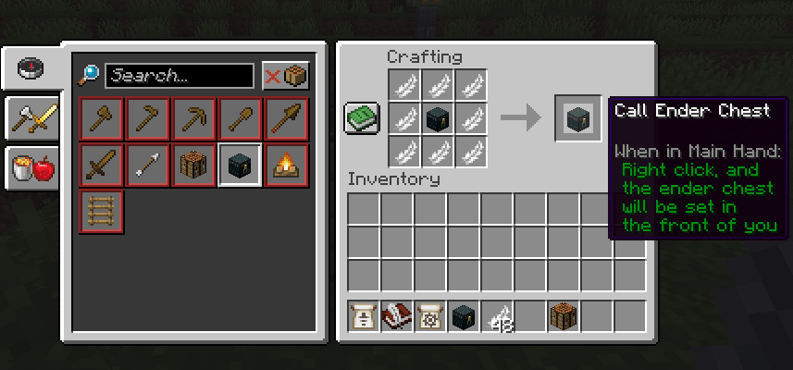
– Main: Crafting recipe: 8 feathers, 1 ender chest. Place the ender chest in the center and the feathers around
– Main: /function x_me_moblile_enderchest:give_item
– Optional: Over Quick action and then button: give item
How to use the Item:
– Rightclick with this item in weapon mainhand and when at the setpoint is air, then the ender chest will be set.
– On move, the ender chest will be remove
Pictures:
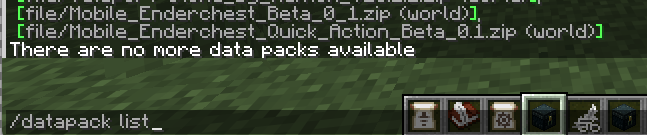
Correct installed:
Crafting recipe:
常见问题
Mobile Ender Chest 支持哪些 Minecraft 版本?
Mobile Ender Chest 支持 Minecraft Java 版 26.3。下载时注意选择和你游戏版本一致的文件。
Mobile Ender Chest 怎么安装?
新建世界时在「数据包」里把下载的 .zip 拖进去;已有的存档,把文件放进存档目录下的 datapacks 文件夹,进游戏输入 /reload 即可生效。服务器同样放在世界目录的 datapacks 里。
评论
登录后评论和评分