
CocoaInput
Support IME input(Japanese , Chinese , Korean) in Minecraft on macOS,Windows,Linux.
介绍
CocoaInput(4.0.0 and higher) now supports macOS , Windows , Linux.
Optional mod :Windowed Fullscreen (It makes ime candidate window visible in fullscreen mode on Windows).
On macOS,to make ime candidate window visible in fullscreen mode, click green button in titlebar not F11.
On Linux, Location where candidate window appears fixed left-bottom.
ConfigScreen is available.
If you use fabric version, you must install ModMenu.
AdvancedPreeditDraw(default:true)
This is determined whether preedit will be formatted or not.
Some environment(especially linux), “PreeditFormatter” cause to crash minecraft.
In that situation, use false.
NativeCharTyped(default:true)
This is determined that how text inserted.
Native way(true) should be appropriate, but native way carries text indirectedly(CocoaInput->Screen->widget).
Another way(false) carries text directedly (CocoaInput->widget).
But some screen(f.g. CreativeInventoryScreen) cannot notice inserted text despite TextField get inserted text properly.
Especially Korean Microsoft IME, another way cause to delete last letter when you press Shift.
Support IME input method(Japanese , Chinese , Korean) in Minecraft on macOS,Windows(x86_64),Linux(X11,x86_64).
macOS,Windows(x86_64),Linux(X11,x86_64)で動作する日本語入力MODです.
WindowsとLinuxは4.0.0以降でのみ動作します.
- CocoaInput enables you to input multi-byte characters natively.
- Read developer environment
- Fabric version need to install Fabric API
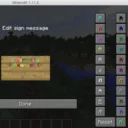
For example(Japanese,Chinese)


Twitter:@axer_yok

License
In 1.7.10,CocoaInput includes code of NotEnoughItems(MIT License).
CocoaInput uses Java Native Access(ApacheLicense2.0)
常见问题
CocoaInput 支持哪些 Minecraft 版本?
CocoaInput 支持 Minecraft Java 版 1.7.10–1.18,共 20 个版本,可用的加载器:Fabric / Forge。下载时注意选择和你游戏版本一致的文件。
CocoaInput 怎么安装?
先用 PCL2 或 HMCL 启动器安装对应版本的 Fabric / Forge,再把下载的 .jar 文件放进游戏目录的 mods 文件夹,重新启动游戏即可。开启了版本隔离的,mods 文件夹在 versions/版本名 下面。


评论
登录后评论和评分