
截图
介绍
Description
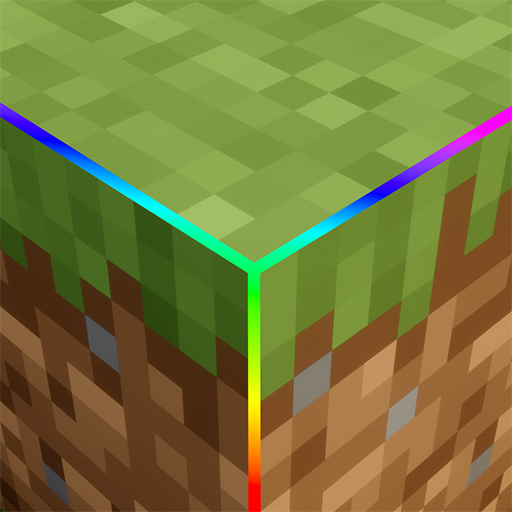
Colorful Outlines makes it easy to see the edges of every block in Minecraft. You can also see outlines around entity hitboxes, so you always know exactly where things are. Works for all blocks and all entity types, making building, exploring, and fighting much easier!
How to Use
- Open your “
resourcepacks“ folder.
- Place the pack in resourcepacks and turn it on in Minecraft.
The colored outlines will appear automatically on all blocks and entities.
Note
Automatically colors outlines for blocks and entity hitboxes.
Should work fine with other resource packs that don’t change outline textures.
Extra
Credit:
- Made with help from a customization preview website that made testing and designing easier.
- You’re free to use this resource pack anywhere (modpacks, videos, etc.).
- I’d be happy if you mention me and link to me, but it’s not required.
Contact:
Join my Discord server or email me if you want to talk or ask questions.
Made with ❤️ • FlamingShadow
常见问题
Colorful Outlines 支持哪些 Minecraft 版本?
Colorful Outlines 支持 Minecraft Java 版 1.17–26.2,共 33 个版本。下载时注意选择和你游戏版本一致的文件。
Colorful Outlines 怎么安装?
把下载的 .zip 文件(不用解压)放进游戏目录的 resourcepacks 文件夹,进游戏后在「选项 → 资源包」里把它移到右边启用。
FlamingShadow 的其他作品
查看全部 →
Glowing Netherite (Ancient Debries)
Ancient Debris now has a blue glow with an emissive effect, making it much easier to spot while mining.

Player Totem (slim)
Customize your totems! Replace the default totem texture with your own player skin, and even use your custom cape. Make your totems truly yours!

Player Totem (wide)
Customize your totems! Replace the default totem texture with your own player skin, and even use your custom cape. Make your totems truly yours!

WoodCutter
Cut woods in stone cutter!
评论
登录后评论和评分