
Create: Nowheel
A powerful optimization mod for Create, unifying Flywheel and Entity Culling to improve frame rates, reduce micro-stutter, and fix bugs
介绍
Nowheel
Nowheel is a lightweight yet powerful optimization mod for Create, unifying Flywheel and Entity Culling to improve frame rates, reduce micro-stutter, and fix bugs.
New in 2.0: Pop-in and hitches should now be fully gone for most configurations!
(Note: Indirect Flywheel is needed for this optimization. Colorwheel 1.3+ is needed if you are using shaders but other versions work)
Nowheel increases performance by improving how Create handles machines that are not visible to the player. This effect is greatly amplified in bigger factories where not many machines are actually visible.
Some of the optimizations that could impact visual fidelity or could have issues are disabled by default.
Enabling these optimizations in the mod’s config should generally be pretty harmless and provide a nice little performance improvement without sacrificing much. Please report any issues that you experience with these options enabled.
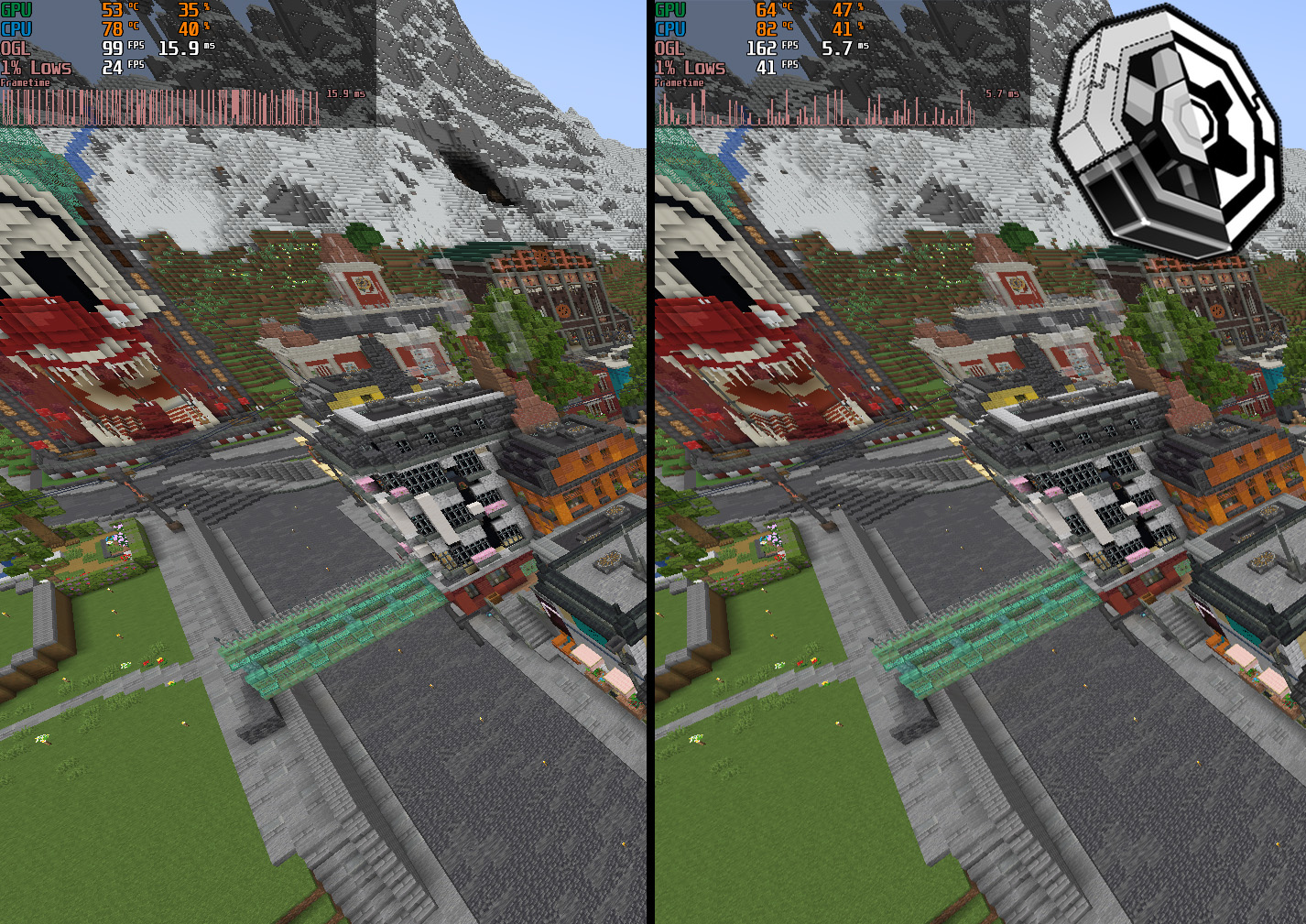
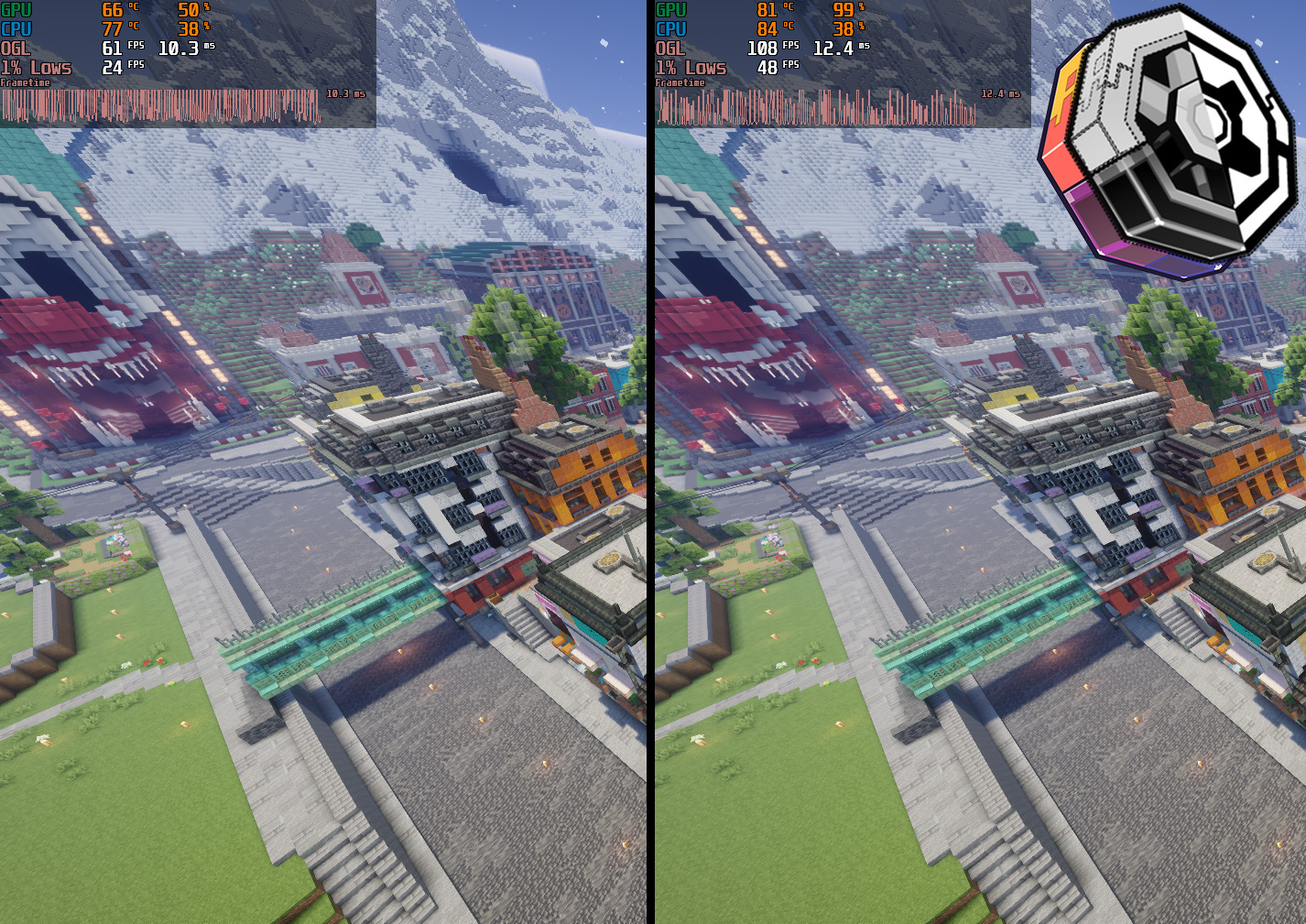
- World: Just Create SMP S1
- Flywheel backends are flywheel:indirect for no shaders and colorwheel:indirect for shaders (Colorwheel 1.3.0 beta3)
- Tick Culling and Distance Culling are enabled, render distance is at 16
Nowheel fixes an Entity Culling + Sable bug where mobs and players sometimes visually disappear on simulated contraptions
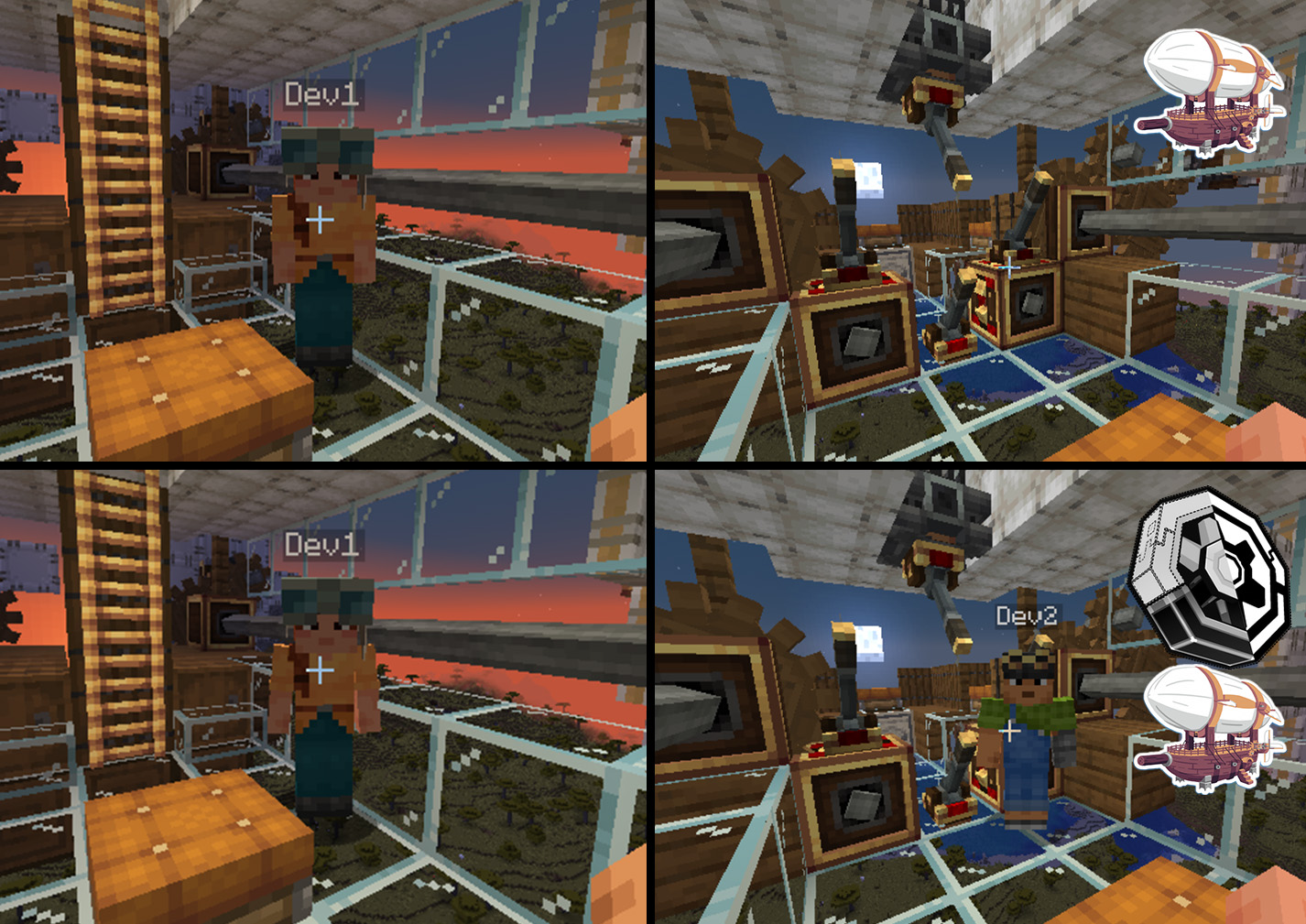
This mod is built on and requires Entity Culling
Create is also required (obviously)
Colorwheel is HIGHLY recommended if you use shaders
Credits
Belt and Chain conveyor AABBs are taken from Create Smart Bounds.
常见问题
Create: Nowheel 支持哪些 Minecraft 版本?
Create: Nowheel 支持 Minecraft Java 版 1.20.1–1.21.1,共 2 个版本,可用的加载器:Fabric / Forge / NeoForge。下载时注意选择和你游戏版本一致的文件。
Create: Nowheel 怎么安装?
先用 PCL2 或 HMCL 启动器安装对应版本的 Fabric / Forge / NeoForge,再把下载的 .jar 文件放进游戏目录的 mods 文件夹,重新启动游戏即可。开启了版本隔离的,mods 文件夹在 versions/版本名 下面。运行环境:仅客户端。
Lap2ka 的其他作品
查看全部 →
Create: Nowheel
A powerful optimization mod for Create, unifying Flywheel and Entity Culling to improve frame rates, reduce micro-stutter, and fix bugs

FramePace
Extremely simple optimization mod that fixes horrible frame pacing when the GPU is under heavy load. Mostly helps with shaders.
评论
登录后评论和评分