截图

介绍
Auto Attack by John Adept
Need to keep your mob grinder going while you grab a snack? Auto Attack automates your attacks.
- Client-side — works in Multiplayer/LAN
- Runs even when Minecraft is minimized
- Attacks are timed to maximize damage
- Rotation Mode to hit across a wider area
- Weapon durability protection with thresholds
- Customizable via in-game config (requires Cloth Config API; Fabric also needs Mod Menu) or by editing the config JSON
Auto Attack
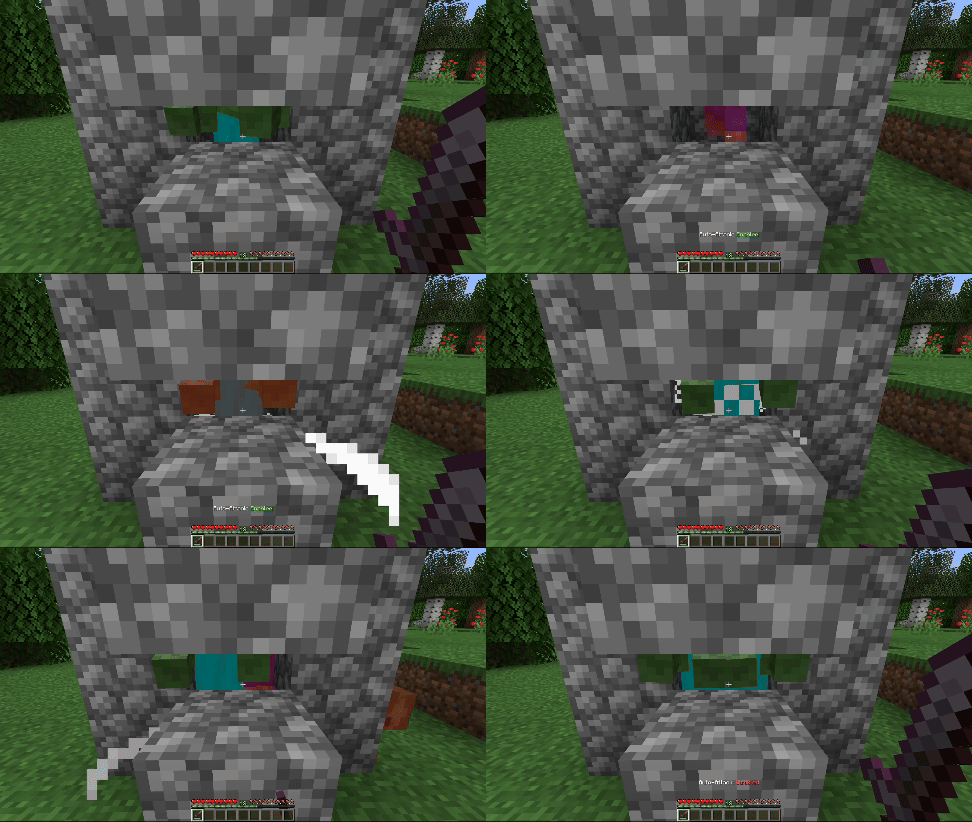
Automatically hits mobs in reach and in your crosshair.
Rotation Mode
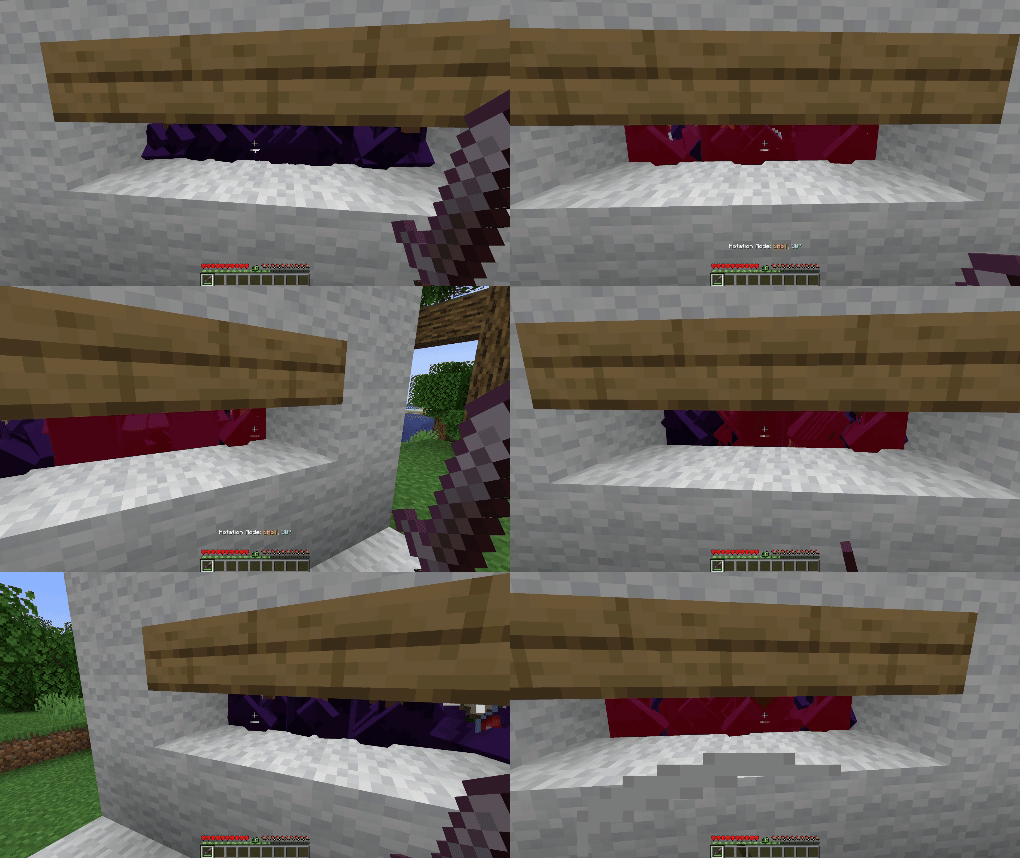
Sweeps your aim left and right by a set angle (default: 30°) before returning to center. Adjustable speed, angle, and auto-align make it ideal for hitting mobs in a wider arc.
Configuration Options (since v3.0.0)
Click to expand
- Enable Mod — Master on/off switch for Auto Attack.
- Attack Non-Hostile Mobs — Attack passive mobs (e.g. villagers, sheep).
- Protect Tamed Mobs — Prevents attacking pets you own.
- Attack Non-Living Entities — Attacks armor stands, minecarts, etc.
- Disable on Low Durability — Stops attacks if your weapon’s durability is low.
- Durability Threshold — The durability value at which Auto Attack stops (only works if above option is enabled).
- Random Attack Delay v3.1.0+ — Adds a random delay between the attack cooldown becoming full and the actual attack.
- Minimum Attack Delay v3.1.0+ — The minimum random delay in ticks before an attack is performed.
- Maximum Attack Delay v3.1.0+ — The maximum random delay in ticks before an attack is performed.
- Rotation Angle — The left/right rotation in degrees for Rotation Mode (0°–180°).
- Rotation Speed — How fast the camera rotates in Rotation Mode (0–20).
- Auto Align Yaw — Auto-faces the nearest cardinal direction (N/S/E/W) before Rotation Mode starts.
- Auto Align Yaw Offset — Adds a custom offset in degrees to the aligned yaw direction.
- Message Display Mode — How status updates are shown: chat or action bar.
- Attack Whitelist — Entity IDs that will always be attacked, overriding most restrictions.
- Attack Blacklist — Entity IDs that will never be attacked (highest priority).
Keybindings: The Attacker can be toggled using its keybinding, which can be configured directly in Minecraft’s Key Binds menu.
⚠ Important:
To comply with Modrinth’s rules regarding cheats and hacks, this mod isn’t able to automatically attack players.
Be careful with using it on multiplayer as it might be considered as cheating!
常见问题
Auto Attack 支持哪些 Minecraft 版本?
Auto Attack 支持 Minecraft Java 版 1.21–26.3,共 15 个版本,可用的加载器:Fabric / NeoForge。下载时注意选择和你游戏版本一致的文件。
Auto Attack 怎么安装?
先用 PCL2 或 HMCL 启动器安装对应版本的 Fabric / NeoForge,再把下载的 .jar 文件放进游戏目录的 mods 文件夹,重新启动游戏即可。开启了版本隔离的,mods 文件夹在 versions/版本名 下面。运行环境:仅客户端。
JohnAdept 的其他作品
查看全部 →
Music Disc Renderer
This mod tries to render the Music Disc item that is put into a jukebox

Rename Commands
This mod adds two commands to quickly rename entities and items in creative mode.

Disenchant Command
This mod adds the opposite of the enchant command
评论
登录后评论和评分