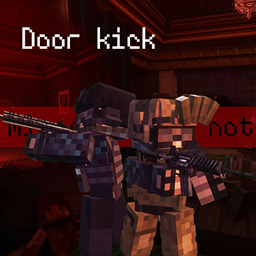
介绍
Features
-
Ammo checks: Hold the reload key to inspect your ammunition, with a default activation time of 0.4 seconds. Tap the key to reload normally. Supported weapons feature dedicated animations, matching sounds, and third-person inspection poses.
-
Numeric ammo display: Shows remaining magazine rounds and capacity near the magazine, such as
10/17. Below 20% appears red, above 80% appears green, and all other amounts appear white. Display offsets are configurable. -
Prone movement: Press C by default to go prone or stand up, with or without a weapon. Includes ground-support transitions, getting up, crawling in four directions, and turning transitions. The jump key also lets you stand up.
-
Weapon handling and movement: Adds third-person holstering and drawing, directional leg animations, weapon-running animations, stopping inertia, and a front-slung long-gun display.
-
High ready and muzzle obstruction: Use Left Alt by default for high ready. Weapons raise near walls, and firing is restricted while the muzzle is obstructed.
-
Door interactions: Use F to open or kick doors, with linked double-door behavior, iron-door restrictions, animations, sounds, and visual feedback.
-
Under-door inspection: Use the mirror gun near the bottom of a door to observe the other side. Right-click again to put it away.
-
Optional player status HUD: A lower-left character indicator reflects equipment, stance, and health. The status HUD and vanilla HUD hiding have separate settings and are disabled by default.
Platform: Minecraft 1.20.1 / Forge 47.2.0 / Java 17.
Compatibility targets: TaCZ 1.1.8-hotfix / TaCZ Magazines 0.2.0-Beta.
Mod ID: locknar_doorkick. Configuration: locknar_doorkick-common.toml.
常见问题
Tacz-Animation-Additions 支持哪些 Minecraft 版本?
Tacz-Animation-Additions 支持 Minecraft Java 版 1.20.1,可用的加载器:Forge。下载时注意选择和你游戏版本一致的文件。
Tacz-Animation-Additions 怎么安装?
先用 PCL2 或 HMCL 启动器安装对应版本的 Forge,再把下载的 .jar 文件放进游戏目录的 mods 文件夹,重新启动游戏即可。开启了版本隔离的,mods 文件夹在 versions/版本名 下面。
Locknar 的其他作品
查看全部 →
TACZ:Project Pneuma
The focus is on improving the weapon feel of TACZ and imitating SCP:5K.

Backpack Side GUI
Backpack Side GUI is an unofficial addon for Sophisticated Backpacks.
MON SWAT Tactical Simulation
A modern tactical law-enforcement modpack inspired by Ready or Not, focused on CQB, mission-based operations, suspect control, less-lethal tactics, and team coordination.
MON Core
MON Core is a core gameplay integration mod developed for the Minecraft or Not (MON) modpack.
评论
登录后评论和评分