
截图
介绍
中文介绍正在准备中,下面暂时显示原文。
Blood Scythe Resource Pack
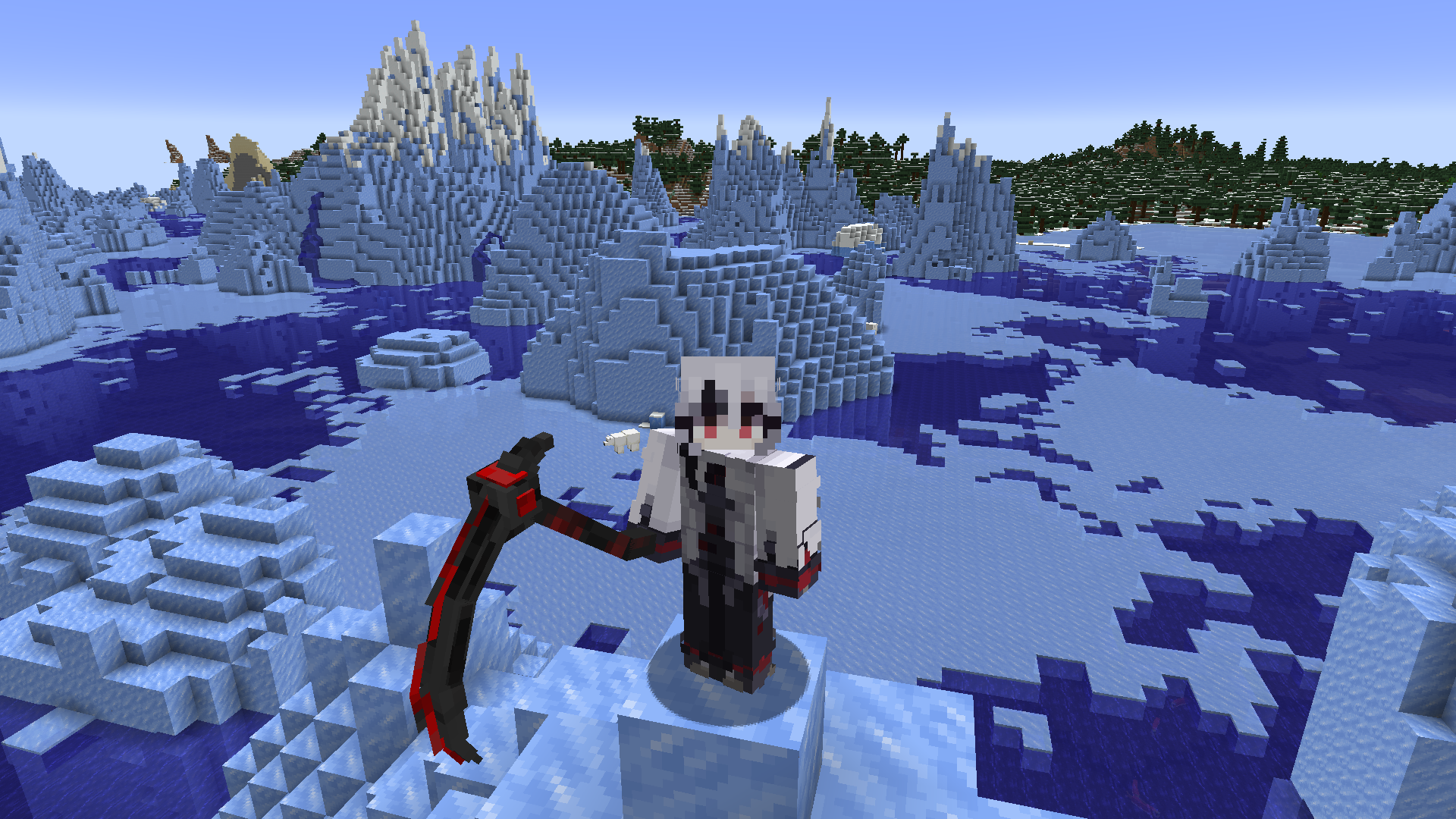
Transform your Minecraft experience with the Blood Scythe Resource Pack for version 1.21. This pack replaces the standard netherite sword with an intricately designed Blood Scythe, adding a touch of dark elegance to your adventures.
Features:
- 3D Model: The Blood Scythe features a detailed 3D model, providing a visually striking upgrade to your weapon.
- Unique Design: The Blood Scythe boasts a menacing blade with a deep crimson hue, giving your weapon a fierce and intimidating look.
- High-Quality Textures: Enjoy detailed and high-resolution textures that make the Blood Scythe stand out in any environment.
- Immersive Experience: Enhance your gameplay with the thematic style of the Blood Scythe, perfect for those who love a darker aesthetic.
Installation:
- Download the resource pack.
- Place the file in the
resourcepacksfolder located in your.minecraftdirectory. - Activate the pack from the Resource Packs menu in-game.
- Enjoy your new Blood Scythe!
Upgrade your Netherite sword to the Blood Scythe and bring a new level of excitement to your Minecraft adventures!
常见问题
Blood Scythe 支持哪些 Minecraft 版本?
Blood Scythe 支持 Minecraft Java 版 1.21–1.21.5,共 6 个版本。下载时注意选择和你游戏版本一致的文件。
Blood Scythe 怎么安装?
把下载的 .zip 文件(不用解压)放进游戏目录的 resourcepacks 文件夹,进游戏后在「选项 → 资源包」里把它移到右边启用。


评论
登录后评论和评分