
Vanilla Plus Crops
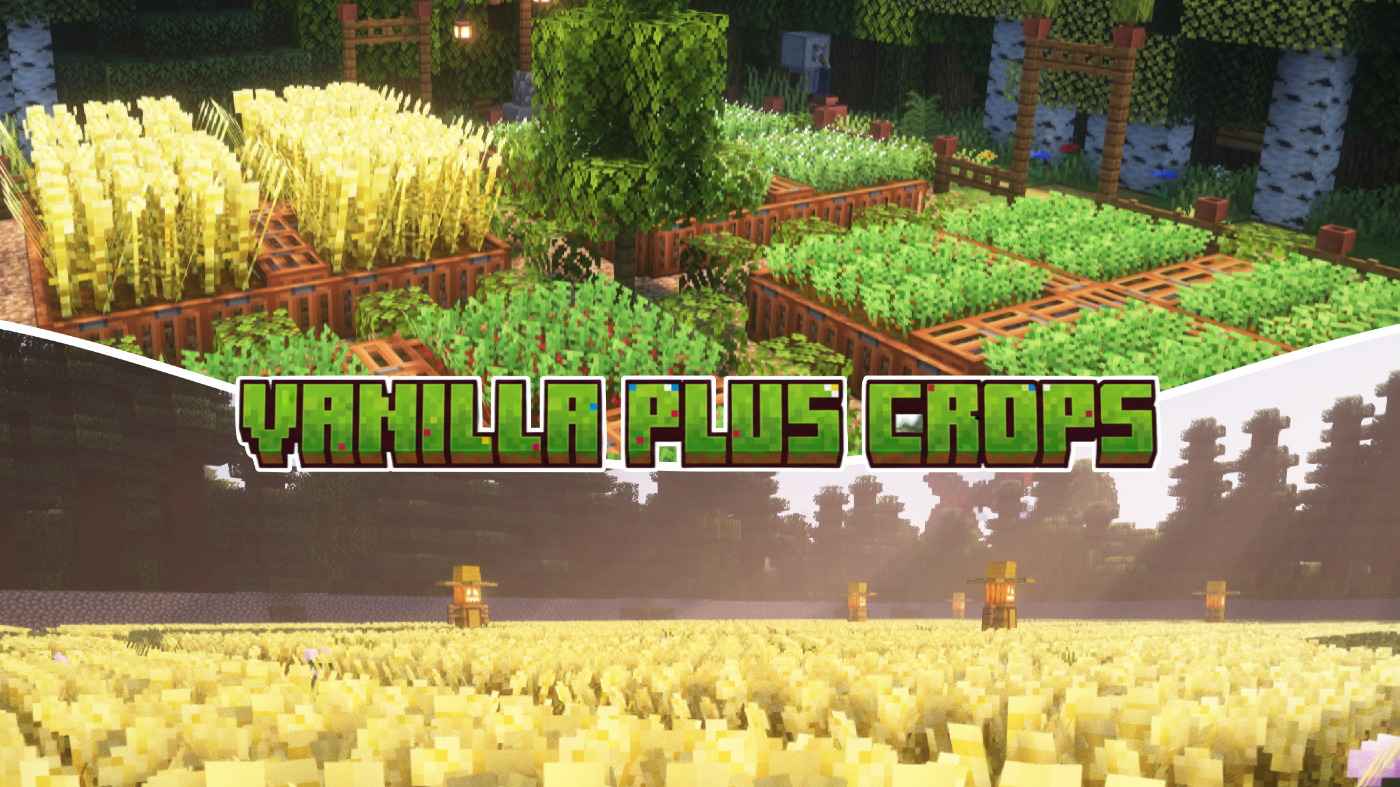
Replaces every farm crop with original custom block models that add depth and visual variety to your fields, without straying from Minecraft's native aesthetic.
截图
介绍
Vanilla+ Crops
Vanilla+ Crops replaces every farm crop with original pixel art and custom block models that add depth and visual variety to your fields, without straying from Minecraft’s native aesthetic.

Features
Wheat — Eight distinct growth stages with a full green-to-gold colour progression. Mature wheat uses taller 32×32 textures so fully grown fields have real visual weight. Three random variants at harvest stage prevent repeating patterns.

Carrots — Feathery foliage that grows progressively denser, with a subtle orange tip peeking through the soil at maturity. Three harvest-stage variants.
Potatoes — Broad-leaved bushes that develop small white flower buds when fully grown, matching the real plant. Three harvest-stage variants.
Beetroots — Deep red stems and visible beetroot crowns at the soil line. Three harvest-stage variants.
Sugar Cane — Segmented stalks with visible nodes and light highlights for a cleaner, more readable silhouette.
Melon & Pumpkin Stems — Reworked growing and attached stem textures.
Seeds — Matching seed item textures for wheat, beetroot, melon, and pumpkin.

Models
All crops use a custom bushy cross model with 4–6 intersecting planes tilted at varying angles (±22.5° and ±45°), giving each plant a fuller, more three-dimensional look on farmland. Mature wheat uses an additional tall crop model that extends above the block boundary.
Compatibility
Pack format 46 with supported_formats range 15–1024. No mods or dependencies required — works with vanilla Minecraft Java Edition.
Compatible with OptiFine, Sodium, and other performance mods. Safe to combine with resource packs that don’t modify crop assets.
Installation
- Download the
.zipfile. - Place it in your
.minecraft/resourcepacksfolder. - Enable it in Options → Resource Packs.
常见问题
Vanilla Plus Crops 支持哪些 Minecraft 版本?
Vanilla Plus Crops 支持 Minecraft Java 版 1.20–26.1.2,共 22 个版本。下载时注意选择和你游戏版本一致的文件。
Vanilla Plus Crops 怎么安装?
把下载的 .zip 文件(不用解压)放进游戏目录的 resourcepacks 文件夹,进游戏后在「选项 → 资源包」里把它移到右边启用。


评论
登录后评论和评分