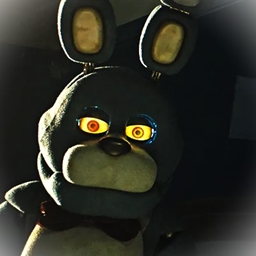
Voxel’s FNaF Maps – Five Nights at Freddy’s 1-5
My reconstruction of the FNaF 1, 2, 3, 4 and Sister location (WIP) maps!
介绍
This is my first go at making and uploading a map on CurseForge!
This project started with me just messing around in TheOnlyMaximum‘s wonderful Five Nights at Freddy’s Mods modpack, and was not expecting to spend as much time as I did in the world, but here we are!
The maps are based off of official and fan recreations of the original FNaF maps’ locations, with a few creative liberties taken. This world has the maps of FNaF 1, FNaF 2, FNaF 3 and FNaF 4, and the start to Sister Location (shh, it’s a secret!)
THE MODPACK IS REQUIRED!
Map Install Guide
To add this map to TheOnlyMaximum’s Modpack, you must obviously already have the pack installed with CurseForge, and this map to your files. (Installing the CurseForge app is highly recommended.)
Once the pack is installed, either right-click the pack and select “Open Folder”, or click the three dots next to the orange “Play” button, and select “Open Folder.”
This should take you to your “…CurseForge/Instances/Five Nights at Freddy’s Mods” path. In this path, locate the “saves” folder. If it doesn’t exist, run the pack, create a new world, then quit and try again. The new map should create a saves folder. You can now simply paste or drag the downloaded map into your “saves” folder.
常见问题
Voxel’s FNaF Maps – Five Nights at Freddy’s 1-5 支持哪些 Minecraft 版本?
Voxel’s FNaF Maps – Five Nights at Freddy’s 1-5 支持 Minecraft Java 版 1.12.2。下载时注意选择和你游戏版本一致的文件。
Voxel’s FNaF Maps – Five Nights at Freddy’s 1-5 怎么安装?
解压下载的文件,把里面的存档文件夹放进游戏目录的 saves 文件夹(开启了版本隔离的在 versions/版本名/saves),重新打开游戏就能在「单人游戏」里看到。请用 1.12.2 版本打开,版本不对可能导致地图损坏。
评论
登录后评论和评分