截图


介绍

Adds more vanilla+ redstone utilities and systems!
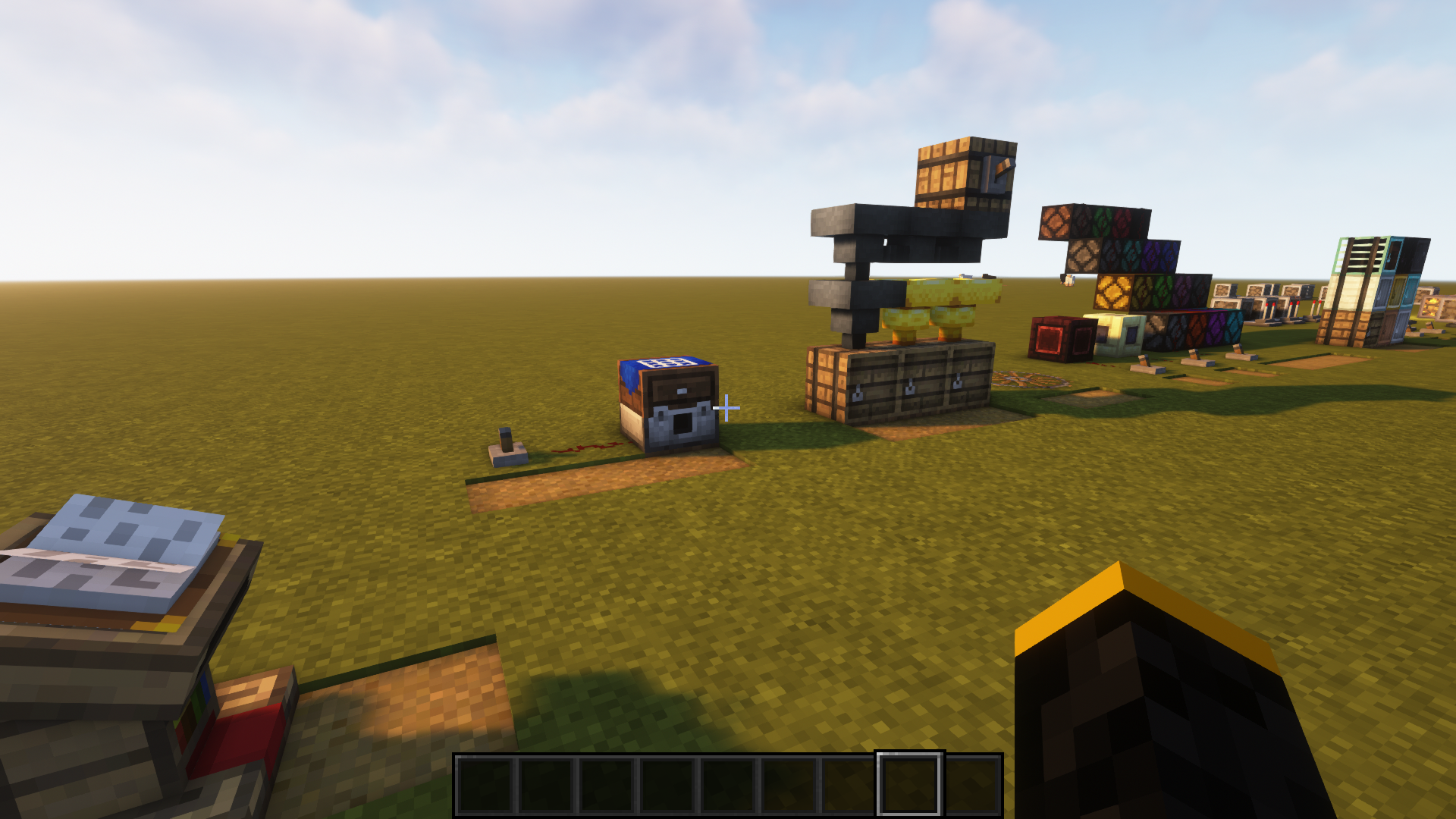
This lightweight modpack simply adds more redstone decorative and utility blocks to enhance your redstone experience and stretch its capability without taking the vanilla feel out of the modified redstone mechanics or survival grinding.
Modpacks have many disadvantages when they are too large (too many mods), some include becoming extremely hard, for the modpack maker, to manage when the mod count is high hence causing inconsistencies or feels of an unbalanced game, not to mention the ridiculous time it takes to load them up! Because of this, I kept this modpack to a maximum total of 18 mods including a few essential mod-maintaining mods (JEI and configured) and the “main” performance mods.
Remember you can use JEI (“Just Enough Items”) to view all the items and blocks that the modpack has to offer, as the tutorial world only offers a sliver of it. Or if you want to tweak some of the mod to make it more balanced, like making the placement of the “tiny redstone” components on a “Redstone Panel” or changing the tick speed of a certain block, then use the “configured” mod. (both are already in the modpack)
Happy Redstonning! 🙂
Specifics:
– Note: the only bug I encountered, so far, is that the coloured redstone lamps don’t act exactly identical to the original vanilla lamp but are quite negligible and still works pretty much as normal!
– Mod categorisation:
> Redstone feature mods (10):
- – Crafting Automat
- – Gauges and Switches
- – Golden Hoppers
- – Metal Barrels
- – Ranged Wireless Redstone
- – Redstone Lamps Plus
- – Redstone Pen
- – Waterlogged Redstone
- – Tiny Gates
- – Tiny Redstone
> Performance mods (4):
- – Alternate Current
- – Entity Culling Fabric/Forge
- – FerriteCore (Forge)
- – Starlight (Forge)
> Mod utility mods (4):
- – Configured
- – Just Enough Items (JEI)
- – Oculus
- – Rubidium
– Extras:
> Shaderpack: Complementary Shaders v4
> Resource packs:
- – Crops 3D
- – Unity
- – Unity: Dark Edition
- – Unity: Modded
- – Unity: PBR Materials (SEUS PTGI)
If you don’t like the resource packs and shaders, you can easily turn them off or even change them to another!
Author: Emperor Haddad
常见问题
Enhanced Redstone Update 支持哪些 Minecraft 版本?
Enhanced Redstone Update 基于 Minecraft Java 版 1.18.2,使用 Forge 加载器。
Enhanced Redstone Update 怎么安装?
点本页「前往下载」拿到整合包文件(Modrinth 的是 .mrpack,CurseForge 的是 .zip),在 PCL2 或 HMCL 启动器里选择「导入整合包」,启动器会自动装好 Minecraft、加载器和全部模组。建议在启动器里给游戏分配 4–6 GB 内存。
Enhanced Redstone Update 开服需要多大内存?
推荐服务器内存 12 GB。在线人数多、或者建了大量机器和区块加载器时,可以再加 2–4 GB。
怎么和朋友一起玩 Enhanced Redstone Update?
点本页的「一键开服」,选好配置后会自动安装 Enhanced Redstone Update 的服务端,几分钟就能开好。把服务器地址发给朋友,大家用同一个版本的整合包连进去就行。
评论
登录后评论和评分