
Create: Perfect Colonies
Create 6.0 Upate! A small Modpack about MineColonies paired with a Mr. Beardstone inspired Create + Addons experience
截图
介绍

Create: Perfect Colonies
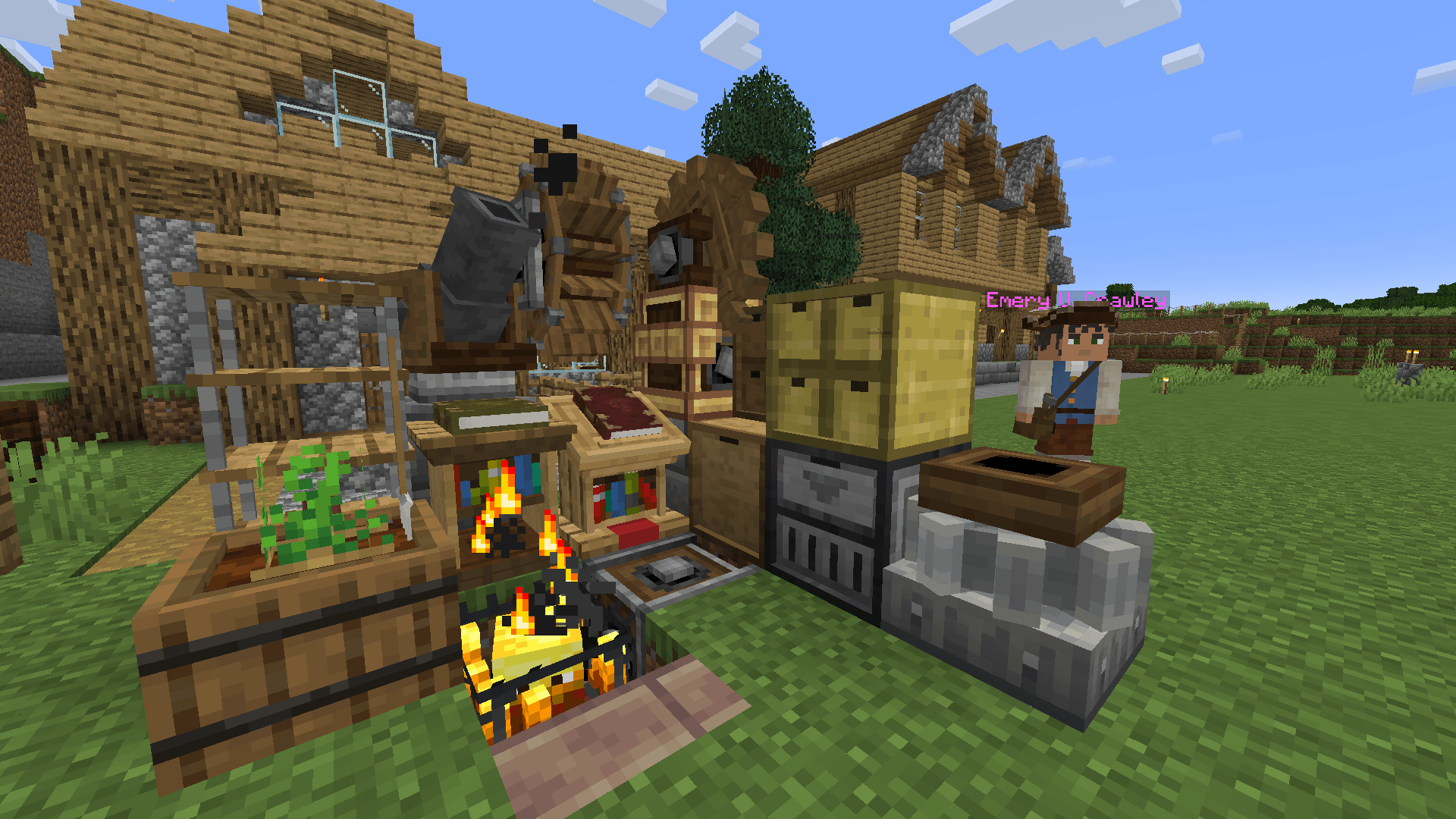
A small Modpack about MineColonies paired with a Mr. Beardstone inspired Create 6.0 + Addons experience.
This is the perfect pack to play Minecraft with a Vanilla like feeling. There is no need to follow a Questline or do anything in particular. Progress depends only on your mood and desire.
Start a colony that builds itself to bring life to your world, hire NPC workers such as builders, farmers, foresters, guards & more. Use the Create mod to automate resources for you, design trains and railways to connect all your buildings. Go on an adventure to find ancient artefacts, fossils & structures. Just hang out in nature to enjoy new passive mobs, or start cooking a wide range of different foods and dishes…
Some of the Mods:
- Create 6
Create: Steam and Rails(not yet updated)- Create: Enchantment Industry
Copycats+& many more Addons- Chipped
- MineColonies
- Macaw’s Bridges & more
- Sophisticated Backpacks & Storage
- Farmers Delight
- Better Archeology
- Naturalist
- Jade + Addons
- JEI + Addons
- Curios (Slots for Goggles, Backpack, Elytra and Totem)
- Bunch of Performance mods and enhancements to the gameplay
Shoutout to Mr. Beardstone for his “Create: Perfect World”, and to all the Mod-Devs for their amazing work!
常见问题
Create: Perfect Colonies 支持哪些 Minecraft 版本?
Create: Perfect Colonies 基于 Minecraft Java 版 1.20.1,使用 Forge 加载器。
Create: Perfect Colonies 怎么安装?
点本页「前往下载」拿到整合包文件(Modrinth 的是 .mrpack,CurseForge 的是 .zip),在 PCL2 或 HMCL 启动器里选择「导入整合包」,启动器会自动装好 Minecraft、加载器和全部模组。建议在启动器里给游戏分配 4–6 GB 内存。
Create: Perfect Colonies 开服需要多大内存?
推荐服务器内存 12 GB。在线人数多、或者建了大量机器和区块加载器时,可以再加 2–4 GB。
怎么和朋友一起玩 Create: Perfect Colonies?
点本页的「一键开服」,选好配置后会自动安装 Create: Perfect Colonies 的服务端,几分钟就能开好。把服务器地址发给朋友,大家用同一个版本的整合包连进去就行。
Guddi 的其他作品
查看全部 →
Create: Lemon Mates
A simple mod adding lemonades and detailed production steps using the Create mod.

Create: Lemonmates
A simple mod adding lemonades and detailed production steps using the Create mod.
Create: Lemonmates
A simple mod adding lemonades and detailed production steps using the Create mod.

Create: Baby Chicken Frogports
Changes the Frogport model to the new baby chicken. Inspired by Foxy's mod for the Just Create SMP!
评论
登录后评论和评分