
截图





介绍
ModpackUtils






_Various utilities for modpacks!_
ModpackUtils is a highly-customizeable mod for modpack developers to curate their modpacks for their users. The mod is completely open-source, and has a detailed wiki, for all its features. Need help? Join our Discord server.
Features
Chat Messages
Chat Messages are sent everytime the user joins a world.
- Chat Welcome: A customizable welcome message is sent every time a user joins a world. Info like Modpack Name and the Version Installed are entered automatically.
- Update Notifier: Informs users about modpack updates, with a customizable message.
- Ram Alert: Notifies the user if the RAM allocated is below the minimum required by the modpack.
Toast Notifications
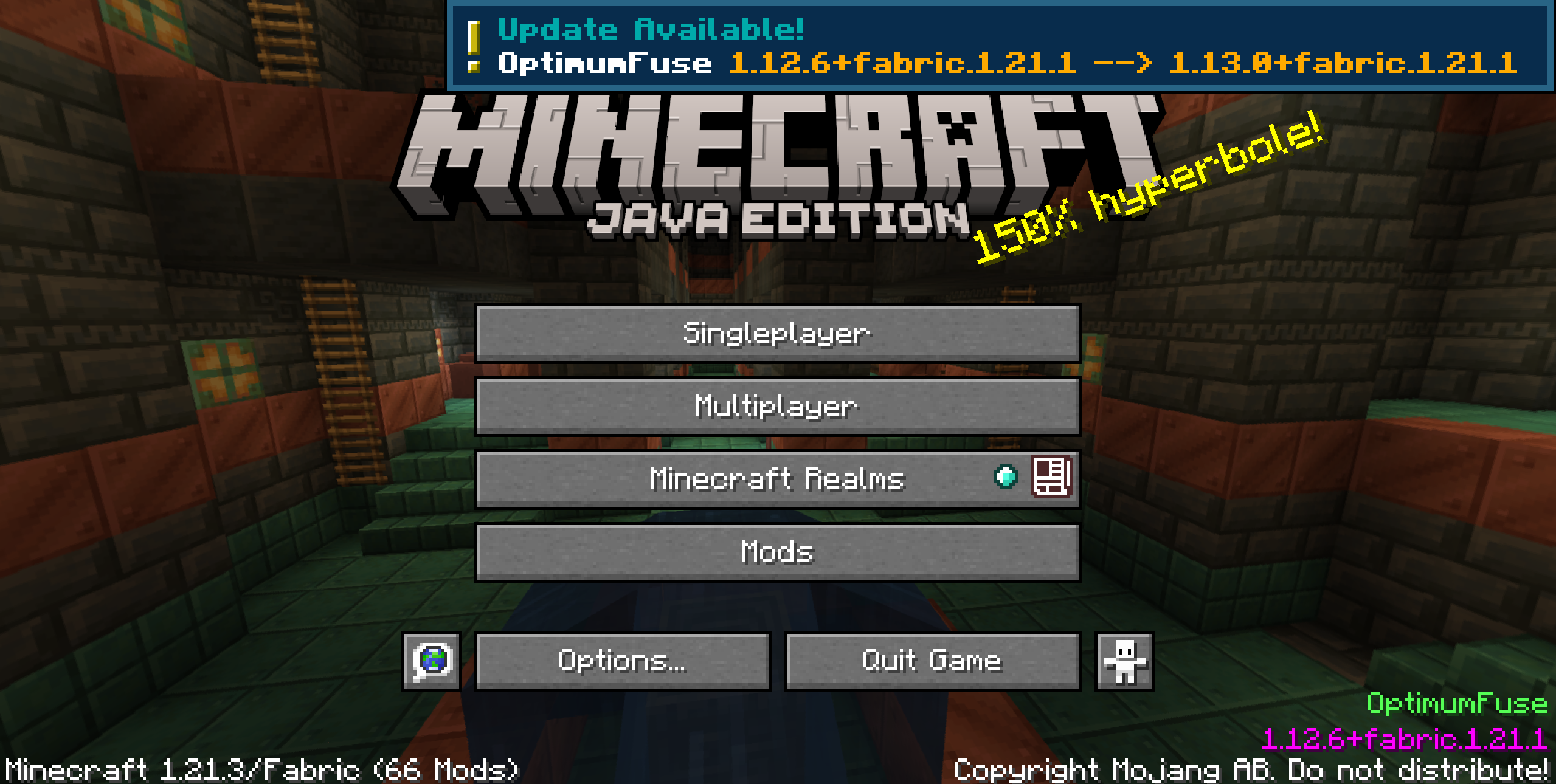
Toast notifications appear once on the Title Screen, just after loading the game.
- Update Toast: Notifies the user about modpack updates. Info like Modpack Name and the Version Installed are entered automatically.
- Ram Alert Toast: Shows a toast if the RAM allocated is below the minimum required by the modpack.
Window Utils
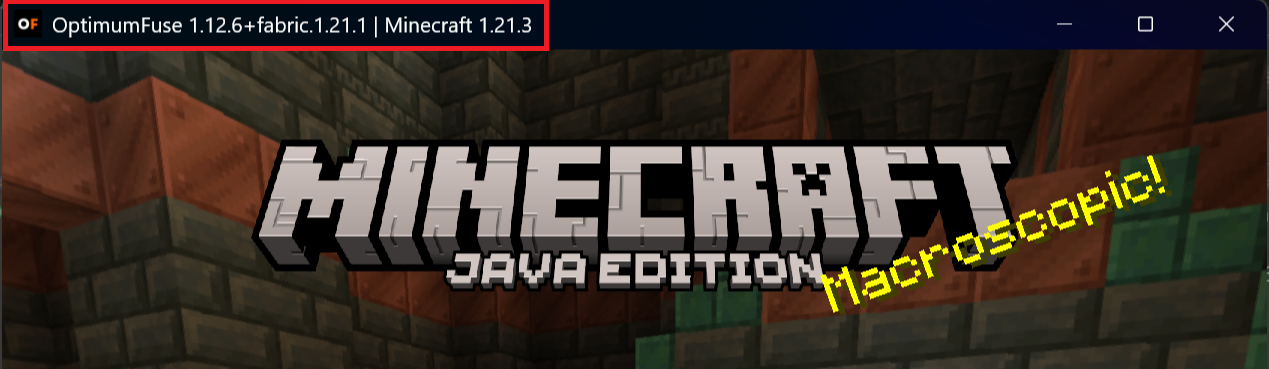
- Custom Icon: Customize the game window icon, like using your modpack logo, by placing the icon files in the
config/mutils/iconsfolder. - Custom Title: Set a custom title for the game window. Info like Modpack Name and the Version Installed are entered automatically.
Main Menu Credits Integration
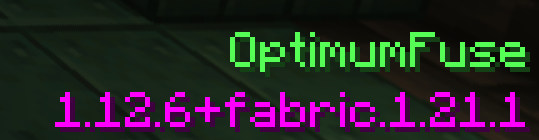
- Normal: A simple text is shown on the Title Screen.
- Fancy: Detailed, colorful lines of text are shown on the Title Screen.
- Custom: Refer to the wiki for more info.
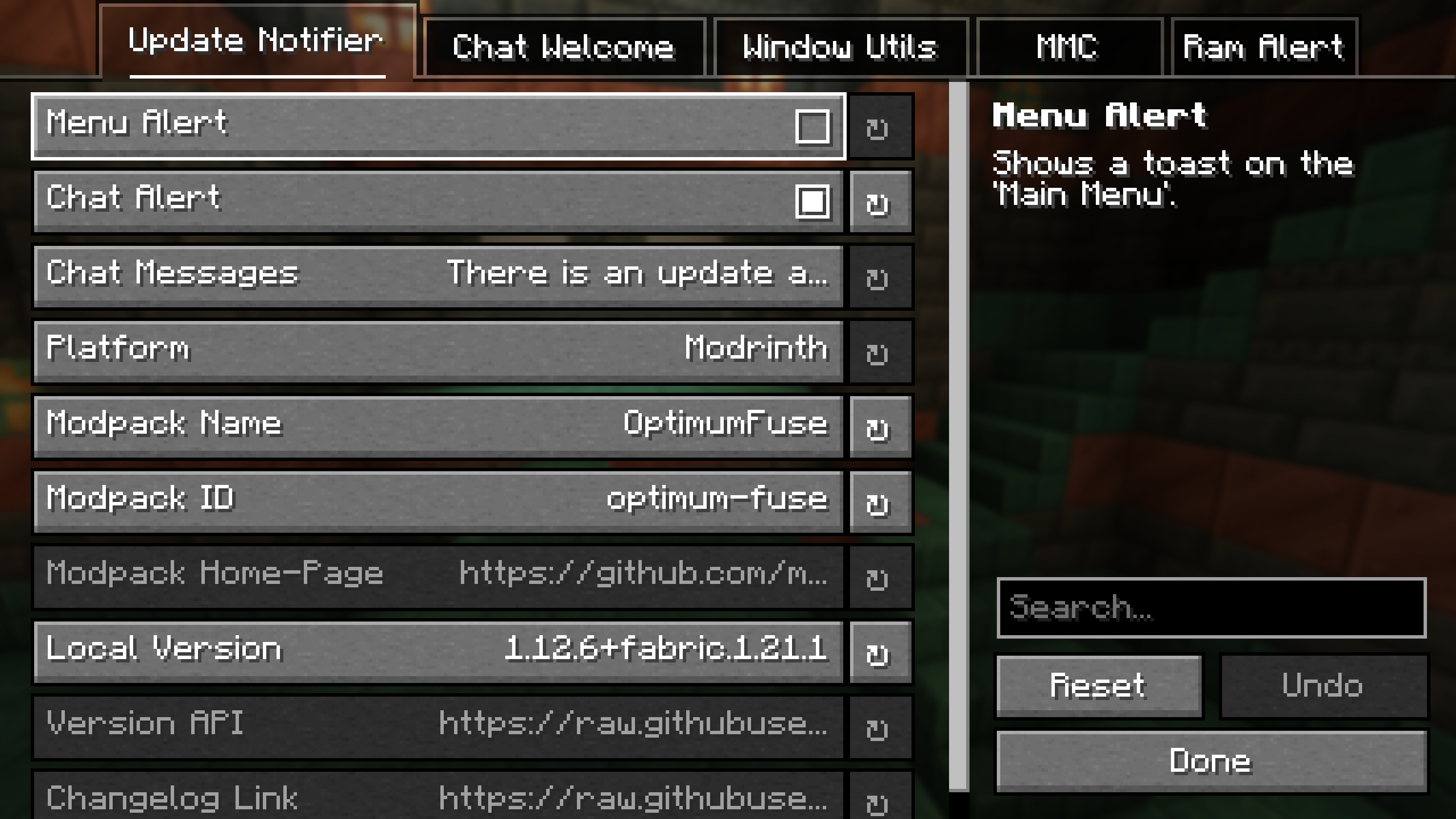
Fully Configurable
常见问题
ModpackUtils 支持哪些 Minecraft 版本?
ModpackUtils 支持 Minecraft Java 版 1.20–1.21.5,共 8 个版本,可用的加载器:Fabric / Forge / NeoForge / Quilt。下载时注意选择和你游戏版本一致的文件。
ModpackUtils 怎么安装?
先用 PCL2 或 HMCL 启动器安装对应版本的 Fabric / Forge / NeoForge / Quilt,再把下载的 .jar 文件放进游戏目录的 mods 文件夹,重新启动游戏即可。开启了版本隔离的,mods 文件夹在 versions/版本名 下面。运行环境:仅客户端。
UltimatChamp 的其他作品
查看全部 →
BetterGrassify
玩家终于可以摸到草了!? OptiFine 的 Fancy 和 Fast 更好草地效果现已在 Fabric 和 NeoForge 上实现!

EnhancedTooltips
A mod that overhauls tooltips, and adds some extra information.

EnhancedTooltips
A mod that overhauls tooltips, and adds some extra information.

[CIT] CustomItemTextures
MCPatcher's CIT w/o OptiFine. A reliable fork of CITResewn!
评论
登录后评论和评分