
Melter Block
Turns blocks into fluids! Create mod compatibility! A fork of the mod 'melter'.
截图
介绍
Melter Block
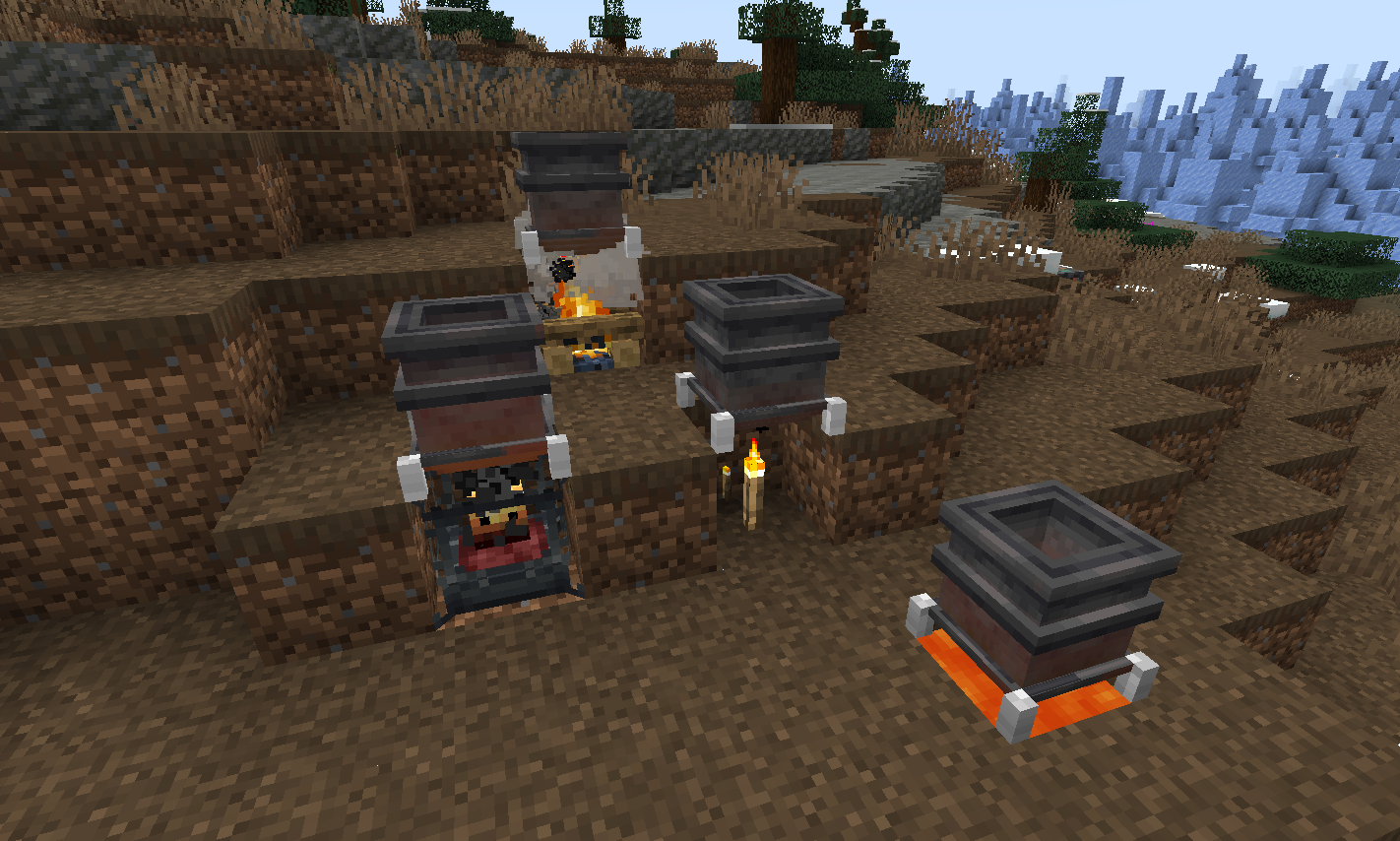
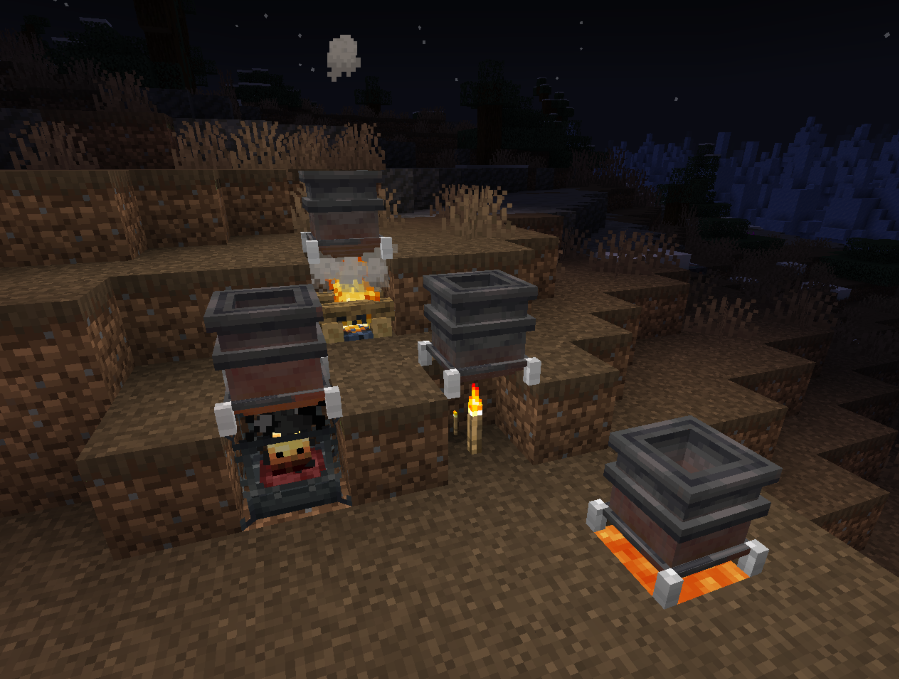
A simple melter block that turn blocks into liquid.
Wish there was an easier way to get your lava rather than scooping buckets and trudging through the snow for 5 miles before breakfast? Are you an older MC user who misses the cobble to lava cauldrons of old days of yore? The Melter may be your favorite new machine block!
Default recipes
- Cobblestone >>> Lava
- Snow >>> Water
- Ice >>> Water
- Honey Block >>> Honey (If mod ‘Productive Bees’ is loaded)
To place blocks into the Melter drop them in, or push them in using pipes from a storage location. Holding blocks in hand to right-click-mouse insert will not work. Only blocks with recipes can be dropped-in / inserted.
If the mod ‘Create’ is included then blaze burners will be available as a possible heat source.
Heat sources + Heat level
- Torch -1
- Soul Torch – 1
- Campfire – 2
- Soul Campfire – 2
- Lava – 3
- Blaze burner – 5 (active), 1 (fading), 0 (inactive), 8 (superheated)
Adding additional recipes
Datapack JSON example for adding melting recipes:
example – creating a JSON file with the same name as the default cobble recipe and placing it in the data location of it to overwrite the default –
data\melter\recipes\melting\cobble_melting.json
— Example recipe basic
{
"type": "melter:melting",
"ingredient": {
"item": "minecraft:cobblestone",
"count": 1
},
"result": {
"fluid": "minecraft:lava",
"amount": 250
},
"processingTime": 500
}
— Example recipe with optional minimum heat level required to melt
{
"type": "melter:melting",
"ingredient": {
"tag": "forge:stone",
"count": 1
},
"result": {
"fluid": "minecraft:lava",
"amount": 250
},
"processingTime": 2000,
"minimumHeat": 4
}
To introduce new recipes you can add your own JSON files to datapacks with different filenames and recipe values.
KubeJS Integration
The KubeJS mod can be used to add recipes in a simple 1 line format.
Place lines like example below (in the recipes event) of any *.js script file located in the profile\kubejs\server_scripts\ folder location – that’s it!
- See below for how to construct recipe adding script lines.
- Note that some of the examples have an optional minimum heat level needed. The .minimumHeat is optional. Without it any heat source will work with the recipe. With it, recipe items placed will only melt if the heat level on the block is high enough.
ServerEvents.recipes((event) => {

// event.recipes.melterMelting(OUTPUT,INPUT).processingTime(INT);
// event.recipes.melterMelting(OUTPUT,INPUT).processingTime(INT).minimumHeat(INT);

event.recipes.melterMelting(Fluid.of('minecraft:water', 1000),"minecraft:ice").processingTime(200);

event.recipes.melterMelting(Fluid.of('minecraft:lava', 250),"#forge:stone").processingTime(1000).minimumHeat(4);

  });
Keep in mind that the above KubeJS examples add new recipes, not replace existing recipes.
- If you’d like to replace an existing recipe such as the default cobble_melting.json recipe found in the melter:recipes/melting/ folder – use the following KubeJS line first to remove the original recipe, and then add your new recipe using the examples above:
event.remove({id: 'melter:melting/cobble_melting'});
(This mod is a fork of the mod ‘melter’ – the impetus for it’s initial creation was to introduce compatibility with the newest versions of the ‘create’ mod 0.5.1.+)
常见问题
Melter Block 支持哪些 Minecraft 版本?
Melter Block 支持 Minecraft Java 版 1.18.2–1.20.1,共 4 个版本,可用的加载器:Forge / NeoForge。下载时注意选择和你游戏版本一致的文件。
Melter Block 怎么安装?
先用 PCL2 或 HMCL 启动器安装对应版本的 Forge / NeoForge,再把下载的 .jar 文件放进游戏目录的 mods 文件夹,重新启动游戏即可。开启了版本隔离的,mods 文件夹在 versions/版本名 下面。
nano_nestor 的其他作品
查看全部 →
Cursed Earth Returns
Cursed Earth 的一个分支版本——新增了 Blessed Earth!

Sheep Consistency (Forge)
When sheared, sheeps now show the color they're dyed with on their skin

The Briar Patch
1.16.5 modpack focusing on tech, nature/farming, and helpful utilities. Minecolonies! Tinkers Construct 3!

Briar Patch 2
Focusing on tech, nature/farming, utilities, and Minecolonies!
评论
登录后评论和评分