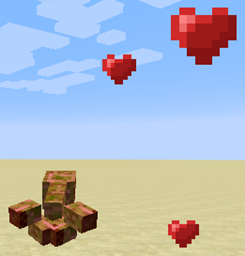
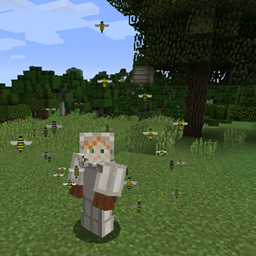
截图
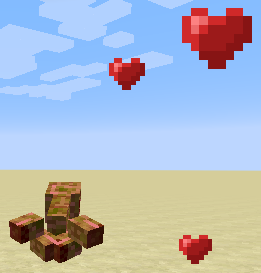
介绍
概述
制作这个模组的原因是,我通常会在游玩 Minecraft 时安装 Hunger Strike 模组,这样探索世界时就不必不停地往嘴里塞食物。但令我一直失望的是,我 仍然需要 食物来恢复生命值。
于是,Heart Drop 模组登场了。 现在所有生物死亡时都会 掉落心形物品,玩家捡起后每个都能恢复一颗心。 每种生物掉落的心形物品数量取决于它的最大生命值,所以越难击杀的生物,掉落的心形物品就越多。
即使没有安装其他模组,它也依然是关闭自然生命恢复的生存地图的完美搭档; 单独使用也很不错,能在你奋力杀出僵尸群时快速恢复一些生命值。
小提示: 如果你发现世界里散落着太多心形物品,可以尝试在配置中启用吸血鬼模式。
heartdrop.cfg
# Configuration file
general {
# A number between 0 and 1. Every time a player attacks a boss and it loses this percentage of its health, it will drop a heart.
# For example, at 0.1 (10%) a boss with 100 health will drop a heart every time a player attack brings its health below 90, 80, 70, etc.
# Default: 0.1
D:BossHeartDrops=0.1
# Set to true and punch an entity to see its name.
# Only useful for building the entity blacklist.
# Default: false
B:DebugEntities=false
# A comma-separated list of all entities you do NOT want to drop hearts.
# For example, if you don’t want livestock to drop hearts, use: Pig,Sheep,Cow,Chicken
S:EntityBlackList=
# The number of ticks before hearts will despawn.
# Default: 6000
I:HeartDespawn=6000
# A number between 0 and 1 that determines how often entities drop hearts upon death.
# If set to 1, hearts will drop 100% of the time.
# Default: 1
D:HeartDropChance=1.0
# A number between 0 and 1 that modifies the amount of hearts dropped by entities on death.
# Is ignored when singleHeart is set to ‘true’
# Default: 0.5
D:HeartDropModifier=0.5
# The number of extra hearts you get for every level of the looting enchantment on your weapon.
# Default: 1
I:LootHearts=1
# If set to true, entities will only ever drop one heart at a time.
# HeartDropModifier will be ignored.
# Default: false
B:SingleHeart=false
# If set to true, you will directly consume the life-force of your enemies.
# No hearts will drop, but you will still heal.
# Default: false
B:VampireMode=false
}
资源包
这个模组应该能自动兼容所有资源包,因为它会直接调用“驯服之心”粒子效果的纹理。
常见问题
Heart Drop 支持哪些 Minecraft 版本?
Heart Drop 支持 Minecraft Java 版 1.7.10–1.8,共 2 个版本,可用的加载器:Forge。下载时注意选择和你游戏版本一致的文件。
Heart Drop 怎么安装?
先用 PCL2 或 HMCL 启动器安装对应版本的 Forge,再把下载的 .jar 文件放进游戏目录的 mods 文件夹,重新启动游戏即可。开启了版本隔离的,mods 文件夹在 versions/版本名 下面。

评论
登录后评论和评分