
AutoTools
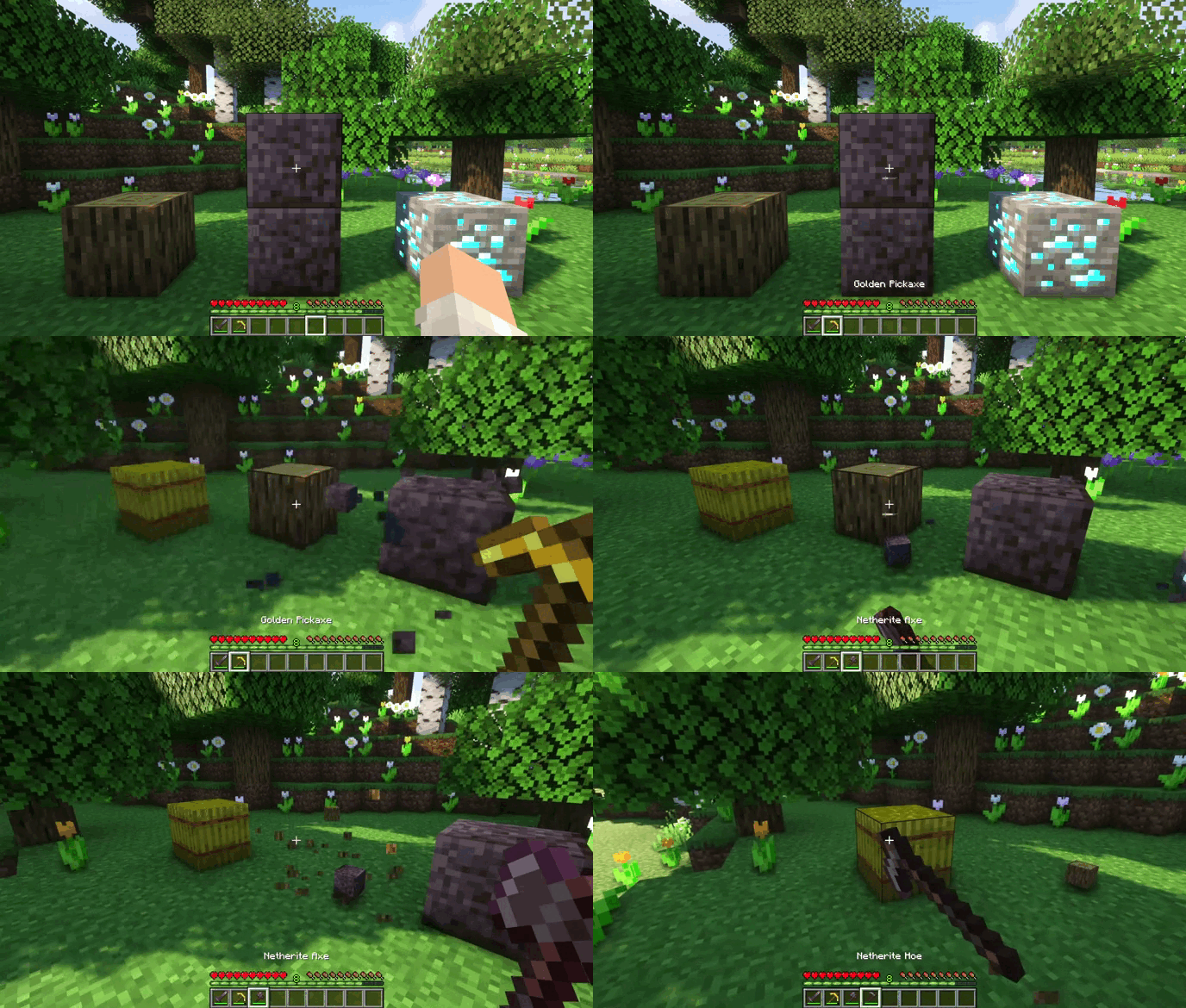
AutoTools is a Minecraft mod that allows you to automatically switch to the best tool for blocks/mobs with the press of a button. It looks through your whole inventory and choses the best tool according to mining level/speed, damage and enchantments.
截图
介绍
AutoTools
 )

AutoTools looks through your whole inventory and finds the best tool to mine a block or attack a mob. The tool is
determined by mining speed, mining level, enchantments, and the DPS. the Mod features a high level of customisation with
many config options. For blocks where SilkTouch is preferred
see silk_touch.json
and for
Fortune fortune.json.
Shears will always pre preferred
for shears.json.
All config options can conveniently be edited using the ClothConfig UI:
- #### Selection Config \[default]:
- toggle \[false]: AutoTools will always be active and try to get you the best tool. Can be toggled with the set key.
- disableCreative \[true]: Disables AutoTools in creative-mode if toggle is enabled.
- keepSlot \[false]: Keeps the selected slot when swapping to a new tool instead of using the vanilla mechanics.
- hotbarOnly \[false]: AutoTools will only select tool from you hotbar
- preserveDurability \[true]: AutoTools will switch to an item with no durability if no suitable tool has been found
- hotbarOnly \[false]: AutoTools will only select tools from you hotbar
- preferHotBarTool \[true]: AutoTools will prefer the tool already in your hotbar if multiple tools have the same mining speed, regardless their durability.
- preferLowDurability \[false]: AutoTools will prefer the tool with the lower durability, instead of the higher one, if they have the same mining speed and enchantments.
- preserveDurability \[true]: AutoTools will switch to an item with no durability if no suitable tool has been found
- switchBack \[false]: AutoTools will switch back to the item you had in your hand before breaking the block
- showDPS \[true]: Displays the weapons Damage when hovering over it as a tooltip
- changeForEntities \[true]: AutoTools will change to the tool with the most DPS when looking at an entity
- keepAxe \[false]: AutoTools won’t change to a better weapon(e.g. a sword) when holding an axe
- enabled \[always]:
- always: AutoTools will always be active
- tool: AutoTools will only be active while holding a tool
- no_tool: AutoTools will only be active while not holding a tool
- ignoredSlots \[\[]]: AutoTools won’t do anything if the currently selected one of these
- targetSlots \[\[1,2,3,4,5,6,7,8,9]]: AutoTools only puts tools in these slots
- ignoredInventorySlots \[\[]]: AutoTools won’t select tools from these slots in your inventory. See Inventory Slots
- minDurability \[0.0]: If < 1: Seen as a percentage: Tools below minDurability won't be selected Else: Seen as durability: tools will be selected until at minDurability (e.g. set to 1 to never break a tool)
- durabilityCheck \[true]: Prevents mining when going under minDurability
- experimentalBreakDelay \[false]: Adds an experimental 1 Tick = 50ms delay if toggle is enabled before breaking a block after a tool switch. Enable this if you are experiencing Desyncs like Ghost-Blocks when instant mining.
- #### Block Behaviour:
- onlySwitchIfNecessary \[false]: AutoTools only tries to get a new tool if it is needed to break the block
- alwaysPreferFortune \[false]: Autotools will use Fortune for Gravel and Leaves
- preferSilkTouch \[except_ores]:
- always: Autotools additionally will use SilkTouch for: grass, stone, ores, leaves, snow
- ores: AutoTools additionally will use SilkTouch for ores
- except_ores: Autotools additionally will SilkTouch for: grass, stone, leaves, snow
- never: Autotools will only use SilkTouch if its required to mine a block.
- customTools
- Add custom tool-configurations in JSON format (e.g. customTools={“minecraft:block_id”:”minecraft:tool_id”} or customBlocks={“minecraft:block_id”:[“minecraft:tool_id_1”, “minecraft:tool_id_2”]})
- Note: On Forge and NeoForge you have the use customTools=”{\”minecraft:block_id\”:\”minecraft: tool_id\”}”
- When adding multiple tools, the first one has the highest priority There are also pre-define lists for tool groups: autotools:pickaxe, autotools:axe, autotools:shovel, autotools:hoe, autotools:sword
- To completely disable AutoTools for a block use: “autotools:disabled”
- This works on both blocks and entities (e.g. “minecraft:stone” or “minecraft:sheep”)
Compatability
There is a version available for the Forge, NeoForge and Fabric mod loader (ModMenu integration when using the Fabric
version)
AutoTools requires ClothConfig.
AutoTools is entirely client-side and works on servers and with many third-party mods.
AutoTools also works with Controllable
For Developers:
Item Compatability:
Tools: Should implement Item.isCorrectToolForDrops(BlockState) and Item.getDestroySpeed(Item, BlockState). Additionally,
Blocks should correctly implement requiresCorrectToolForDrops (Mojmap Mappings)
Weapons: Items need their attack damage (and attack speed) stored as AttributeModifiers
Mod Integration:
If you want to depend on AutoTools in your own project, use either one of these configs. A list of available packages can be found at:
https://maven.zelythia.net/#/releases/net/zelythia/autotools-common or https://github.com/zelythia/AutoTools/packages/2683389/versions
repositories {
    maven {
        name = "Zelythia Releases"
        url = uri("https://maven.zelythia.net/releases")
    }
}
According to the GitHub Documentation:
repositories {
    maven {
        url = uri("https://maven.pkg.github.com/zelythia/AutoTools")
        credentials {
            username = project.findProperty("gpr.user") ?: System.getenv("USERNAME")
            password = project.findProperty("gpr.key") ?: System.getenv("TOKEN")
        }
   }
}
常见问题
AutoTools 支持哪些 Minecraft 版本?
AutoTools 支持 Minecraft Java 版 1.16–26.3,共 35 个版本,可用的加载器:Fabric / Forge / NeoForge / Quilt。下载时注意选择和你游戏版本一致的文件。
AutoTools 怎么安装?
先用 PCL2 或 HMCL 启动器安装对应版本的 Fabric / Forge / NeoForge / Quilt,再把下载的 .jar 文件放进游戏目录的 mods 文件夹,重新启动游戏即可。开启了版本隔离的,mods 文件夹在 versions/版本名 下面。运行环境:客户端和服务端都要装。
zelythia 的其他作品
查看全部 →
Fabricae Ex Nihilo – AE2 Addon
This is an addon for FabricaeExNihilo to add Support for Applied Energiestics 2

Equal Sky!
A beginner friendly Minecraft Fabric Skyblock Modpack showcasing Aequitas and other mods including many popular mods both magic and tech related

Equal Sky! – Companion
This is a companion mod for the Modpack Equal Sky!

Aequitas
Freely exchange items, using the worlds esseence
评论
登录后评论和评分