
Dye Depot
Enhances your Minecraft experience with 16 vibrant new dyes and various other tweaks
截图




介绍

About Dye Depot
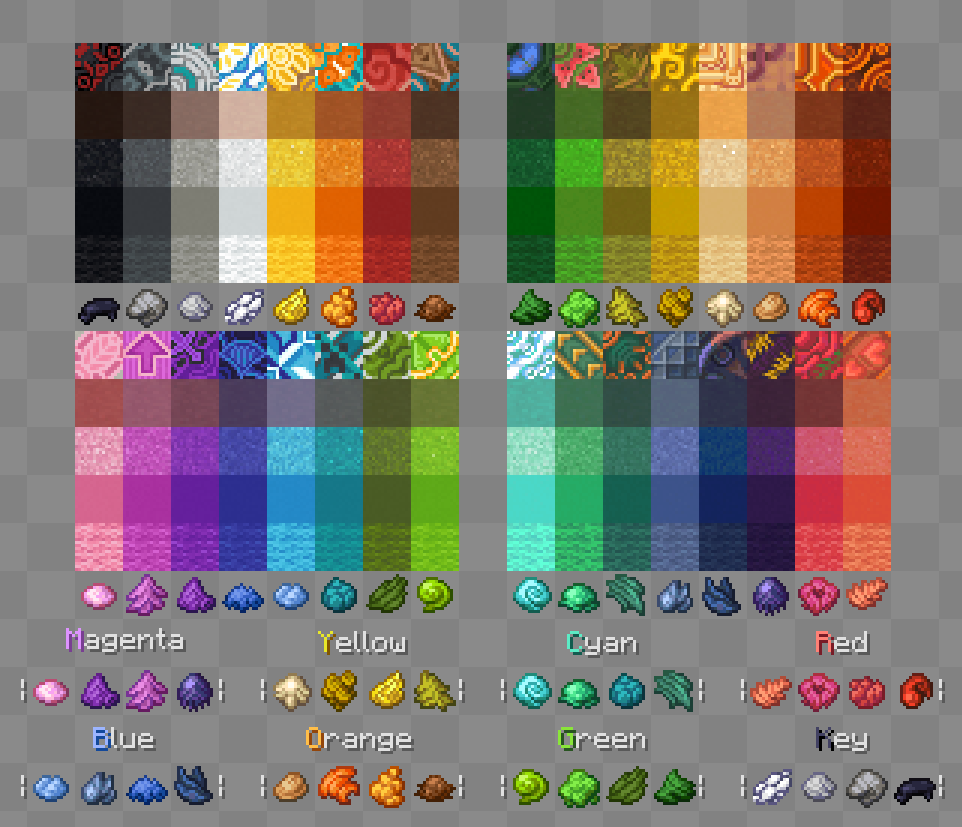
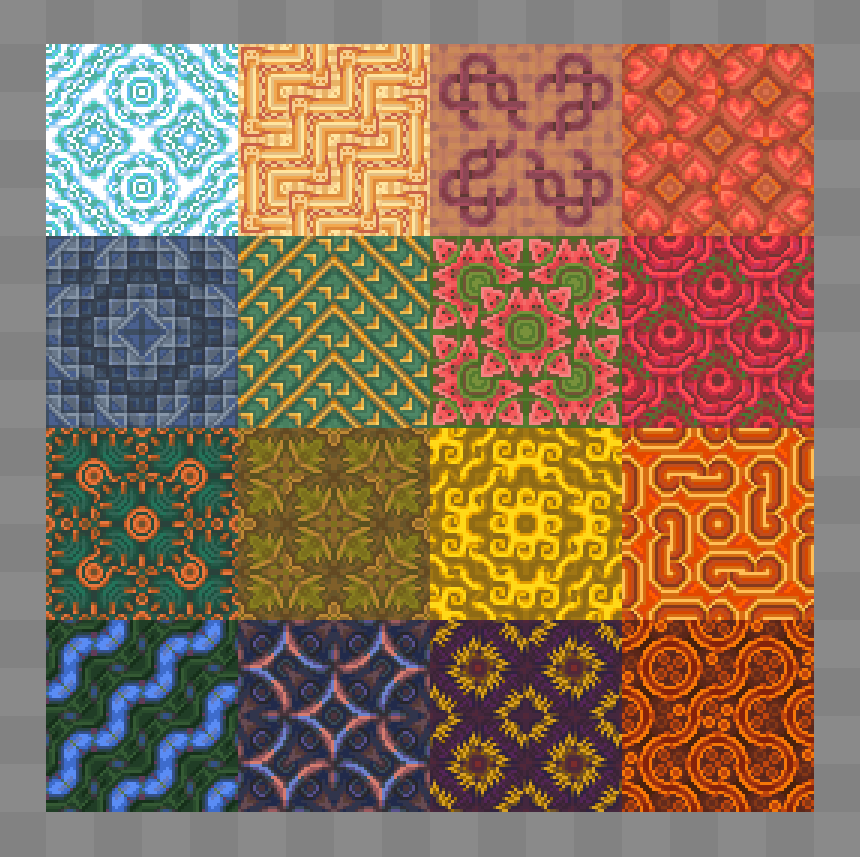
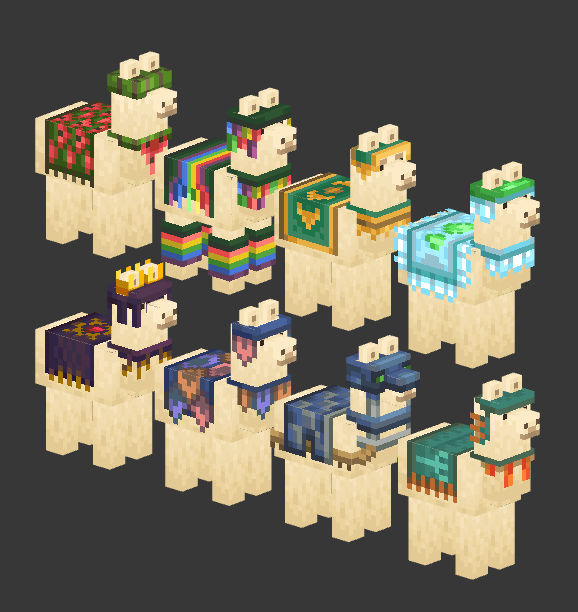
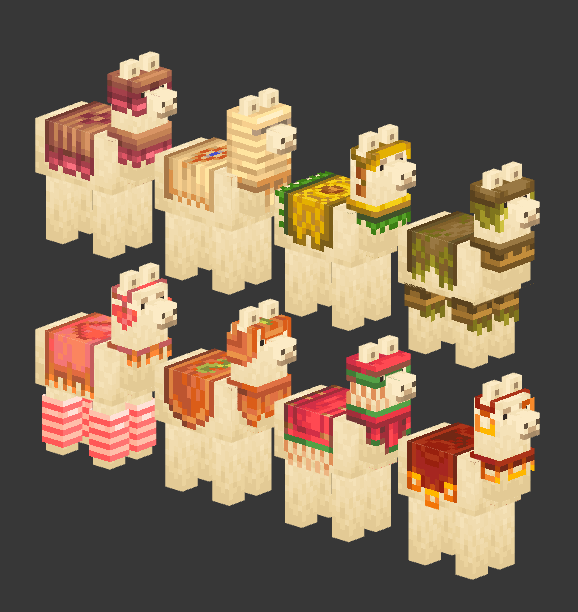
Dye Depot introduces 16 new dyes to the game, expanding the color palette and offering more customization options. This influences fish colorations, banner making, sheep dying, animal collar tinting and much more!
It also refines the basic vanilla dye crafting system, making it more intuitive and user-friendly.
And lastly it brings to the game a built-in optional resource pack that further enhances dyes, changing Light Blue to Sky, Light Gray to Ash and upgrading the vanilla dye item textures.
Mod-loader and Version
This mod is being developed for Fabric and Forge. No backports are planned.
Compat
Dyes are a heavily hardcoded part of minecraft, this mod will definitely encounter some issues if played with other mods, such as missing textures or missing blocks. Compatibility will very slowly be supported. You can check out which mods are compatible and which aren’t on our website
Dye Crafting guide
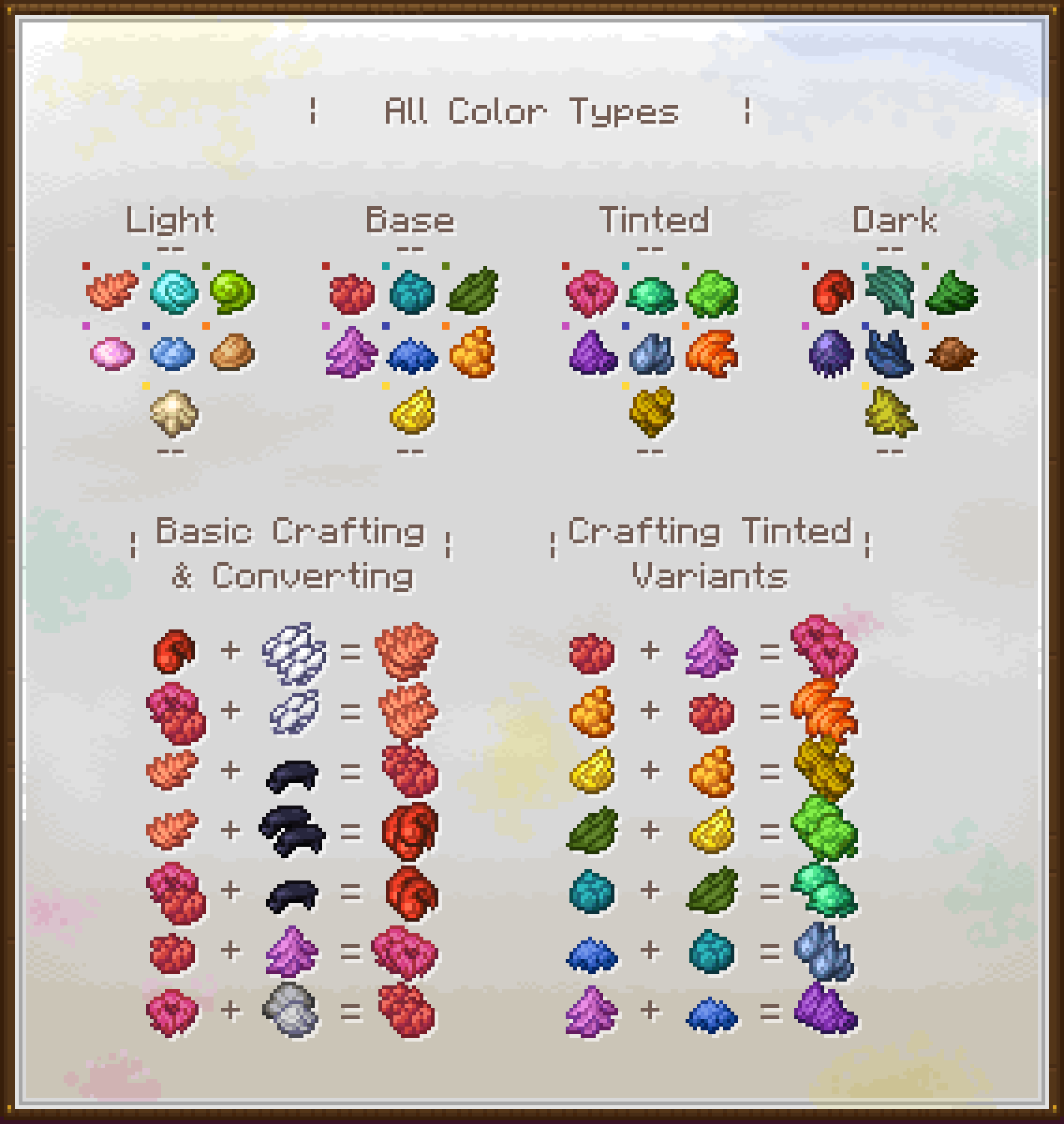
Note: you don't need to follow this guide, you can just rely on the recipe book or JEI if you wantThis chart is aimed to be a quick breakdown of how the crafting system works:
- The Color Types at the top are useful to understand what kind of dye you are working with and which colors you can turn it in. Each different Color set has these 4 variants, except the Grayscale one, that lacks a Tinted variant so
Ash/Light GrayandGrayare treated like lighter and darker colors, not equivalents. - The Basic Crafting & Converting part can be applied to all the hues and is a useful guide to understand how to turn a Light color into a Dark one, a Tinted into a Base one, etc.
- The Crafting Tinted Variants section instead is just that, an explanation on how to obtain each Tinted dye, since they all have different crafting recipes.
常见问题
Dye Depot 支持哪些 Minecraft 版本?
Dye Depot 支持 Minecraft Java 版 1.20.1–1.21.1,共 2 个版本,可用的加载器:Fabric / Forge / NeoForge。下载时注意选择和你游戏版本一致的文件。
Dye Depot 怎么安装?
先用 PCL2 或 HMCL 启动器安装对应版本的 Fabric / Forge / NeoForge,再把下载的 .jar 文件放进游戏目录的 mods 文件夹,重新启动游戏即可。开启了版本隔离的,mods 文件夹在 versions/版本名 下面。运行环境:客户端和服务端都要装。
Orcinus 的其他作品
查看全部 →
Twigs
一款 Minecraft 建筑方块模组

Galosphere
洞穴扩展,包含新生物群系、生物等内容。

Species
一个为游戏添加虚构生物模组的介绍,功能酷炫独特

Overweight Farming
Overweight Farming 是一个小型模组,旨在改进和扩展 Minecraft 的农业玩法,让种田更有趣。该模组的主要特色是“超重作物”,原版作物有极小概率生长成这种作物。
评论
登录后评论和评分