截图
介绍
Coords HUD



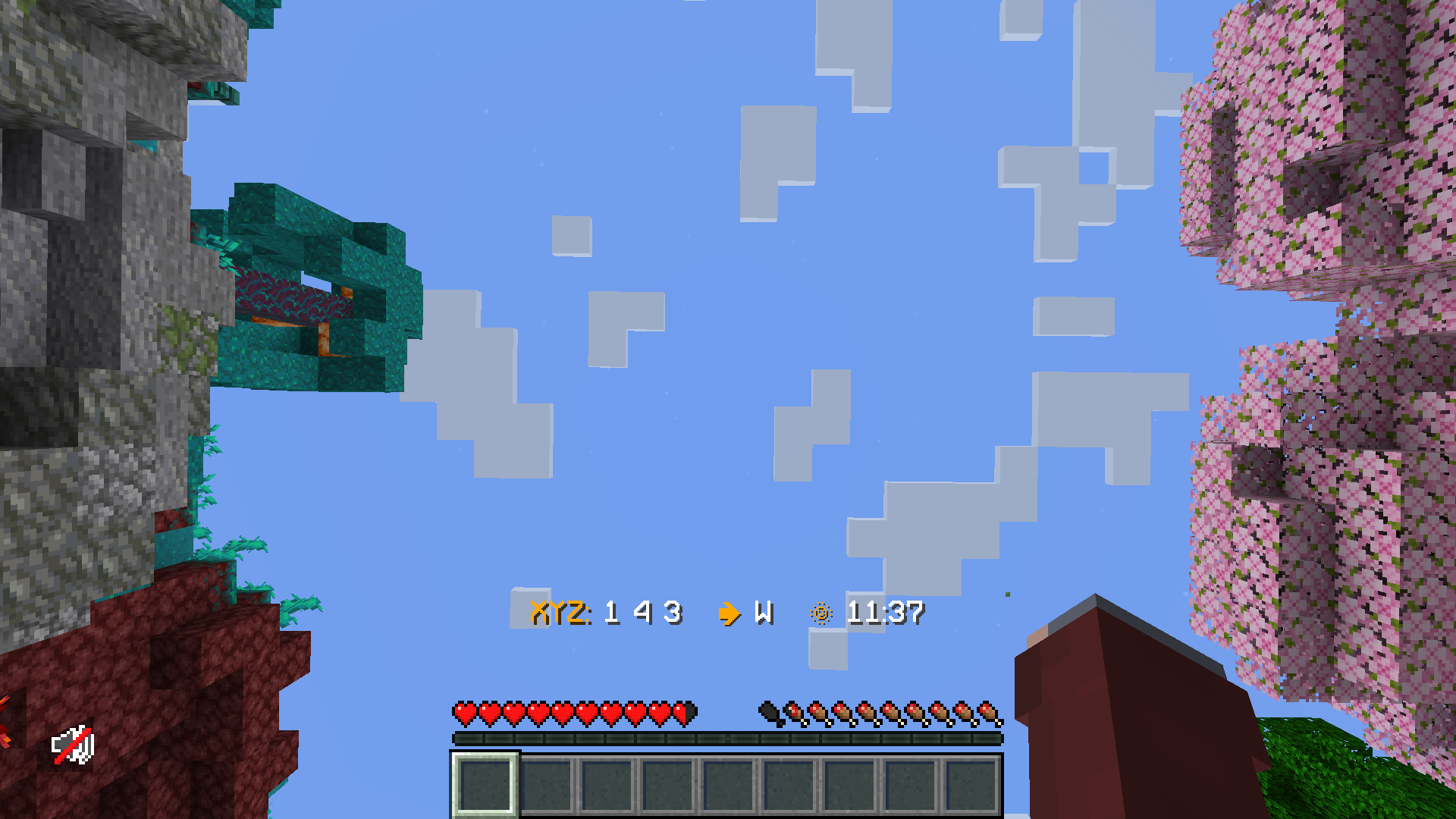
This is a small server-side mod to provide fast and configurable HUD text to players. It’s very similar to the “Coordinates HUD” datapack from Vanilla Tweaks!

It aims to provide some small improvements over the datapack:
- Allows custom server or player-specific HUD messages, using the Placeholder API
- Stores data in a config/db file, rather than including it in the world save
- More efficient for large servers, avoiding expensive processing and reducing sent packets
This was primarily built so that Minecraft BINGO players don’t need to re-run the /trigger ch_toggle command every time the server restarts with a new world. The customization with placeholders is a nice advantage.
While the performance improvements are good for large servers, the difference should not be noticeable for most players. If you aren’t using the extra functionality in this mod, I’d recommend sticking with the datapack for better compatibility.
⌨️ Commands
/coordshudtoggles whether the HUD is enabled/coordshud format <text>changes the text format used for the HUD
📖 Configuration
On the first startup, the mod will create its config files in ./config/coords-hud/... No initial setup is needed to use the mod; it should run out of the box.
"isEnabledByDefault"(default: true) – Whether the HUD is enabled by default for new players."formatDefault"– The default HUD text format, in Raw JSON text format syntax.
常见问题
Coords HUD 支持哪些 Minecraft 版本?
Coords HUD 支持 Minecraft Java 版 1.20.4–26.3,共 20 个版本,可用的加载器:Fabric / Quilt。下载时注意选择和你游戏版本一致的文件。
Coords HUD 怎么安装?
先用 PCL2 或 HMCL 启动器安装对应版本的 Fabric / Quilt,再把下载的 .jar 文件放进游戏目录的 mods 文件夹,重新启动游戏即可。开启了版本隔离的,mods 文件夹在 versions/版本名 下面。运行环境:仅服务端。
fennifith 的其他作品
查看全部 →
Scoreboard Overhaul
An improved, cuter, and non-invasive scoreboard sidebar UI redesign!

Yet Another Bingo
A multiplayer Bingo/Lockout mod + lobby, compatible with vanilla clients

Yet Another Bingo: Ultimate
一个专注于原版体验的 Minecraft BINGO 整合包——包含便利性功能和性能优化模组。

MC-249136 Fix
A hacky fix for server lag spikes when generating shipwreck buried treasure map / explorer map loot.
评论
登录后评论和评分