
介绍
Highly configurable tooltip rendering, so you can always read them!
fork of AdaptiveTooltips
Why was this mod created?
Vanilla tooltips are not very smart: this mod aims to fix that. In vanilla, there are a lot of situations (especially when modded) where you just cannot read a tooltip due to it being just too long to fit on the screen. There are many solutions!
BetterTooltips aims to dream up and implement these solutions into Minecraft for a vanilla-like tooltip experience without the frustrations.
Features
There are many methods in which BetterTooltips can save your tooltips from the clutches of the bezels; below are a list of all the (toggleable) options to fix this.
Text Wrapping
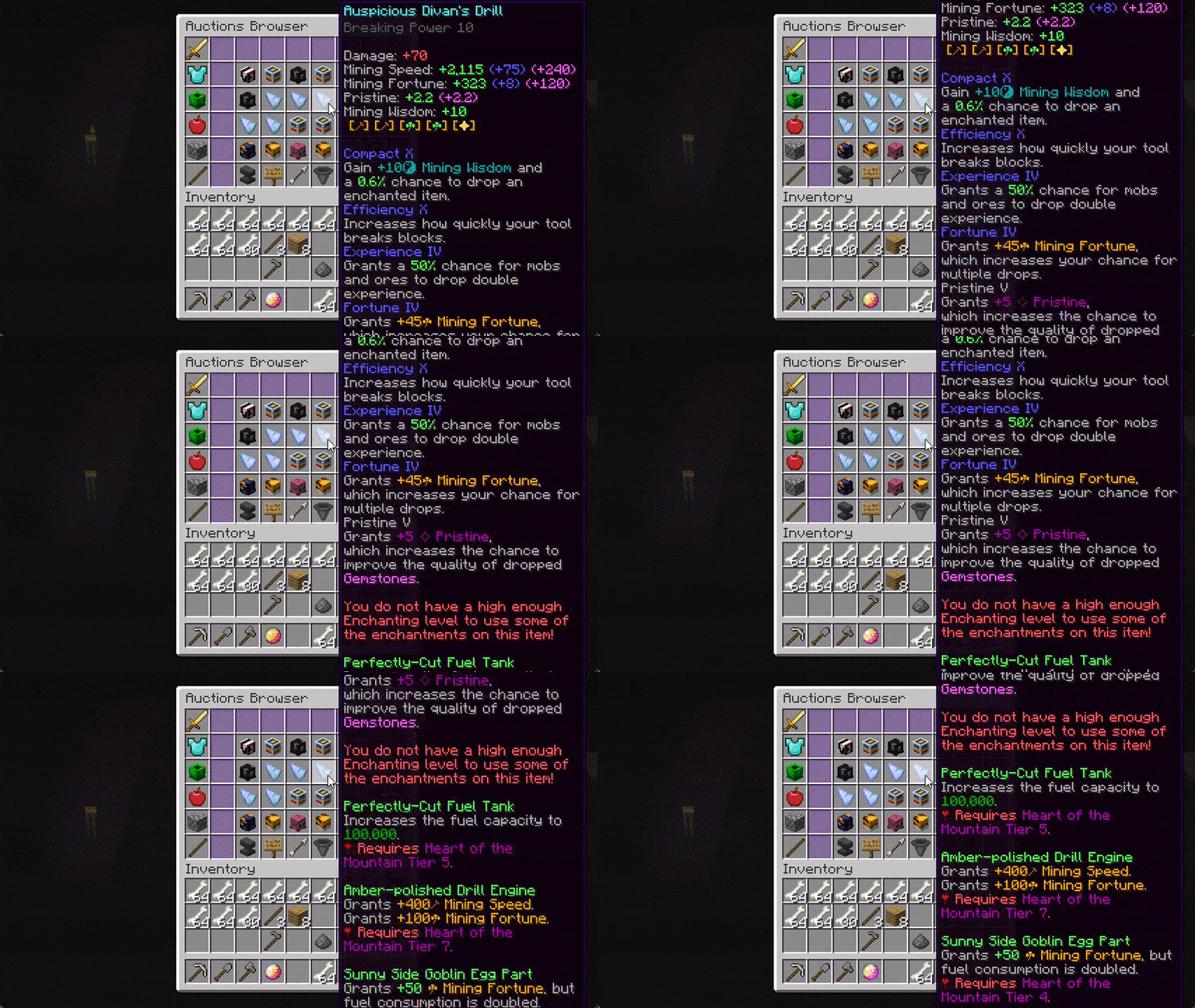
There is one very obvious fix to tooltips going off-screen horizontally: text wrapping! If a line is too long to fit on your screen, BetterTooltips intelligently splits it into however many necessary, using words as cut-offs to not interrupt your reading.
There are multiple methods of wrapping:
Screen Width– The mod wraps with a max line width of the width of your screen (minus 15). Intended to be paired with Bedrock Centering option.Remaining Width– Allows tooltip lines to fill a maximum of what’s left until the tooltip reaches the end of the screen, picking either the left or the right depending on which would require less wrapping.Half Screen Width– Only allows tooltips to have a width of half of the screen.Smart– Wraps lines that are considerably longer than the others, with a hard limit of 3/4 of the screen width.
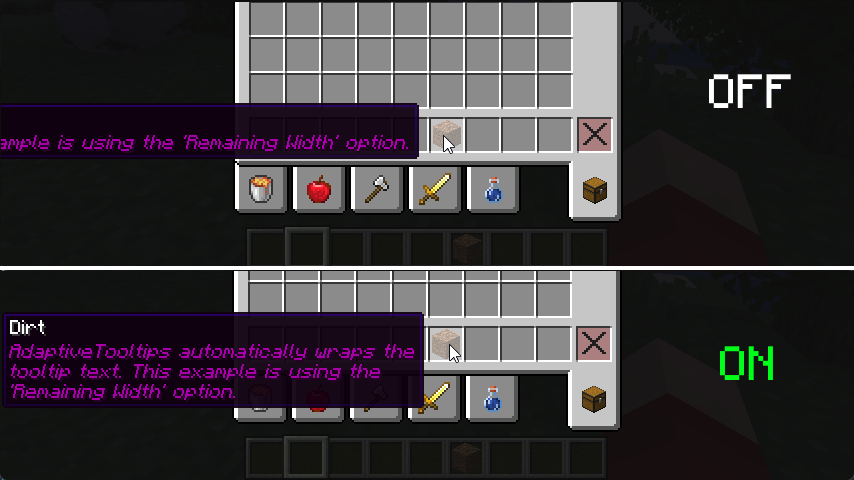 screenshot is using
Remaining Width wrapping method
Prioritize Tooltip Top
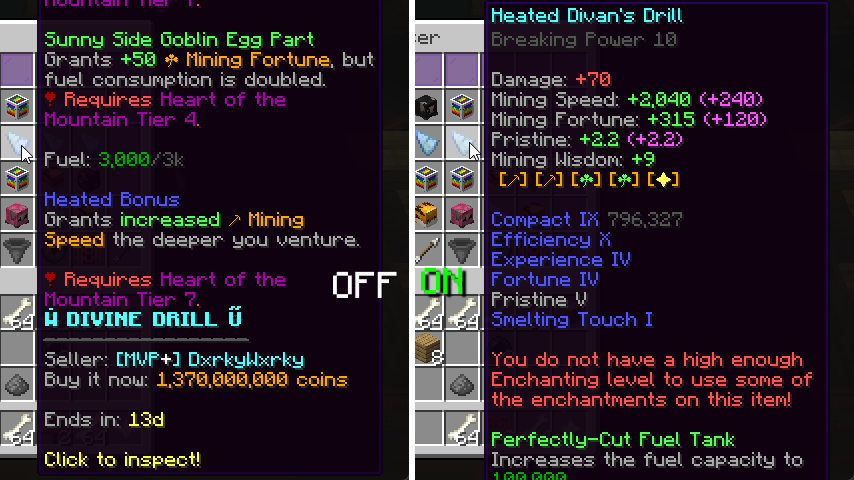
I’m actually surprised even Mojang didn’t think of adding this one, by default, tooltips that are taller than your screen limit their bottom to the edge of the screen, not the top. This results in you being able to read the (often less important) bottom of the tooltip instead of the top. This fix addresses that.
Bedrock Centering
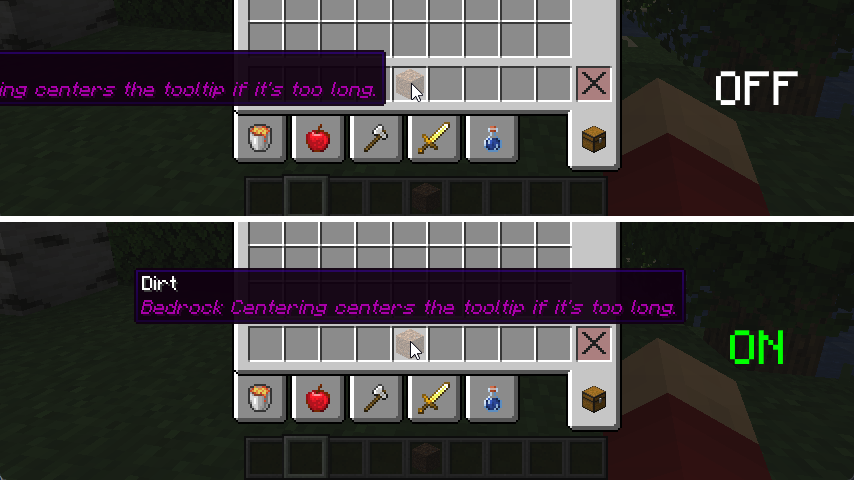
This feature grants parity between Java and Bedrock Edition. By default, Bedrock automatically centers the tooltip if it is too long to fit on either the left or the right, this adds that. For the best experience, it is best to pair this with Screen Width Text Wrapping.
Align To Corner
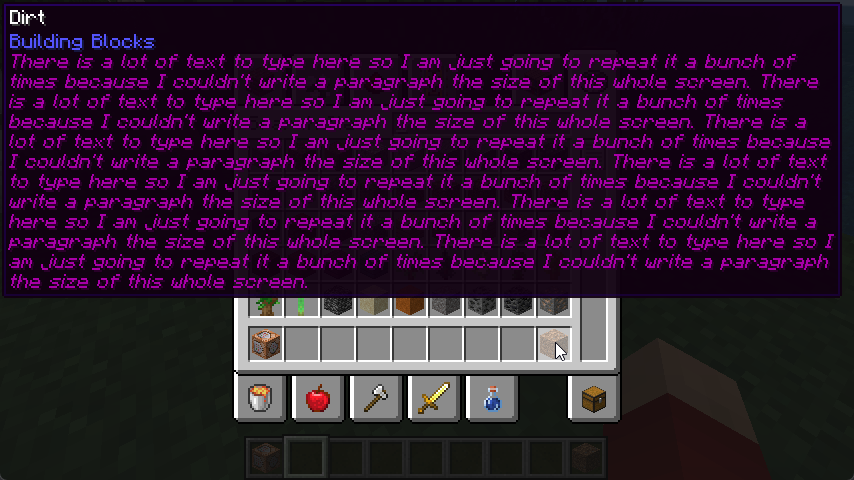
When all else fails, this feature is a good fallback. If after all the above features fail to keep the tooltip on the screen, BetterTooltips just places the tooltip in any of the 4 corners of the window, determining that based on the least obstruction of the mouse cursor.
Tooltip Scrolling
Yes, that’s right, scrolling. It’s been tried on Fabric many a times with little success with annoying edge-cases and bugs that make using scrolling annoying, but I’ve fixed all grievances! You can scroll vertically and horizontally with smooth animations and fine-tuning from the scroll direction to the sensitivity of the scrolling. BetterTooltips is also smart and knows the difference between two different tooltips and discards scrolling data when necessary.
Transparency Modification
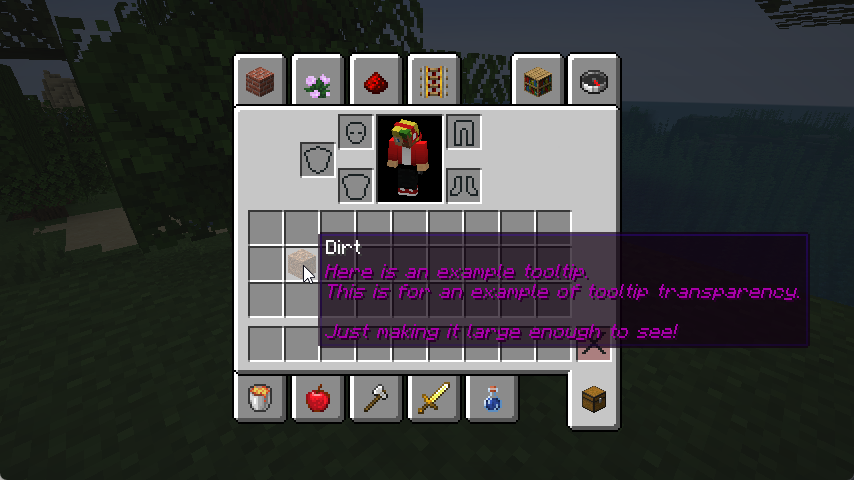
You may be bothered that tooltips may obstruct the view of the next few items in your inventory, this fix aims to mitigate that by allowing you to adjust the transparency of the tooltip, allowing you to decide what’s best for in terms of visibility and transparency.
YACL-style GUI Tooltips
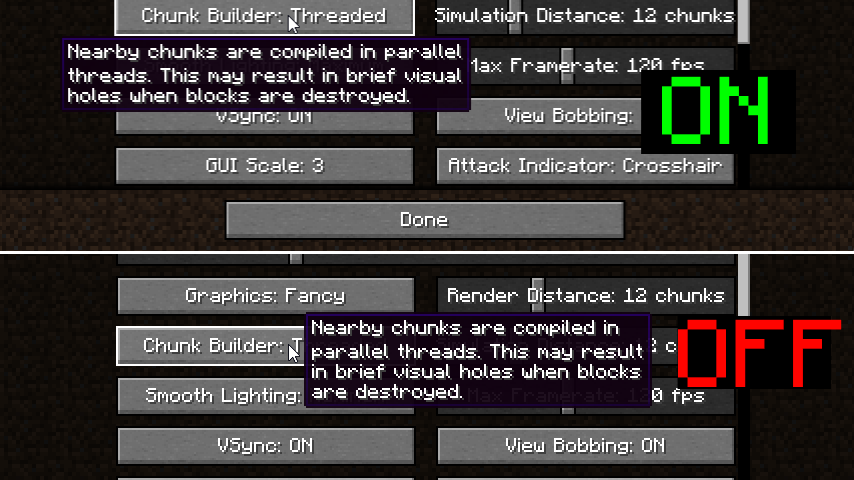
Capture the style of YetAnotherConfigLib‘s tooltip positioning by placing tooltips above or below a hovered button.
License
This mod is under the GNU Lesser General Public License, v3.0.
常见问题
Better Tooltips 支持哪些 Minecraft 版本?
Better Tooltips 支持 Minecraft Java 版 1.21–1.21.1,共 2 个版本,可用的加载器:NeoForge。下载时注意选择和你游戏版本一致的文件。
Better Tooltips 怎么安装?
先用 PCL2 或 HMCL 启动器安装对应版本的 NeoForge,再把下载的 .jar 文件放进游戏目录的 mods 文件夹,重新启动游戏即可。开启了版本隔离的,mods 文件夹在 versions/版本名 下面。
1Foxy2 的其他作品
查看全部 →
More Culling
一个改变多种剔除方式处理逻辑以提升性能的模组

Better ModList
通过添加隐藏模组和前置库的选项、为模组添加功能标签等方式增强 NeoForge 模组列表,并进一步优化其外观。

No Resource Pack Warnings forge
No Resource Pack Warnings 的非官方 Forge 移植版

Xaero Train Map
Adds create train map to xaero's world map just like in journey map
评论
登录后评论和评分