截图
介绍
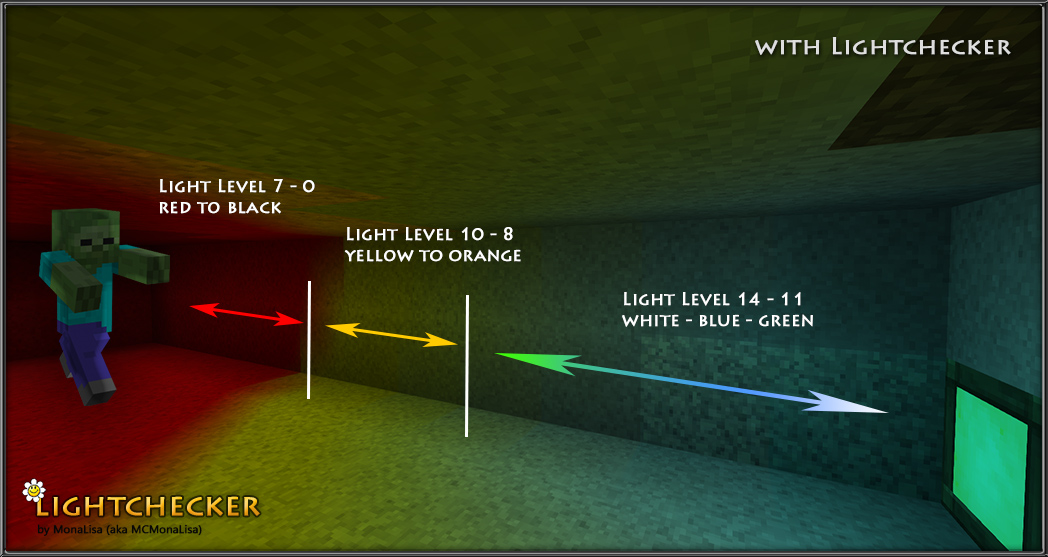
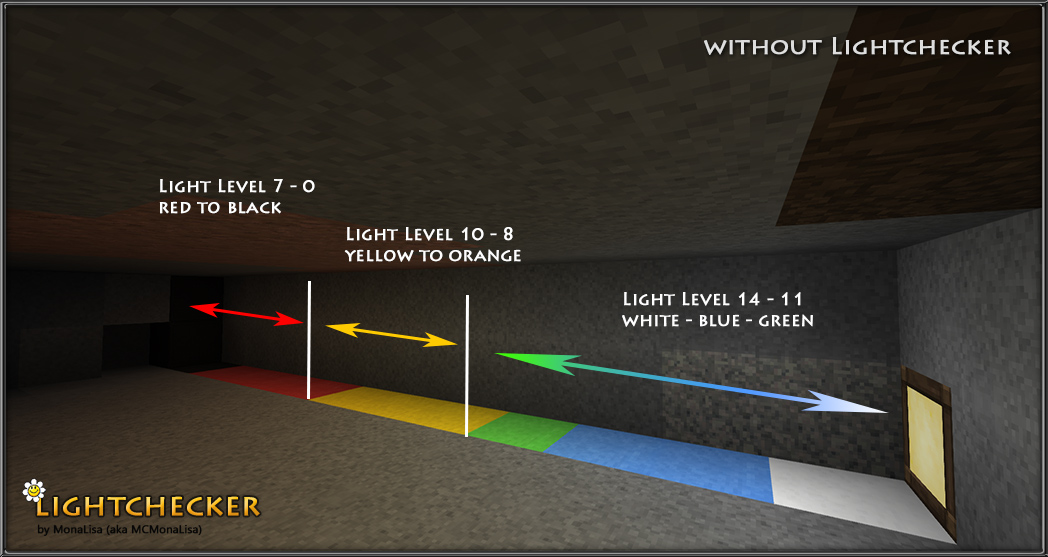
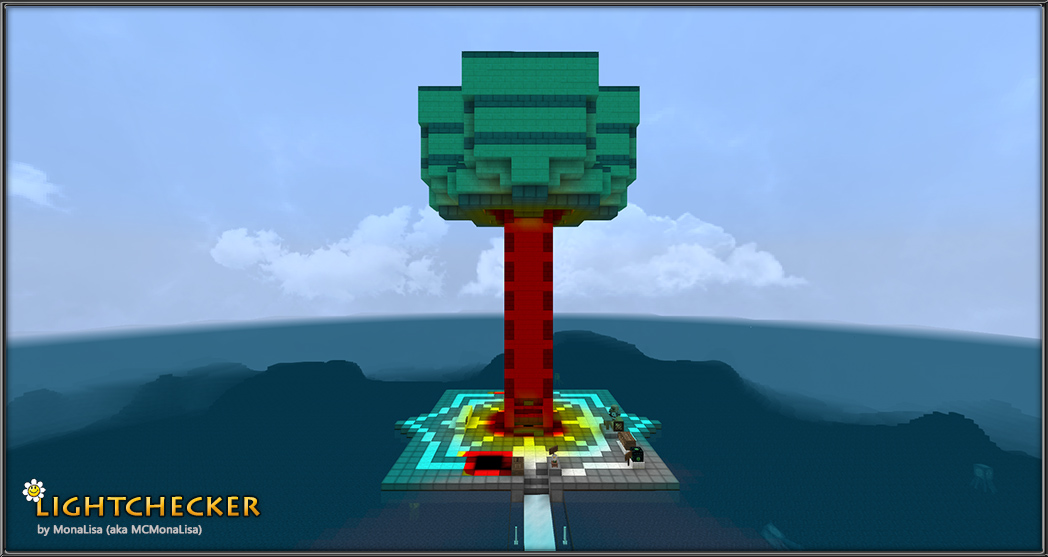
With the Lightchecker you can see where mobs can and cannot spawn.
(http://minecraft.gamepedia.com/Light)
Light Level:
7 – 0 red to black
10 – 8 yellow to orange
14 – 11 white – blue – green
Note:
– This requires OptiFine to work.
– This ignores sunlight level.
– Works with all resolutions.
How to install this pack?
– Press Start and type in %appdata%
– Open .minecraft
– Find and open your .minecraft folder
– Drag and drop or copy and paste the .zip file into the resource pack folder
– Boot Minecraft with OptiFine
– Go to options – > resource packs
– Select Lightchecker. Lightchecker needs to be placed on the first position in the list of activated resource packs.
– Done!
See Monsterley:
Monsterley (32px)
Monsterley HD Universal (128px high-resolution semi-realistic resource pack)
常见问题
Lightchecker 支持哪些 Minecraft 版本?
Lightchecker 支持 Minecraft Java 版 1.11–1.13.1,共 6 个版本。下载时注意选择和你游戏版本一致的文件。
Lightchecker 怎么安装?
把下载的 .zip 文件(不用解压)放进游戏目录的 resourcepacks 文件夹,进游戏后在「选项 → 资源包」里把它移到右边启用。
mc_monalisa 的其他作品
查看全部 →
Monsterley HD Universal
High-resolution, semi-realistic,shader support and many optional features. Try it.

Monsterley
Monsterley [1.9.x -1.16.x]

Monsterley HD Add-On: Biomes O’ Plenty
Monsterley HD Add-On: Biomes O' Plenty

Monsterley HD Universal Add-On: Snapshot [WIP]
Monsterley HD Universal textures for Minecraft 1.15 snapshots.
评论
登录后评论和评分