
3D Compatible
A texturepack which adds 3D models for blocks and items but is compatible with other Texturepacks
截图


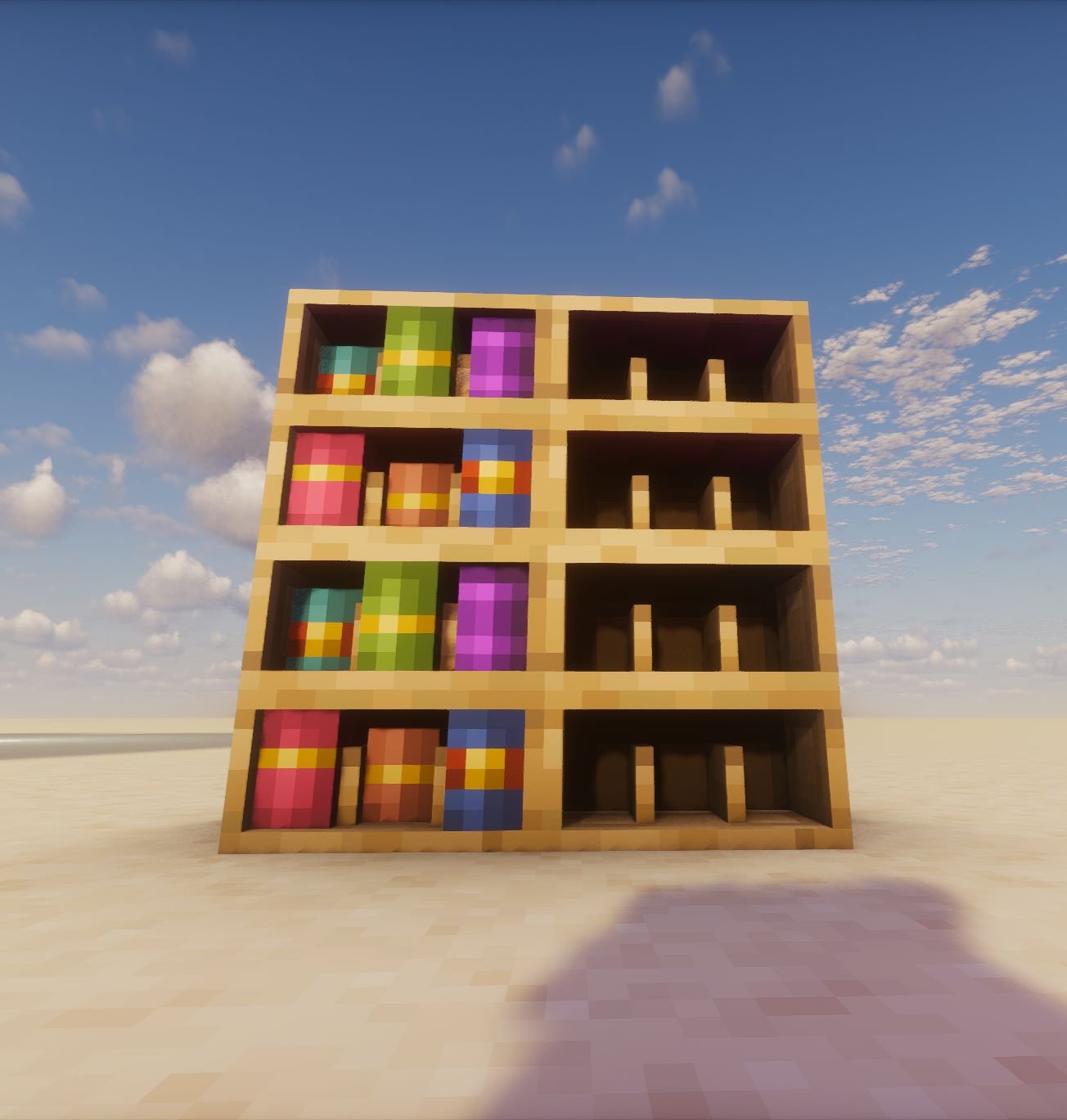


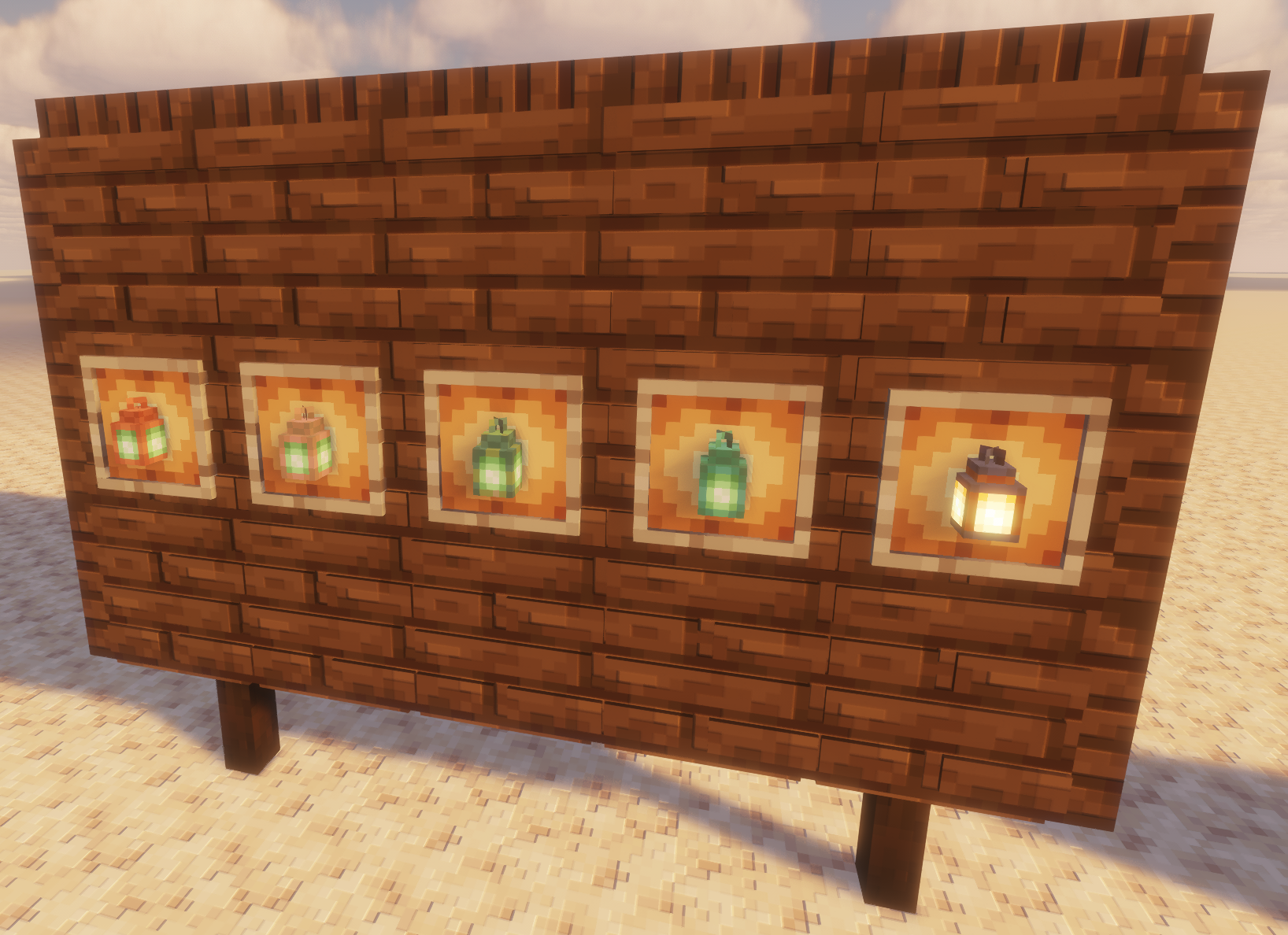

介绍
🧱 Immersive 3D Models for Everyday Blocks
Immerse yourself in a richer, more tactile Minecraft experience with 3D Compatible,
a meticulously crafted texture pack that breathes life into your world
by adding beautifully modeled 3D versions of various in-game blocks—
including ladders, rails, trapdoors, and more—
carefully designed to blend seamlessly into the classic Minecraft look
while elevating the sense of depth and structure in your builds.
✨ Beautiful Items with Dimensional Detail
Beyond blocks, this pack also enhances your items,
transforming ordinary objects like lanterns and torches
into detailed 3D models that pop off the screen,
adding that extra touch of realism and craftsmanship
whether they’re placed in the world or held in your hand.
🔄 Stackable & Compatible with Other Packs
Built with flexibility in mind, 3D Compatible is fully designed
to work alongside other texture packs,
so you can place it at the top of your resource pack stack
to enjoy all its enhancements without overriding your existing textures or style.
Whether you’re using a medieval pack, a sci-fi theme,
or sticking with vanilla, this pack integrates smoothly
to enrich your visuals without disrupting your aesthetic vision.
🌌 Enhance Your World Without Changing Its Soul
Whether you’re constructing complex redstone contraptions,
decorating a cozy mountain village, or simply exploring your survival world,
3D Compatible subtly transforms the atmosphere around you—
adding a layer of depth and realism that keeps the heart of Minecraft intact
while making every ladder climb, rail ride, or lantern-lit evening
feel just a little more magical.
Message me on discord what items/blocks i should do next
Discord: LeG1ga
常见问题
3D Compatible 支持哪些 Minecraft 版本?
3D Compatible 支持 Minecraft Java 版 1.16–26.3,共 40 个版本。下载时注意选择和你游戏版本一致的文件。
3D Compatible 怎么安装?
把下载的 .zip 文件(不用解压)放进游戏目录的 resourcepacks 文件夹,进游戏后在「选项 → 资源包」里把它移到右边启用。
JayKaey 的其他作品
查看全部 →
Solo Craft
A modpack that brings the world of Solo Leveling to minecraft

Create Gods
Master engineering with the Create Mod, explore endless biomes, and conquer planets. Build, automate, and rise as a Minecraft god.

Super SMP modpack
Cool, nice and usefull client side only modpack perfect for SMP servers

Nicely Optimised
A client-side optimization modpack with a few extra tweaks.
评论
登录后评论和评分